Example: marketing
User Guide - MERCUSYS
User Guide 1200Mbps Whole Home Mesh Wi-Fi System Halo S12 REV1.0.0 1910080045
Tags:
Information
Domain:
Source:
Link to this page:
Documents from same domain

MW150US N150 Wireless Nano USB Adapter - MERCUSYS
static.mercusys.comApr 08, 2016 · equipment (WEEE). This means that this product must be handled pursuant to European directive 2012/19/EU in order to be recycled or dismantled to minimize its impact on the environment. User has the choice to give his product to a competent recycling organization or to the retailer when he buys a new electrical or electronic equipment.

User Guide - MERCUSYS
static.mercusys.comMW301R 300Mbps Wireless N Router User Guide 1. Connected Devices ... Select this type if you connect to a PPTP VPN Server and are provided with a username, - 11 - MW301R 300Mbps Wireless N Router User Guide password, and IP address/domain name of the server by the ISP.
User Guide - MERCUSYS
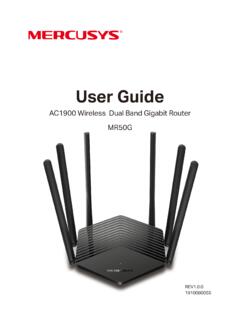
static.mercusys.comThe router or MR50G, or device mentioned in this User Guide stands for AC1900 Wireless Dual Band Gigabit Router without any explanations. Parameters provided in the pictures are just references for setting up the product, which may differ from the actual situation. You can set the parameters according to your demand. More Info
Quick Installation Guide - MERCUSYS
static.mercusys.comEnglish 1 1 Power on Plug the extender into a power outlet near your router, and the Signal LED turns solid red. 2 Connect to the extender Connect your wireless device to the extender’s network

Guia de Instalação Rápida - MERCUSYS
static.mercusys.comCaso sua conexão de Internet seja feita através do cabo Ethernet vindo da parede ao invés de um modem DSL/Cabo/Satélite, conecte o cabo Ethernet diretamente à porta WAN do roteador, e siga o Passo 3 para completar a conexão física. Cabeado: Desligue o Wi-Fi no seu computador e conecte-o à porta LAN do roteador via cabo Ethernet.
Related documents

ACC2310 ACC2320 ACC2330 - Philips
www.dictation.philips.comEN User manual 3 DE Benutzerhandbuch 11 FR Manuel de l‘utilisateur 19 ES Manual del usuario 27 IT Manuale di istruzioni 35 NL Gebruikershandleiding 43. User manual 3 ENGLIS 1 Welcome Congratulations on your purchase and welcome to …
ARTA User Manual - artalabs.hr
www.artalabs.hrARTA User Manual 6 1.1 Requirements Requirements to use ARTA software are: • Operating systems: Windows XP / Vista / 7 / 8 / 10 • Processor class Pentium, clock frequency 1 GHz or higher, memory 256MB for Windows XP or 2GB for Vista/Windows 7/ 8 / 10. • Full duplex soundcard with synchronous clock for AD and DA converters • WDM or ASIO soundcard driver …
Intel 8086 Family User's Manual October 1979 - edX
edge.edx.orgTitle: Intel 8086 Family User's Manual October 1979 Author: INTEL Keywords: Intel 8086 8088 8089 microprocessor Created Date: 5/8/2009 5:36:54 PM
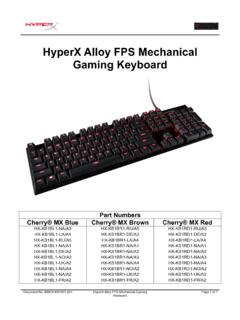
HyperX Alloy FPS keyboard user manual
images-eu.ssl-images-amazon.comDocument No. 480HX-KB1001.A01 HyperX Alloy FPS Mechanical Gaming Keyboard Page 7 of 7 6KRO and NKRO rollover modes: Key rollover is a feature allowing every key you press to be correctly registered.
Deep Freeze Standard User Guide - Faronics
www.faronics.comDeep Freeze Standard User Guide 20 | Using Deep Freeze Deep Freeze Icons The Frozen or Thawed Deep Fr eeze icon appears in the System Tray after installation and indicates whether the computer is currently protected by Deep Freeze (Frozen) or unprotected (Thawed). When the computer is Frozen, the following icon is displayed in the System Tray: