Example: dental hygienist
USER MANUAL - static.gopro.com
Capture a series of photos (Time Lapse, Burst, etc.) Playback Play back videos and photos Setup Adjust general camera settings / Camera Modes Each camera mode has its own settings menu. With your HERO4 the buttons on the camera. TO NAVIGATE WITH THE TOUCH DISPLAY: 1. Verify that the camera is in the desired camera mode. If an icon
Tags:
Information
Domain:
Source:
Link to this page:
Documents from same domain

USER MANUAL - GoPro
static.gopro.comTo capture a Photo Burst series, verify the camera is in Photo Burst mode. If the Photo Burst icon on your camera’s LCD screen is not showing, press repeatedly until it appears. to take a Photo Burst series: Press and release . The red status indicator Lights flash and the camera beeps multiple times. Pro tiP: Sometimes 30 photos/1 second is ...

USER MANUAL - static.gopro.com
static.gopro.comSuperView delivers the world’s most immersive field of view. More vertical 4:3 content is automatically stretched to full-screen 16:9 for stunning widescreen playback on your computer or TV. Video Resolution FPS (NTSC/ PAL) FOV Screen Resolution 1080p 30/25 Ultra Wide 1920x1080, 16:9 720p* 60/50 Ultra Wide 1280x720, 16:9

Join the GoPro Movement
static.gopro.comfootage will tilt with it. You’ll capture every twist and turn. Landscape Lock This locks your camera into landscape orientation. Your on-screen camera menu won’t change if you rotate your camera to portrait orientation. 1. Swipe down to access the Dashboard. 2. Tap Preferences > Touch Screen > Landscape Lock.
Related documents

SS SM16 7.5W VIVID 21Q4 - Soraa
soraa.comSORAA VIVID COLOR™ Soraa VIVID lamps utilize full spectrum light to provide industry-leading color rendition of CRI/95, R9/95, Rf/95, ... 45.5mm (1.79”) ... VIVID SERIES SM16-07-10D-927-03 00919 2700 10 20 5710 390 52 3 YES SM16-07-25D-927-03 00931 2700 25 40 2260 410 55 3 - SM16-07-36D-927-03 00943 2700 36 57 1070 410 55 3 -
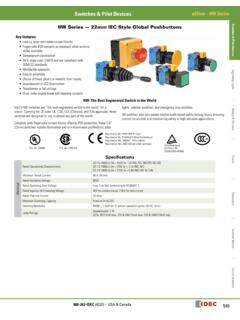
Switches & Pilot Devices ø22mm - HW Series
idec.comj Button Color Code Color Code Black B Green G Red R Blue S White W Yellow Y Gray N* *Gray available for round flush only. 1. In place of j, specify the Button Color Code from table below. 2. For nameplates and accessories, see page 596 and 599. 3. For dimensions, see page 601. 4. For contact assembly part numbers, see page 600. 5.
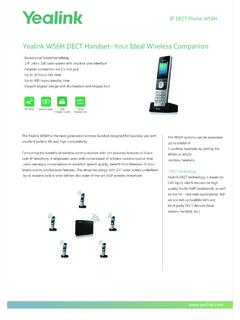
Yealink W56H DECT Handset—Your Ideal Wireless …
www.yealink.com. 2.4" 240 x 320 color screen with intuitive user interface . Headset connection via 3.5 mm jack. Up to 30 hours talk time. Up to 400 hours standby time. Elegant keypad design with illumination and keypad lock The Yealink W56H is the next-generation wireless handset designed for business use with excellent battery life and high compatibility.