Example: confidence
User Manual - Tivax
5 - Close all files in the card, - Touch the menu icon and select Setting → SD card & device storage → SD 1 → Unmount SD1. - The system will show “Memory device safe to remove". - Press the card and the card will pop out.
Tags:
Information
Domain:
Source:
Link to this page:
Related documents

LIST OF INFORMATION TECHNOLOGY (IT) …
www.bsu.edu.ph1 20 units AVR AVR heavy duty 500.00 10,000.00 2 3 units BARCODE SCANNER 2.4G wireless laser scan barcode scanner handheld decoder reader gun high speed; uses 2.4G RF multi-directional wireless data transmission module; automatic frequency hopping; strong anti-

GCSE BITESIZE Examinations General Certificate of ...
downloads.bbc.co.ukQ.13a Q.13b WAN is connected by cables and can be wireless. WAN is connected by telephone/communications links LAN in a small area / one building

SYLLABUS For the trade of COMPUTER OPERATOR …
www.dget.nic.inSYLLABUS For the trade of COMPUTER OPERATOR AND PROGRAMMING ASSISTANT Trade skill - I Under CRAFTS INSTRUCTOR TRAINING SCHEME 2012 Government of India
Via Afrika Computer Applications Technology
www.lebowakgomocircuit.co.zaSeparate devices using different input modes can be used together to input data productively. If one input mode fails another can be used: for example, a …

NOW R399 WAS R3499 ive LK’s Gas Lighter, LK’s …
www.picknpay.co.za* Monthly instalment excludes card fees and customer protection insurance and includes interest at 20.75% p.a. ** Total repayment includes card fees and interest at 20.75% p.a.
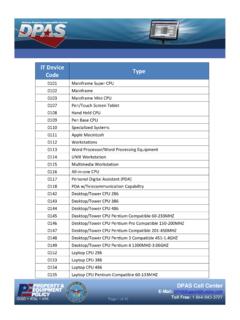
IT Device Type Code - DPAS Support
dpassupport.golearnportal.orgReference Document Information Technology (IT) Device Codes . IT Device Code Type 0156 Macintosh Laptop 0157 Laptop CPU Pentium Pro Compatible 150 -200MHZ