Transcription of Veeam Backup & Replication Editions Comparison - Insight
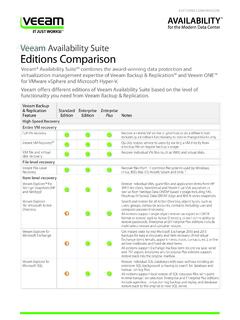
1 Modern Data ProtectionBuilt for VirtualizationFeatureStandardEnterpriseE nterprise PlusNotesBackupApplication-aware, image-based backupsCreate image-based VM backups for VMware and Backup optionsBackup directly from SAN, over LAN1, or from hypervisor I/O full backupEliminate the need for periodic full backups by creating forever incremental backups that save time and Streamline ad-hoc backups of live 2 Automatically test and verify every Backup . Enterprise and Enterprise Plus Editions offer automated recovery verification, including support for application test scripts and bulk VM testing. Backup from Storage Snapshots1 Take advantage of hardware-based storage snapshots to improve RPOs without impacting running VMs or production environment. RecoveryVM recoveryRecover an entire VM on the original host or on a different VM Recovery Quickly restore service to users by starting a VM directly from a Backup file on regular Backup file recoveryRecover individual VM Explorer for Storage Snapshots1 Restore individual VMs, guest files and Exchange items from HP storevirtual , and StoreServ Explorer for Microsoft ExchangeGet instant visibility into Microsoft Exchange 2010 and 2013 backups for easy e-discovery and item recovery of individual Exchange items (emails, notes, contacts, objects, etc.)
2 All Editions support restore via save, send and export. Enterprise and Enterprise Plus Editions also support restore to original Explorer for Microsoft SharePointGet instant visibility into SharePoint backups with advanced search and browse capabilities for quick recovery of individual SharePoint Editions support restore via save, send and export. Enterprise and Enterprise Plus Editions also support restore to original File-Level RecoveryEasily search and recover files from 16 commonly used file systems, including Windows, Linux, Unix, Solaris and and Enterprise Plus Editions allow recovery of Windows guest files on disk and in archived backups; Standard Edition allows recovery of files in backups only on disk. 1-Click Restore3 Restore guest files and VMs with a single offers different Editions of its award-winning Veeam Backup & Replication software, so you can choose the edition that best meets your particular needs. The chart on the following pages details the differences between Standard, Enterprise and Enterprise Plus Editions of the Backup & Replication Editions ComparisonPRODUCT BULLETINM odern Data ProtectionBuilt for VirtualizationModern Data ProtectionBuilt for VirtualizationFeatureStandardEnterpriseE nterprise PlusNotesU-AIR (Universal Application-Item Recovery)2 Recover individual objects for ANY virtualized replicationReplicate VMs on site for high availability or off site for disaster failover and failbackReplica rollback and assisted failover and 2 Automatically test and verify every BackupsBackup Copy jobsArchive VM backups to your storage location of choice automatically; includes validation and remediation to ensure copies are available and WAN acceleration is only available in Enterprise Plus retentionSpecify independent retention settings for keeping multiple full backups via GFS (grandfather/father/son) policies using Backup Copy jobs.
3 Native tape supportExpand storage and restore options to include standalone tapes, tape libraries and virtual tape Editions support copying Windows files to tape. Enterprise and Enterprise Plus Editions also support archiving Veeam backups to tape with full tracking of backups and restore WAN AccelerationGet backups offsite 50x faster and save bandwidth with agentless Backup Copy jobs and built-in WAN Support for VMware and Hyper-VSupport for VMware vSphere and Windows Server 2008 R2 and 2012 with Hyper-V; view both hypervisors from a single console. Centralized management3 Federate multiple Backup servers from multiple locations in a single pane of glass without having to log into the company Director supportBackup vApp and VM metadata and attributes and restore vApps and VMs directly to vCD; also restore fast-provisioned Editions provide integrated visibility of vCloud Director (vCD) infrastructure, Backup via VeeamZIP (including Backup of vApp and VM meta data and attributes) and direct restore to vCD.
4 Enterprise and Enterprise Plus Editions also support scheduled incremental Backup jobs of vCD Web Client plug-inMonitor backups, easily identify unprotected VMs and simplify capacity planning - all directly from automationStandard and Enterprise Editions support PowerShell. Enterprise Plus edition also supports RESTful recovery3 Delegate secure guest file and VM recovery to help desk personnel and business unit Built-in deduplication and compressionDecrease Backup storage requirements and traffic with built-in deduplication; multiple compression options let you to balance storage consumption with performance and Backup proxy block trackingMinimize Backup time and allow for more frequent Backup and BULLETIN1 Currently available for VMware only2 Part of Virtual Lab3 Available through Enterprise Manager4 Some file systems supported for VMware onlyUpgrading to a SuiteCombining Veeam Backup & Replication with Veeam ONETM delivers our #1 VM Backup and advanced monitoring, reporting and capacity planning for Backup in a single license.
5 Veeam s suites protect your investment in virtualization, increase administrator productivity and help mitigate daily management Backup Management SuiteComprehensive data protection and virtualization management for virtual environments of any Backup EssentialsSavings of 49% or more for small businesses with 2, 4 or 6 CPU sockets (and typically fewer than 200 employees). Maximum of 6 sockets per Cloud EditionVeeam Backup & Replication Cloud Edition (Enterprise Plus, Enterprise and Standard) turns Amazon, Azure and other leading public storage clouds into easy-to-use offsite storage for your backups. Fully supported Partially supported FeatureStandardEnterpriseEnterprise PlusNotesvPower Patented technology that runs a VM directly from a compressed and deduplicated Backup file, on regular Backup technology enables Virtual Lab for data protection (near-CDP) for any virtualized application, at a fraction of the cost of traditional VSS integration and application awarenessVeeam-built VSS writer and advanced application-aware processing (such as transaction log truncation) ensures transactionally consistent APIs for Data Protection (VADP)1 Protect VMware VMs with a highly efficient and future-proof solution that uses UI3 Get a web-based, consolidated view of your distributed deployment, including federation of multiple Backup servers, centralized reporting and consolidated and Enterprise Plus Editions also allow cloning and editing of jobs and 1-Click capabilitiesFile ManagerIntegrates file management ( Veeam FastSCP )
6 Into the operator Migration1 Migrate VMware VMs between hosts and/or datastores using VMware vMotion, Storage vMotion and/or Veeam -provided migration Copy1 Create a complete copy of a VMware VM on any Sandbox 2 Create isolated environments for testing, training and and Enterprise Plus Editions include the ability to run one or more VMs from Backup in an isolated environment, providing a working copy of the production environment for troubleshooting, testing, training, etc. Standard Edition does not include this monitoring, reporting and capacity planning for Backup and virtual infrastructureRequires Veeam Backup Essentials or Veeam Backup Management Suite . 2013 Veeam Software. All rights reserved. All trademarks are the property of their respective free trial Learn BULLETIN