Transcription of VESSELVIEW INSTALLATION INSTRUCTIONS
1 90-898278002 MAY 2008 2008 Mercury Marine Page 1 / 17 VESSELVIEW INSTALLATION INSTRUCTIONSIMPORTANT: This document guides our dealers, boatbuilders, and company servicepersonnel in the proper INSTALLATION or service of our products. If you have not been trainedin the recommended servicing or INSTALLATION procedures for these or similar MercuryMarine products, have the work performed by an authorized Mercury Marine dealertechnician. Improper INSTALLATION or servicing of the Mercury product could result indamage to the product or personal injury to those installing or operating the : After completing INSTALLATION , place these INSTRUCTIONS with the product forthe owner's future Product Requires Electronic Calibration Before of this product will require electronic calibration.
2 This calibration must not be attempted byanyone other than the Original Equipment Manufacturer (OEM) or a Mercury technician trained in DigitalThrottle and Shift systems (DTS) at an authorized Mercury dealership. Improper INSTALLATION and calibrationof the DTS product will result in a system which is inoperable or unsafe for bezelc1 VESSELVIEW coverd1 VESSELVIEW harnesse4 Wing nutf4 Washerg4 Mounting bolth2 Weather capi1 VESSELVIEW adapter harness (not included in CMD kit)j1 NMEA 0183 harness (GPS input)k1 Wake harness (included in CMD kit only) VESSELVIEW INSTALLATION INSTRUCTIONSPage 2 / 17 90-898278002 MAY 2008 Cutting the Instrument PanelPreparing the Mounting Location1.
3 Select a suitable location for the VESSELVIEW on the boat's instrument : The area behind the panel should be clear of any cables, wiring, or other hardwarethat may interfere with INSTALLATION . The mounting location should also provide goodvisibility from the boat operator's Disconnect the batteries powering the gauges or SmartCraft Cut out the template located on the last page of the INSTALLATION : Always check the template cutout to the mounting holes on the VESSELVIEW Use the template to determine the space required for Prepare the mounting location surface as follows: Fiberglass panels: Apply masking tape to the area being cut to prevent crackingthe fiberglass.
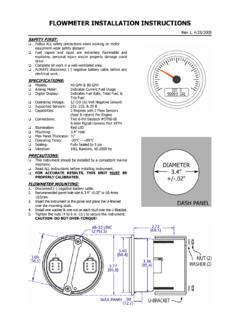
4 Vinyl-covered panels: Use a razor blade to carefully remove the vinyl from thearea being cut to avoid tearing the the Panel1. After preparing the area to be cut, tape the mounting template to the Drill four mm (7/32 in.) holes at the locations shown on the template for themounting Drill four 19 mm (3/4 in.) holes at the locations shown on the template and cut out theshaded portion of the : The following diagram is an example only. Use the template located at the lastpage of the INSTALLATION - Mounting screw holes ( mm [7/32 in.)]
5 ])b - Cutout pilot holes (19 mm [3/4 in.]) VESSELVIEW INSTALLATION INSTRUCTIONS90-898278002 MAY 2008 Page 3 / 174. Remove the template and insert the VESSELVIEW into the panel to ensure fit. Do notsecure to the instrument panel at this VESSELVIEW to the Instrument Panel27059bdeaca - Bezelb - Mounting Screwc - VesselViewd - Washere - Wing nut1. Insert the VESSELVIEW into the Secure the VESSELVIEW with the four mounting screws, washers, and wing nuts. Donot overtighten the wing The back of the bezel is labeled "TOP" and "BOTTOM".
6 Ensure the bezel is alignedcorrectly to avoid damaging the bezel or Snap the bezel onto the Wiring Guidelines! WARNINGS plicing or probing will damage the wire insulation allowing water to enter the intrusion may lead to wiring failure and loss of throttle and shift control. To avoidthe possibility of serious injury or death from loss of boat control, do not splice or probeinto any wire insulation of the DTS system. Never attempt to connect, network, tie into, switch, sink source voltage or current fromthe DTS wiring harnesses.
7 Never attempt to connect any type of communication or navigation equipment intothe DTS wiring harnessing other than at the designated connection point. Always install boat accessory equipment using an appropriate power sourceconnection, such as a fuse panel or junction box. Never attempt to tap directly into any of the DTS electrical wiring harnesses for asource of INSTALLATION INSTRUCTIONSPage 4 / 17 90-898278002 MAY 2008 Wiring Guidelines for Electrical Boat Accessories! WARNINGE xcessive voltage drop may compromise the DTS system, leading to serious injury ordeath from loss of throttle and shift control.
8 Do not wire any electrical accessory into the12 volt ignition key switch circuits of the DTS : Do not connect boat accessories to the ignition key switch. Use aseparate, switched 12 volt source for wiring boat : The DTS system requires a consistent 12 volt power source. Splicing orconnecting accessories to the 12 volt or ignition key switch DTS circuits (purple, purple/white, or red wires) could blow a fuse or overload circuits, causing intermittent or completeloss of INSTALLATION Guidelines Locate an appropriate path for routing the harness connections to their installationpoints.
9 Inspect the routing path to ensure that surfaces are free of any sharp edges or burrsthat could cut the harness. Fasten and support the harness with clamps or cable ties every cm (18 in.) alongthe routing path. A clamp or cable tie must be used within cm (10 in.) of anyconnection in a DTS system. Ensure that all connections are tight. Seal all unused connectors with weather the VESSELVIEW HarnessVesselView Harness Connection for SmartCraft Version 07 and UpThe VESSELVIEW adapter harness is required for all Mercury and MerCruiser Version 07 SmartCraft installations.
10 Cummins MerCruiser Diesel installations do not require thisharness assembly. For CMD applications, connect the VESSELVIEW harness directly tothe junction : Do not connect the VESSELVIEW or the VESSELVIEW adapter harness to thevessel display connector on the command module : If installing more than one VESSELVIEW , use a separate VESSELVIEW harness andVesselView harness adapter for each Connect the VESSELVIEW adapter harness to the starboard junction box. Refer to theWiring Connections for SmartCraft Version 07 for Connect the VESSELVIEW harness to the VESSELVIEW adapter Connect the VESSELVIEW harness to the VESSELVIEW For multi engine applications, install the appropriate multi engine ignition harness(available separately)