Transcription of VideoStudio Version-to-Version Comparison
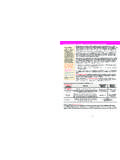
1 FeaturesVideoStudio Version-to-Version ComparisonNEW! Powerful 64-bit architecture Experience dramatically acceleratedperformance and stability in every aspect of the application Corel VideoStudioPro X5 Corel VideoStudioUltimate X6 Corel VideoStudioPro X6 Corel VideoStudioUltimate X7 Corel VideoStudioPro X7 NEW! FastFlick easy editing mode Create and share slideshows and videos with an innovative 3 step processENHANCED! Media Library and content Explore fresh content plus an updated array of Instant Project templates, frames, objects, color patterns and backgroundsNEW!
2 Color Pattern and Background Library Create stunning videos and express your creativity with beautiful new color patterns and creative backgroundsENHANCED! UI Enhancements Work with cleaner lines and colors, a more intuitive Share Workspace, and refreshed content with new librariesENHANCED! Increased Format and resolution support Do more with your videos with expanded project properties that support HD and more formats such as MPEG-4, AVCHD and Blu-ray Disc ENHANCED! HD quality playback Get the best video quality while editing and previewing with the HD quality playbackENHANCED!
3 Higher bitrate setting for AVCHD Create up to 28 MBps for higher bitrate settings without file limitationsNEW! Create custom profiles Use your favorite settings to create and save custom profiles directly in the Share workspace, or save slight modifications to predefined profilesENHANCED! Online sharing workflow Benefit from a simplified combination of file creation, login and uploading all at once, making the conversion and uploading steps seamlessENHANCED! Improved SD Card output Create AVCHD video in SD card with menu support that mimics the familiar disc-authoring process NEW!
4 Add "My Favorite" in Filter library Save time by storing your frequently used filters as Favorites so you can easily find them for future projectsENHANCED! Custom profile in Batch Convert Create, save and delete profiles using Batch Convert, which also helps when converting multiple VideoStudio projects to video files in the same formatENHANCED! Overlay Transitions category Find overlay friendly transitions within the new overlay transitions category because not all transitions are suitable for overlays ENHANCED! Chapter points Bring chapter points from the project timeline directly into the Create Disc module so you can save time when authoring discsENHANCED!
5 Screen capture Launch the Corel screen capture outside of the VideoStudio application, then import your video into VideoStudio for easy edits and enjoy better quality screen captures and settings NEW! Support custom naming Set up the filename prefix for your captured video or Split by scene, making the resulting files easier to identify Online sharing Upload videos and slideshows to YouTube , Facebook, Flickr and Vimeo directly from within the VideoStudio interfaceTitle effects Add multiple title tracks and effects, then customize yourwork to get the perfect lookTake it with you Use Smart Package to combine elements of your project inone package so you can work on any PC.
6 AnywhereMulti-track overlay effects Add filters and effects to any video track Mood music from SmartSound Load a multi-layered audio track asbackground to a video, then fine-tune individual instruments to complementyour movie Stop Motion animation Quickly create an animated movie starringpeople, toys and objects Time-lapse photography Start with a video clip or a series of photos andaccelerate them to make a time-lapse movie. Remove frames to achieve a strobeeffect and speed it upSupport for more cameras Support for additional 3D and DSLR cameras, plusadvanced 50/60p camcorders, for amazing slow-motion effects.
7 DVD and Blu-ray Disc authoring Export single clips from the disc authoring interface, edit and create DVD subtitles, burn from an ISO disc image and moreFeatures Corel VideoStudioPro X5 Corel VideoStudioUltimate X6 Corel VideoStudioPro X6 NEW! Customizable Motion Customize the movement of graphics, titles andobjects. Save your customizable motion paths to a library for quick and easy reuseNEW! DSLR Stop Motion Create full-HD stop motion videos using a widerange of supported DSLR camerasNEW! DSLR Enlarged Mode Mimic your DSLR camera's controls on your PC or Windows tabletNEW!
8 Ultra HD (4K) video support Import and edit Ultra High-Definition 4 Kvideos (with resolutions up to 4096 x 2160) NEW! Support for Quicktime Alpha Channels Create animations withtransparent backgrounds in other popular 2D and 3D animation programs andthen import them into VideoStudio X6 HTML5 support Create interactive video with onscreen graphics, integrated hyperlinks and titles, with new HTML5 output and HTML5 Instant Project templates21 multimedia tracks Make content-rich videos with 20 overlay tracks formedia, graphics and titles. Use Track Visibility controls to show or hide trackswhen editing Import multi-layer graphics Use support for Corel PaintShop Pro layers to import individual layers of an image file onto individual tracks for bold newcompositing optionsTemplate library Drag templates from the library to the Timeline to jumpstart your production.
9 Make your own templates, or download from the Corel Guide or the free community (English only)ENHANCED! Variable Speed Slow down or speed up of any part of your videowithout having to work with multiple clipsENHANCED! Screen capture Record tutorials, product demonstrations,gameplay and more. Choose from a variety of frame rates, plus guide youraudience more effectively with new animated mouse clicksNEW! Subtitle Editor Match subtitles to speech in your video using new voicedetection technologyNEW! Motion Tracking Target and automatically track moving objects onscreenand attach elements such as titles, graphics and photos to those objectsSmart Proxy editing Speed up HD video editing by using Smart Proxy editing to work in a lower resolution until you're ready to export Corel VideoStudioUltimate X7 Corel VideoStudioPro X7 FeaturesFor a listing of supported formats please visit 2014 Corel Corporation.
10 All rights reserved. 01/14 Corel VideoStudioPro X5 Corel VideoStudioUltimate X6 Corel VideoStudioPro X6 Smart ProxyAudio tracksChroma Key (Green Screen)Multi-trim VideoSingle Clip TrimImport DVD subtitle Dolby DigitalSmart Pan & Zoom4 Number of video System Windows 7 Windows Vista, Windows XPOptimization for AMD multi-core processors and ATI GraphicsProcessing Units Intel Core Support for Intel multi-core processing NVIDIA CUDA optimizationImport DVD subtitle Windows 8,Windows 7, Windows Vista , Windows XP Windows 8,Windows 7, Windows Vista , Windows !