Example: air traffic controller
Web-Browser Configuration Requirements
4. Once the form is complete, ensure that it is signed with your PIN (see . Manage PIN. from the left-navigation menu after logging into the site to obtain your PIN) and saved locally in order to enable and select the Submit button on the form. NOTE: A confirmation page and confirmation email is generated immediately after submission. 5.
Tags:
Information
Domain:
Source:
Link to this page:
Documents from same domain

Financial Crimes Enforcement Network
bsaefiling.fincen.treas.govFinancial Crimes Enforcement Network FinCEN Suspicious Activity Report (FinCEN SAR) Electronic Filing Requirements Release Date March 2015 – Version 1.4

FinCEN Designation of Exempt Person (FinCEN Form 110 ...
bsaefiling.fincen.treas.govFinancial Crimes Enforcement Network FinCEN Designation of Exempt Person (FinCEN Form 110) Electronic Filing Requirements Release Date March 2015 – Version 1.2

Financial Crimes Enforcement Network
bsaefiling.fincen.treas.govFinancial Crimes Enforcement Network Electronic Filing Requirements for the FinCEN Currency Transaction Report (FinCEN CTR) iv Revision History
Financial Crimes Enforcement Network
bsaefiling.fincen.treas.govFinancial Crimes Enforcement Network Electronic Filing Requirements for the FinCEN Suspicious Activity Report (FinCEN SAR) ii Table of Contents Revision History iv Purpose 1 Electronic Filing 1 File Organization 2 Record Layouts 6 Transmitter (1A) Record – Required 6 Filing Institution Information (2A) Record – Required 8
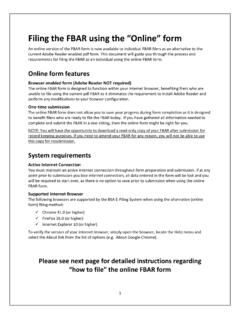
Filing the FBAR using the “Online” form
bsaefiling.fincen.treas.govFiling the FBAR using the “Online” form An online version of the FBAR form is now available to individual FBAR filers as an alternative to the current Adobe Reader enabled pdf form. This document will guide you through the process and requirements for filing the FBAR as an individual using the online FBAR form. Online form features

XML Schema 2 - United States Secretary of the Treasury
bsaefiling.fincen.treas.govFinancial Crimes Enforcement Network FinCEN CTR XML Schema User Guide (Version 1.8 | August 2021) vi Version Number Date Change Description when recording a date, discrete filers will continue to use the format MM/DD/YYYY when completing the PDF form. Miscellaneous Added the section "Secure Data Transfer Mode Filers" to the end of the

How to File the FBAR Electronically
bsaefiling.fincen.treas.govTechnical issues encountered during the FBAR Filing process may be directed to the BSA E-Filing Help Desk at 1-866-346-9478 or via email at BSAEFilingHelp@fincen.gov. The Help Desk is available Monday through Friday from 8 a.m. to 6 p.m. EST. Please note that the Help Desk is closed on Federal holidays. Regulatory Help

XML Schema 2 - United States Secretary of the Treasury
bsaefiling.fincen.treas.gov1.1 10/13/2017 Updates include: Section 3.3 Element Requirements ... (SSN/ITIN) and 9 (Foreign TIN) as acceptable values for the Consolidated Report ... The FinCEN XML Schema 2.0 User Guide outlines the business and validation rules to support the electronic batch
Related documents
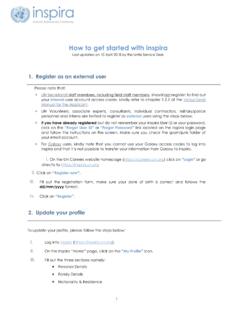
How to get started with inspira - UN Careers
careers.un.orgOnce an application has been submitted, it cannot be updated. ... It is recommended to always apply well in advance of the application deadline date. 5 ... Saved searches and job alerts remain valid for 6 months; The maximum number of active saved searches is 5. ...

Employee Self Service - Vaccination Documentation Process ...
city.milwaukee.govOnce the Vaccine Details have been saved, the vaccination documentation status will show as ... Always sign out of self-service when you are finished by clicking on the three dots in the upper right-hand corner, then clicking on “Sign Out”. Browser view from …

Acer eRecovery Management
static.acer.comStep 6: Once the backup is finished, or if the backup fails, a message is displayed. Backup to optical disk The image is saved to an optical disk. Acer eRecovery Management is able to span multiple disks if needed. Backing up to optical disk means that your data will always be available on disks, in the event of a hard disk failure.
FedEx Billing Online Credit Card Account User Guide
www.fedex.comalways take you back to this screen. 2 Account Summary. ... Once you submit your request, you can expect a response within three business days. You can check the status of your request by clicking the In Dispute tab on the Account ... saved searches from the New Search or

Electronic Real Estate Transfer Return Overview
www.revenue.wi.govAlways use these buttons instead of your browser's "Back" and "Forward" buttons . ... (If you submit the return more than once, make sure you print and send the correct receipt with the ... If you have a computer available at the closing and have access to a saved version, you can go to eRETR, use the ...
Publication 28 - Postal Addressing Standards
pe.usps.comOnce files are updated, establish list management procedures to ensure timely updates to maintain accuracy. It is highly recommended that new addresses go through a verification and standardization process to obtain the correct ZIP+4 and delivery point codes prior to adding them to your master address list.

How to connect to a remote computer or terminal server in ...
www.cu.edu12 - Once your session is configured to your liking, navigate to the General tab and locate the Connection Settings section, then click the Save As… button. 13 –Save the connection file to a location of your choice. We recommend naming this file as “My Work Computer” or similar, and that you save this file to your Desktop.