Example: biology
Windows 7 – Quick Reference Guide
Windows 7 – Quick Reference Guide . Starting Programs and Opening Files To open the Start menu: 1. Click the Start button or press CTRL + ESC. To start a program from the Start menu: 1. Click the Start button . 2. Choose All Programs, and then select a program from the menu. To open a file: 1. Click the Start button . 2. Click . 3.
Tags:
Information
Domain:
Source:
Link to this page:
Documents from same domain
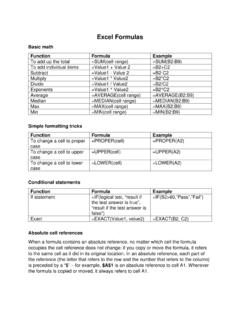
Excel Formulas - University of Detroit Mercy
www.udmercy.eduExcel Formulas Basic math Function Formula Example To add up the total =SUM(cell range) =SUM(B2:B9) To add individual items =Value1 + Value 2 =B2+C2
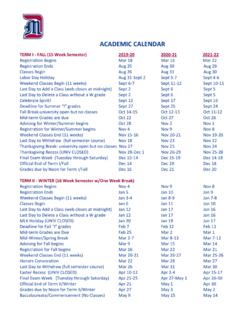
ACADEMIC CALENDAR - University of Detroit Mercy
www.udmercy.eduACADEMIC CALENDAR TERM I - FALL (15 Week Semester) 2018-19 2019-20 2020-21 Registration Begins Mar 19 Mar 18 Mar 16

Student Handbook 2018 - University of Detroit Mercy
www.udmercy.eduHealth Information Management Student Handbook – 2017-2018 7 The HIM faculty believes education is a dynamic, interactional process that involves changes in perception, thinking, feeling, and action.
Related documents
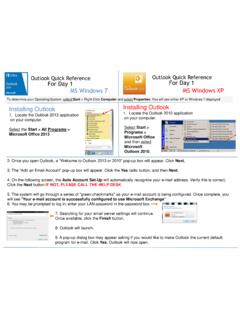
Outlook Quick Reference For Day 1 MS Windows 7 ... - …
w3.assurant.comOutlook Quick Reference For Day 1 Outlook Quick Reference For Day 1 MS Windows 7 MS Windows XP Installing Outlook 1. Locate the Outlook 2013 application on your computer. Select the Start > All Programs > Microsoft Office 2013 Installing Outlook 1. Locate the Outlook 2010 application on your computer. Select Start > Programs > Microsoft Office ...

Adobe Photoshop 7.0 Quick Reference Card for Windows
www.cheat-sheets.orgVersion 7 for Windows ® QUICK REFERENCE CARD Adobe Online Move (V) (M) Rectangular Marquee Magic wand (W) Slice (K) Brush (B) History brush (Y)* Gradient (G)*

MiCollab Client Quick Reference Guide Q - Mitel Edocs
edocs.mitel.comMiCollab Client Quick Reference GuideQ About MiCollab Client MiCollab Client is a software comm unications product integrated with advanced call management features. The following clients are available: • MiCollab for PC Client (Windows 10 only) • MiCollab MAC Desktop Client • MiCollab Web Client

Windows 7 Quick Reference - SharePoint Training
www.customguide.comWindows 7 Quick Reference Card Windows Explorer Keyboard shortcuts General Start menu My Computer + E Create new folder Ctrl + Shift + N Zoom + + Connect to projector + P Flip 3D + Tabnavigation to Window management Peek at the desktop + Space Show/Hide desktop + D Minimize all windows + M Minimize other + Home windows

Windows 7 Quick Reference Guide - Hobbs Municipal Schools
hobbsschools.netWindows 7 Quick Reference Guide Updated: April 2010 Windows Explorer Keyboard Shortcuts • To Search for a File or Program: Click the Start button and type a keyword for the file or program. Results are displayed immediately in the menu. • To Search for a …

Windows 7 Quick Reference Guide - Lehman College
wp.lehman.eduWindows 7 – Quick Reference Guide Windows Explorer Desktop shortcuts Gadgets Start menu Start menu search box T Start button Active program buttons ndows Explorer icon askbar T askbar Notific tion area Show Desktop button Starting Programs and Opening Files To open the Start menu: 1.
Detailed Guide to Office 2010 - Word - Renfro Corporation
www.renfro.comBy design, this guide can be used as a replacement for the Windows 7 and Microsoft Office 2010 Quick Start Guide section for “Microsoft Word 2010” and the Word-related pieces of “Microsoft Office 2010 – Common Features” .
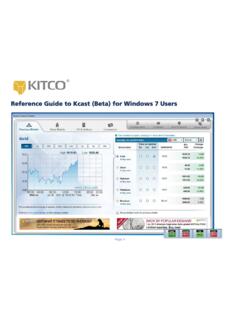
Reference Guide to Kcast (Beta) for Windows 7 Users
www.kitco.comRecommended Windows 7 Settings for Kcast Users To get the most out of your Kcast application, Kitco strongly recommends the following default settings for your Windows 7 operating system: Note: The Kcast for Windows 7 Taskbar always appears on your Application Tray (bottom left of your window). Taskbar Settings 1. Right-click the Windows taskbar 2.
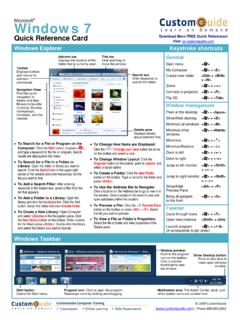
Windows 7 QR - CustomGuide
www.customguide.com• Jump Lists are quick shortcuts to files and commands that a program uses program selected. For example, Internet Explorer displays frequently visited pages, Microsoft Word displays frequently opened documents. • To View a Jump List: Right-click an icon on the Windows 7 taskbar. Or,
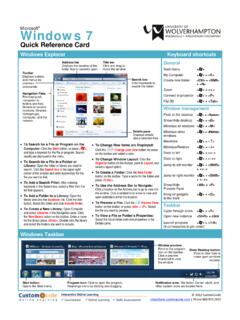
Windows 7 - University of Wolverhampton
www2.wlv.ac.ukTo Flip through Windows with Flip 3D: Press < > + <Tab>; continue to hold down the < > key while pressing <Tab> to scroll through the open windows. Personalization To Personalize Windows 7 Appearance and Sounds: Right-click the desktop and select Personalize. The …
Related search queries
Outlook Quick Reference For Day, Windows 7, Windows, Quick Reference Card for Windows, QUICK REFERENCE, MiCollab Client Quick Reference, Windows 7 Quick Reference, Windows 7 Quick Reference Guide, Windows 7 – Quick Reference Guide Windows, Detailed Guide to Office 2010 - Word, Quick, Reference Guide to Kcast (Beta) for Windows 7, Kitco