Transcription of Xerox VersaLink C605 Color Multifunction Printer
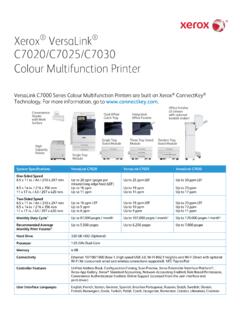
1 Page 1 of 11 Xerox VersaLink C605 Color Multifunction Printer VersaLink C605 Color Multifunction Printers are built on Xerox ConnectKey Technology. For more information, go to SYSTEM SPECIFICATIONS VersaLink 605 One-sided Speed1 x 11 in. A4 / 210 x 297 mm x 14 in. / 216 x 356 mm Up to 55 ppm Color and black-and-white Up to 53 ppm Color and black-and-white Up to 45 ppm Color and black-and-white Two-sided Speed x 11 in. A4 / 210 x 297 mm x 14 in. / 216 x 356 mm Up to 52 ppm Color and black-and-white Up to 50 ppm Color and black-and-white Up to 26 ppm Color and black-and-white Monthly Duty Cycle2 Up to 120,000 pages / month Recommended Average Monthly Print Volume3 Up to 17,000 pages Hard Drive 320 GB HDD Processor GHz Memory 4 GB Connectivity Ethernet 10/100/1000 Base-T, High-speed USB , Wi-Fi and Wi-Fi Direct with optional Wi-Fi Kit (concurrent wired and wireless connections supported)
2 , NFC Tap-to-Pair Controller Features Unified Address Book, Configuration Cloning, Scan Preview, Xerox Extensible Interface Platform , Xerox App Gallery App, Xerox Standard Accounting Tool, Network Accounting Enabled, Role Based Permissions, Convenience Authentication Enabled, Online Support User Interface Languages English, French, Italian, German, Spanish, Brazilian Portuguese, Russian, Dutch, Swedish, Danish, Finnish, Norwegian, Greek, Turkish, Polish, Czech, Hungarian, Romanian, Catalan, Ukrainian, Croatian Xerox VersaLink C605 Color Multifunction Printer Page 2 of 11 DEVICE SPECIFICATIONS ELECTRICAL REQUIREMENTS North America Voltage: 110-127V +/-10% Frequency: 50/60 Hz +/-3%, 12A Europe and Other Geographies Voltage: 220-240V +/- 10% Frequency: 50/60 Hz +/-3%, 8A POWER CONSUMPTION Continuous Printing4 820 watts or less Ready (Standby) Mode4 90 watts or less Energy Saver (Sleep) Mode4 watts or less OPERATING ENVIRONMENT Required Temperature Range (Storage) 32 to 95 F (0 to 35 C) Required Temperature Range (Operating) 50 to 90 F (10 to 32 C) Required Relative Humidity 15% to 85% Sound Power Levels Operating Standby B(A) or less B(A) or less Sound Pressure Levels Operating Standby dB(A) or less dB(A) or less Boot Time (from Off to UI Ready) As fast as 65 seconds Warm-up Time (from Sleep to UI Ready) As fast as 11 seconds DIMENSIONS AND WEIGHT (UNPACKAGED) WIDTH DEPTH HEIGHT WEIGHT Base Unit in.
3 / 470 mm in. / 503 mm in. / mm lb. / kg Base Unit with Mailbox in. / mm in. / 503 mm in. / mm lb. / kg Base Unit with Finisher in. / mm in. / 503 mm in. / mm lb. / kg Base Unit with High Capacity Feeder and Finisher in. / mm in. / mm in. / mm 144 lb. / kg Base Unit with High Capacity Feeder and Mailbox in. / mm in. / mm in. / mm lb. / kg 550-sheet Paper in. / 420 mm in. / mm in. / 123 mm lb. / kg High Capacity Feeder (includes Caster Base) in. / mm in. / mm in. / 459 mm lb. / kg Cabinet (includes Caster Base) in. / mm in. / mm in. / 336 mm 37 lb. / kg Caster Base in. / mm in. / mm in. / 90 mm lb. / kg Mailbox in. / mm in. / mm in.
4 / mm lb. / kg Finisher in. / mm in. / mm in. / mm 15 lb. / kg DIMENSIONS AND WEIGHT (PACKAGED) WIDTH DEPTH HEIGHT WEIGHT Base Unit in. / 594 mm in. / 655 mm in. / 789 mm 97 lb. / 44 kg 550-sheet Paper in. / 535 mm 23 in. / 584 mm in. / 248 mm lb. / kg Xerox VersaLink C605 Color Multifunction Printer Page 3 of 11 High Capacity Feeder (includes Caster Base) in. / 568 mm in. / 663 mm 28 in. / 711 mm lb. / 38 kg Cabinet (includes Caster Base) 23 in. / 584 mm in. / 629 mm in. / 597 mm lb. / 28 kg Caster Base 23 in. / 585 mm in. / 619 mm 13 in. / 330 mm lb. / 18 kg Mailbox in. / 573 mm in. / 518 mm in. / 386 mm lb. / kg Finisher in. / 573 mm in. / 398 mm in. / 386 mm lb. / kg CERTIFICATIONS To view the latest list of certifications, go to PRINT First-Print-Out Time As fast as 10 seconds Color and black-and-white Print Resolution Up to 1200 x 2400 dpi Page Description Languages PCL 5e, 6 PDF XPS TIFF JPEG HP-GL Adobe PostScript 3 Maximum Print Area 4 mm from edge of paper Print Features Application Defaults Banner Pages Enable / Disable Bi-directional Real-time Status Booklet Layout Draft Mode Fit to New Paper Size Job Identification (Print ID or Banner, Print ID in margins on first page only or all pages) Job Monitoring (Client or Local User Interface) LAN Fax (requires Fax Kit) N-up Page Layout (up to 16 pages per sheet)
5 Paper Selection by Attribute Personal Print Print Around Enable / Disable Print from USB Sample Set Saved Job Scaling Secure Print Skip Blank Pages Special Pages (exception page programming: covers, inserts, exceptions pages) Store and Recall Driver Settings Stored Jobs Deletion Two-sided Printing (as default) Watermark (predefined and custom) Earth Smart Driver Settings Print from USB Allows walk-up printing from Type A USB port Supports direct printing from computer via Type B USB port Supported file formats: PDF, JPEG, TIFF, XPS, PDF/A Xerox VersaLink C605 Color Multifunction Printer Page 4 of 11 Operating Systems Windows 7, 8, , 10 Windows Server 2008 SP2, Server 2008 R2 SP1, Server 2012, Server 2012 R2, Server 2016 macOS , , Citrix Redhat Enterprise Linux Fedora Core IBM AIX HP-UX Oracle Solaris SUSE SAP Note: For information about supported versions for the above operating systems, please visit our Drivers & Downloads page and specify your device at Fonts PostScript fonts: 136 PCL fonts: 83 Xerox Global Print Driver A truly universal print driver that lets IT administrators install, upgrade and manage Xerox and non- Xerox devices from a single driver.
6 It provides a consistent, easy-to-use interface for end-users, reducing the number of support calls, and simplifying print services management. Xerox Pull Print Driver Makes it easy for IT managers to qualify, deploy and manage all print devices using a single driver in a Pull Print environment. Uses a single queue and single driver. The Xerox Pull Print Driver extends convenience across a broad range of printing assets. IT administrators no longer need to manage and configure multiple drivers. Used in conjunction with Equitrac Office , Ysoft SafeQ , Pharos and others. COPY Document Scanner 100-sheet Single-Pass Duplex Automatic Document Feeder (DADF) Maximum Scan Area Platen: Up to x 14 in. / 216 x 356 mm DADF: Up to x 14 in. / 216 x 356 mm Simplex Copy Speed Up to 55 cpm (copies per minute) x 11 in.
7 Up to 53 cpm A4 / 210 x 297 mm Duplex Copy Speed Up to 50 cpm (copies per minute) x 11 in. Up to 47 cpm A4 (210 x 297 mm) First-Copy-Out Time As fast as 7 seconds Color / 5 seconds black-and-white Sides (input: output) 1:1, 1:2, 2:2 and 2:1 Quantity 1 to 999 Resolution (max.) Up to 600 x 600 dpi Reduction / Enlargement Variable zoom from 25% to 400% in 1% increments Concurrency Concurrent scanning and printing Xerox VersaLink C605 Color Multifunction Printer Page 5 of 11 Copy Features Annotation (Page Numbers, Comments, Date Stamp, Bates Stamping) including font format, Color and style options* Auto- Color Sensing Automatic Background Suppression Book Copying with Center Erase Booklet Copying* Collation Color Balance Color Effects Darkness Control Edge Erase Front Cover ID Card Copy Image Enhancement Lighten / Darken N-up Reduce / Enlarge 25% to 400% Image Shift Original Orientation Original Size Original Type Page Layout Sample Copy Saturation Sharpness *Requires HDD / Productivity Kit SCAN Capability Black-and-white and Color scanning Concurrency Scan while the system is printing copy or network print jobs, or while it is transferring scan to network or fax jobs Simplex Input Speed Black-and-white: Scan up to 49 ipm x 11 in.
8 / 46 ipm A4 Color : Scan up to 47 ipm x 11 in. / 46 ipm A4 Duplex Input Speed Black-and-white: Scan up to 75 ipm x 11 in. / 71 ipm A4 Color : Scan up to 55 ipm x 11 in. / 52 ipm A4 Resolution Optical 600 x 600 dpi Bit Depth 24-bit Color / 8-bit grayscale Maximum Scan Area Platen: Up to x 14 in. / 216 x 356 mm Document Feeder: Up to x 14 in. / 216 x 356 mm Network Filing Protocols FTP SMTP SMB sFTP File Formats JPG TIFF (single and multi-page) XPS (single and multi-page) PDF (single and multi-page) Searchable PDF via Optical Character Recognition (OCR) Password-protected PDF Linearized PDF (set via embedded web server) and PDF/A Scan Driver Compatibility WIA TWAIN Supported Scan Destinations Scan to Home Scan to USB Scan to Email Scan to Network (Browse FTP or Browse SMB) Xerox VersaLink C605 Color Multifunction Printer Page 6 of 11 NETWORK SCANNING SOFTWARE SOLUTIONS Xerox ConnectKey Apps (Found at the Xerox App Gallery) Increase user productivity by simplifying and shortening everyday tasks.
9 Unlike traditional software, ConnectKey Apps do not require a dedicated server, PC or IT resource. Instead, simply download these lightweight, serverless ConnectKey Apps to the ConnectKey Technology-enabled device. FAX5 Fax Speed Kbps Memory 4 MB Resolution Standard 200x100 dpi, Fine 200x200 dpi, Super Fine 300x300, 400x400, 600x600 dpi Compression MH, MR, MMR, JBIG Fax Features Walk-up Fax, LAN Fax, Direct Fax, Server Fax Enablement, Fax Forward to Email Fax dialing via Unified Address Book (up to 2,000 contacts) MOBILE SOLUTIONS AND MOBILE DEVICE APPS Apple AirPrint Print email, photos and important office documents directly from an Apple iPhone or iPad with no drivers to install and no cables to connect. With AirPrint, an iPhone or iPad automatically locates and connects to the AirPrint-enabled device over the office Wi-Fi network.
10 Google Cloud Print Google Cloud Print connects print devices to the web, enabling users to print the applications they use every day from smartphones, tablets, Chromebook notebook computers and any other web-connected device. Mopria Certified ConnectKey Technology-enabled print devices are Mopria certified. Mopria certification ensures you can print wirelessly from your Mopria supported (Android) smart phone, tablet and other mobile devices instantly and easily. Xerox @printbyXerox App @printbyXerox App is a free service that allows secure printing from any email-enabled device (computer, phone, tablet, iOS, Android , Google Chromebook and more) to a Xerox Printer or MFP using a single email address with no IT intervention. No training is needed.