Transcription of You got this! Do this before you take off.
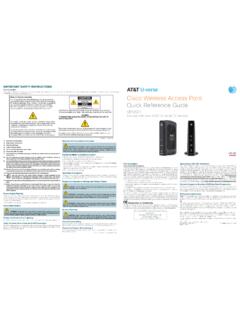
1 You got this !Installing your AT&T InternetDo this before you take until 2 PMon your service activation date (located on your packing slip) to get to log inGet your AT&T Access ID and Password OR your Account Number and 4-digit PasscodeUnpack your kitWi-Fi GatewayRed ONT Ethernet cableYellow Ethernet cableGray cable(for AT&T phone service)Power cord (2 par ts)Get started by downloading the Smart Home Manager appMake sure you ve registered for your service. Go to in with your AT&T User ID (Access ID) and Password.*AT&T Smart Home Manager gives you easy access to your home network info in one convenient who s on your network and do all kinds of cool things, like: Personalize your Wi-Fi name and password Invite friends to your network with text or email Customize your device names, like Clark s smartphone Monitor and manage your network performance and signal strengthData rates may apply for app download and usage.
2 AT&T Smart Home Manager is free for available AT&T Internet service customers with a compatible AT&T Wi-Fi Gateway. Features may depend upon Gateway models.*You need to have registered your account to have an Access easy steps and you ll look like a the AT&T FiberSM Service BoxThe service box (Optical Network Terminal/ONT) brings AT&T Internet into your home. Once you locate it (may be in basement, utility closet or garage), remove cover and connect:GREEN fiber connector to GREEN PON port (if not already connected). Caution: Do not look into the end of the fiber connector as this can cause eye damage.
3 RED ONT Ethernet cable to the service box Ethernet power cord to the service box and to an electrical outlet. Make sure the ON/OFF button is pressed in. Note: If the power cord is missing or anything appears damaged, call us at Wait for Power and PON lights to turn solid : If POWER and PON lights are off or do not turn solid green, check the Troubleshooting your new GatewaySimply connect your color-coded cables as you see here:RED O NT Ethernet cable to the Gateway s ONT portFor wired connection only:YELLOW Ethernet cable from the Gateway s YELLOW Ethernet port to your computerIf you have digital phone service.
4 G R AY cable from the Gateway s Phone Lines 1 & 2 port to your phoneBLACK power cord from the Gateway to an electrical outlet Wait about 10 minutes for your Gateway to power up. The Broadband and, if applicable, Service lights will turn solid green. Note: If the Service or Broadband lights do not turn solid green, see the Troubleshooting up your Wi-Fi On your device or computer, go to Wireless Network Settings, select your Wi-Fi Network Name (SSID), then enter the 12-character password from the sticker on your Network Name: ATTXXXXXXXWi-Fi Password: XXXXXXXXXXXXFor help, visit you already registered online, you should be good to go.
5 If not, open your browser and follow the online instructions to complete registration. Note: I f registration doesn t start automatically, go to your network with Smart Home ManagerOpen the Smart Home Manager app on your device or go to to personalize your Wi-Fi network name and , on your device, connect your additional devices by entering your personalized Wi-Fi network name and Gateway Broadband light doesn t turn solid green during service activation date You can only install service after 2 on your service activation date (noted on packing slip).
6 Check your connections and power Make sure cables and cords are connected properly and securely. Power light on the Gateway should be green; if not, try another outlet. Power down, power up Unplug the power cord from the Gateway. Leave it unplugged for 15 seconds, then plug it back in. Allow up to two minutes for lights to turn solid Gateway Service light (if applicable) doesn t turn solid green during down, power up Unplug the power cord from the Gateway. Leave it unplugged for 15 seconds, then plug it back in. Allow up to two minutes for lights to turn solid green.
7 If the light is still red, contact us for technical Gateway Power light is t worry this is a normal part of the power-up process. Do not unplug any cables during this phone doesn t have a dial tone. (for customers with digital phone service)Check lights and phone cable Broadband light and Service light (if applicable) should be solid green and gray phone cable should be plugged into the Phone Line port on the help? Don t sweat you happen to get stuck during your setup, we re here to help you through the process so you can get everything up and running ASAP!
8 Information:Friendly Reminder: If your home phone service is provided through our fiber optic network it needs electrical power to operate. Your Wi-Fi Gateway does not contain a battery backup so you should make sure you have one to keep you connected in the event of a power outage. Go to for more your account 24/7 Download the myAT&T app at from your mobile support: Alternate format guides: Braille or large print: call and request guide number ATT170700942 Accessible tagged PDF: visit equipment for visual and/or hearing impaired: Phone: TTY: Center: Phone: with: Any TTY/TDD devices with standard phone line Hablas espa ol?
9 Para ver a esta guia en espa ol, visita y haz clic en la pesta a Internet. Despl zate hacia abajo a donde dice Gu as de Reemplazo y elije (ATT170700942).AT&T supports IPv6 across our network, equipment and devices. Visit for more New Install