5G Implementation Guidelines - GSMA
xDSL x Digital Subscriber Line References Ref Title [1] GSMA PRD IR.92, IMS Profile for Voice and [2] “BEREC Report on infrastructure sharing”, BEREC 2018. [3] GSMA PRD IR.65, IMS Roaming and Interworking Guidelines [4] Guidelines GSMA PRD NG.113, 5GS Roaming Note: Document will be available in Q4/2019 [5]
Download 5G Implementation Guidelines - GSMA

Information
Domain:
Source:
Link to this page:
Documents from same domain

GSMA SMArt CitieS Guide: WAter MAnAGeMent
www.gsma.comGSMA SMArt CitieS Guide: WAter MAnAGeMent Why mobile operators are key partners for cities seeking to deploy sustainable water management solutions
GSMA SMArt CitieS Guide Street Lighting
www.gsma.comGSMA SMArt CitieS Guide Street Lighting ... In the pilot project, ... Smart streetlights can support a range of sensors and services using the power and

Understanding the Internet of Things (IoT) - GSMA
www.gsma.comThe Internet of Things (IoT) refers to the use of intelligently connected devices and systems to leverage data gathered by embedded sensors and actuators in …
to Basic Feature set Requirements - gsma.com
www.gsma.comLTE-M technology standard published by 3GPP in the Release 13 specification. It LTE-M is the simplified industry term for the LTE-MTC low power wide area (LPWA)
RSP Technical Specification Version 1.2 27 February 2017
www.gsma.comRSP Technical Specification Version 1.2 27 February 2017 This is a Non-binding Permanent Reference Document of the GSMA Security Classification: Non-confidential Access to and distribution of this document is restricted to the persons permitted by the security classification. This document is confidential to the
Security Accreditation Scheme Consolidated Security - GSMA
www.gsma.comGSM Association Non-confidential Official Document FS.17 - Security Accreditation Scheme - Consolidated Security Requirements V2.0 Page 3 of 24

Spotlight on mobile-enabled insurance services - gsma.com
www.gsma.comIntroduction3 Part 1. The state of mobile-enabled microinsurance in 2017 4 Part 2. Mobile-enabled microinsurance business models 9 Part 3. Investments in mobile-enabled microinsurance services 11 …
eSIM Whitepaper - gsma.com
www.gsma.com6 connect their device to the operator’s Remote SIM Provisioning system. In this example a QR (Quick Response) code is used. The QR code contains the address of the Remote SIM
VoLTE Service Description and Implementation Guidelines ...
www.gsma.comGSM Association Non-Confidential Official Document V1.0 Page 3 of 121 2.2.29 Izi Interface (TrGW – TrGW) 23 2.3 Related GSMA Permanent Reference Documents 23 3 VoLTE Implementation - Single PMN 25 3.1 General 25 3.2 VoLTE Basic Call Flows 25 3.2.1 VoLTE UE Attachment and IMS Registration 26 3.2.2 VoLTE UE Initiated Detach and IMS Deregistration 32
5G Spectrum - GSMA
www.gsma.commobile edge computing help support the needs of industry vertical sectors. Network slicing allows services to be precisely tailored to the needs of an organisation in terms of required quality of service, speed, security, latency etc. Edge computing brings compute capabilities closer to consumers and enterprise
Related documents
TELSTRA GATEWAY PRO ™ USER GUIDE
www.telstra.com.auTELSTRA GATEWAY PR™ USER GUIDE 8 1.4.2. Getting to know the back panel Back Panel LED & port description LED Activity Description DSL port None The DSL port is connected for ADSL and VDSL connections FXO port None N/A FXS1 port None Plug an analogue phone / device into this port when voice is enabled on the Gateway
N300 Wireless Gigabit Router Setup Manual
www.downloads.netgear.comJune 2010 208-10443-03 v1.0 NETGEAR, Inc. 350 E. Plumeria Drive San Jose, CA 95134 USA N300 Wireless Gigabit Router Setup Manual

Wireless DSL Gateway - Verizon
www.verizon.comWireless DSL Gateway User Manual 1 Introduction 1.0 Introduction 1.1 System Requirements 1.2 Features 1.3 Important Safety Instructions 1.4 Getting to Know the Gateway 2 Performing a Quick Setup 2.0 Introduction 2.1 Accessing Quick Setup Screens 2.2 Changing the Password 3 Viewing the Gateway’s Status ...

Quick Start Guide - Sophos
docs.sophos.comMount the antennas (for wireless models only) Connect the provided antennas to the connectors on the back of your appliance and align them in a vertical position. Connect the ports to the internal and external networks 1.Connect the port 1/LAN via a switch to the internal network. For this purpose, use the RJ45 Ethernet cable provided.
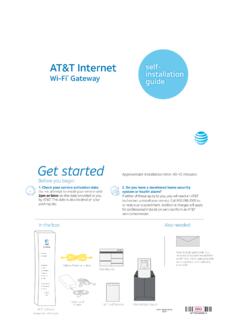
AT&T Internet Wi-Fi® Gateway Self-installation Guide ...
www.att.comWi-Fi Gateway’s DSL Broadband port to your wall jack. B. Connect the yellow Ethernet cable from the ONT port to the Wi-Fi Gateway’s red ONT Broadband port. C. Connect the other yellow Ethernet cable from the . Wi-Fi Gateway’s Ethernet port to your computer. D. Plug the power cord into the Wi-Fi Gateway and into an electrical outlet.
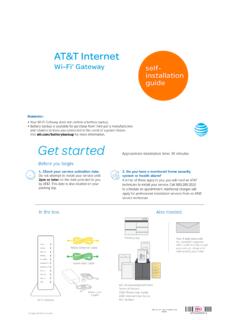
AT&T Internet Wi-Fi Gateway Self-installation guide ...
www.att.comConnect the green data cable from the Wi-Fi Gateway’s DSL Broadband port to your wall jack B. Connect the yellow Ethernet cable from one of the Wi-Fi Gateway’s Ethernet ports to your computer C. Plug one end of your phone cable into the Wi-Fi Gateway’s Phone Lines 1 & 2 port and the other end into a standard phone or cordless base station D.
SR400ac Gateway User Manual - Zzoomm
zzoomm.comThe red RJ45 port labeled WAN is used to hard-wire your SR400ac gateway to another network device using a RJ45/Ethernet cable. USB The two USB ports on your 400AC gateway (2.0 port on the back and 3.0 on the left side) are used to connect USB storage devices to your gateway for transferring data. They also provide +5 VDC for charging other devices.