
802.11n Wireless Router
The airRouter 802.11n Wireless Router is an affordable multi-purpose router that can act as a standard SOHO (Small Office/Home Office) router or operate in two other network modes: Bridge or Router mode. The airRouter also offers multiple wireless modes including Station mode to extend your wireless network and Access Point mode to function as
Download 802.11n Wireless Router

Information
Domain:
Source:
Link to this page:
Documents from same domain

Datasheet - Ubiquiti Networks
dl.ubnt.comDatasheet www.ubnt.com/airmax 3 Software airOS is an intuitive, versatile, highly developed Ubiquiti firmware technology. It is exceptionally intuitive and …

802.11ac Dual Radio Access Point
dl.ubnt.comThis Quick Start Guide is designed to guide you through ... 802.11ac Dual Radio Access Point Model: UAP-AC-LITE Gigabit PoE* (24V, 0.5A) with Mounting Bracket

Advanced Gigabit Ethernet Router - Ubiquiti …
dl.ubnt.comThis Quick Start Guide is designed to guide ... Advanced Gigabit Ethernet Router Model: ER-X EdgeRouter X Power Adapter (12V, 0.5A) Quick Start Guide

UniFi AC AP Datasheet - dl.ubnt.com
dl.ubnt.com3 D atasheet UniFi Controller Packed with Features Use the UniFi Controller to provision thousands of UniFi APs, map out networks, quickly manage

Wide-Angle 1080p Dome IP Camera with Infrared
dl.ubnt.comIntroduction Thank you for purchasing the Ubiquiti Networks® UniFi® Video Camera G3 Dome. This Quick Start Guide is designed to guide you through installation and includes warranty terms.

TOUGHCable PRO Quick Start Guide - Ubiquiti Networks
dl.ubnt.com2 TOUGHCable™ PRO Quick Start Guide TOUGHCable Box The Tension Knob is set to High by default. If necessary, the tension can be set to to Low or None. Tension Knob TOUGHCable PRO Cross-Section Conductor Insulation ESD Drain Wire

U-Installer Quick Start Guide - Ubiquiti Networks
dl.ubnt.comLEDs Wi-Fi Lights blue if the U-Installer has a Wi-Fi connection to your mobile device. Battery Four blue LEDs indicate the internal battery’s charge level: Full charge Low charge* * Recharge the battery by connecting a power source,

1080p Wireless IP Security Camera with Infrared
dl.ubnt.comIntroduction Thank you for purchasing the Ubiquiti Networks® UniFi® Video Camera G3 Micro. This Quick Start Guide is designed to guide you through installation and also includes warranty terms.

802.11n Wi-Fi Access Point - Ubiquiti Networks
dl.ubnt.comHardware Installation The UniFi AP can be mounted to the wall or ceiling. Perform the steps for the appropriate installation: Wall Mount 1. Position the Mounting Bracket at the desired location on the wall with the cable feed slot pointed towards the floor.

Rocket ac Datasheet - Ubiquiti Networks
dl.ubnt.comD atasheet 4 Technology Unlike standard Wi-Fi protocol, Ubiquiti’s Time Division Multiple Access (TDMA) airMAX ac protocol allows each client to send and receive
Related documents
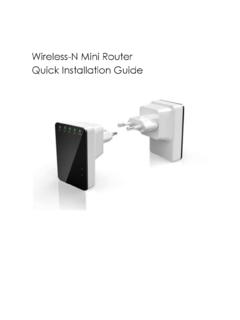
Wireless-N Mini Router Quick Installation Guide
www.accessionx.comThe Wireless N Router is a combined wired/wireless network connection device designed specifically for small business, office, and home office networking requirements. It complies with the IEEE 802.11n (Draft 2.0) standard. It adopts MIMO as well as SST technologies. It also works well with other 11b/g and 11n protocol wireless products.
PIXMA MG3200 series
gdlp01.c-wss.comThe confi guration, router functions, setup procedures and security settings of the network device vary depending on your system environment. For details, refer to the manual of your network device or contact its manufacturer. Check if your device supports IEEE802.11n, 802.11g or 802.11b.
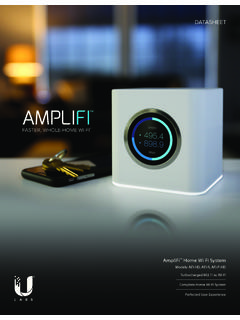
FASTER, WHOLE-HOME WI-FI
amplifi.comWi-Fi Standards 802.11ac Power Save Supported Wireless Security WPA2-PSK AES/TKIP Operating Temperature 14 to 131° F (-10 to 55° C) Operating Humidity 5 to 95% Noncondensing Certifications FCC / CE / IC Supported Data Rates 802.11ac 13 Mbps to 1300 Mbps (MCS0 - MCS9, VHT 20/40/80) 802.11n 6.5 Mbps to 450 Mbps (MCS0 - MCS23, HT 20/40)
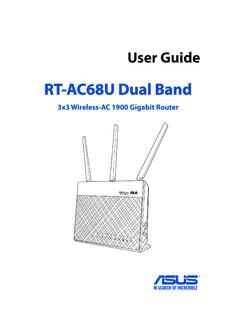
RT-AC68U Dual Band - Asus
dlcdnets.asus.comwireless router’s WAN port. 4. Insert your modem’s AC adapter to the DC-IN port and plug it to a power outlet. 1.6.2 Wireless connection To set up your wireless router via wireless connection: 1. Insert your wireless router’s AC adapter to the DC-IN port and plug it to a power outlet. 2 Using the bundled network cable, connect your modem to

Synology Router RT2600ac
global.download.synology.comWireless Standards • 2.4GHz: 802.11 b/g/n • 5GHz: 802.11 a/n/ac Operating Frequency Range • 802.11n (2.4GHz): Up to 800 Mbps • 802.11ac (5GHz): Up to 1.73 Gbps Wireless Operation Modes • Wireless Router • Wireless AP (Access Point) • Wireless Repeater (WDS) Wireless Security • 64/128-bit WEP • WPS support

Synology Wi-Fi Router MR2200ac
global.download.synology.com7 Chapter 2: Set up Your Synology Wi-Fi Router 3 Connect wireless client devices to your MR2200ac: a When the Wi-Fi Signal LED indicator turns blinking blue, MR2200ac is ready to connect to other devices. b Use your wireless device to scan and join the Wi-Fi network created by your MR2200ac. Note: Below are the default credentials for the Wi-Fi network: 1.

RouterBOARD Wireless Hacks - MikroTik
mum.mikrotik.com• WDS (Wireless Distribution System) allows packets to pass from one wireless AP (Access Point) to another, just as if the APs were ports on a wired Ethernet switch. APs must use the same standard (802.11a, 802.11b or 802.11g) and work on the same frequencies in order to connect to each other.
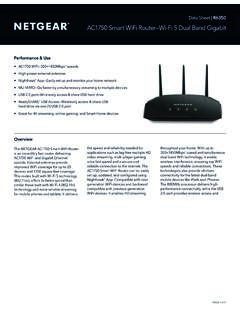
AC1750 Smart WiFi Router—Wi-Fi 5 Dual Band Gigabit
www.netgear.comThe NETGEAR AC1750 Smart WiFi Router is an incredibly fast router delivering AC1750 WiFi and Gigabit Ethernet speeds. External antennas provide improved WiFi coverage for up to 25 devices and 1750 square feet coverage. This router, built with Wi-Fi 5 technology (802.11ac), offers 3x faster speed than similar those built with Wi-Fi 4 (802.11n)