
Archer C60 User Guide - TP-Link
default settings. Internet Port For connecting to a DSL/Cable modem, or Ethernet port. Ethernet Ports (1/2/3/4) For connecting your PCs or other wired network devices to the router Antennas Used for wireless operation and data transmitting. Upright them for the best Wi-Fi performance.
Download Archer C60 User Guide - TP-Link

Information
Domain:
Source:
Link to this page:
Documents from same domain
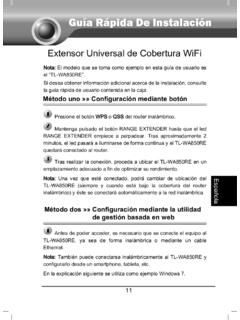
Guía Rápida De Instalación - static.tp-link.com
static.tp-link.com11 E s p a ñ o l a M Extensor Universal de Cobertura WiFi Nota: El modelo que se toma como ejemplo en esta guía de usuario es el “TL-WA850RE”. Si desea obtener información adicional acerca de la instalación, consulte

TL-WR841N TL-WR841ND 300Mbps Wireless N Router - TP …
static.tp-link.comThe 300Mbps Wireless N Router delivers exceptional range and speed, which can fully meet the need of Small Office/Home Office (SOHO) networks and the users demanding higher networking performance.
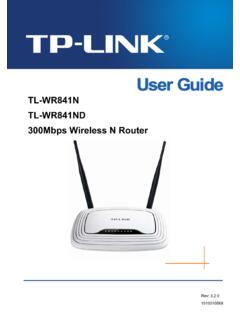
TL-WR841N TL-WR841ND 300Mbps Wireless N Router
static.tp-link.comPowered by 2x2 MIMO technology, the 300Mbps Wireless N Router delivers exceptional range and speed, which can fully meet the need of Small Office/Home Office (SOHO) networks and the users demanding higher networking performance.
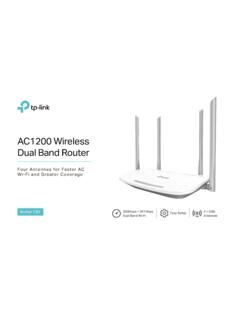
AC1200 Wireless Dual Band Router - TP-Link
static.tp-link.comAC1200 Wireless Dual Band Router Archer C50 300Mbps + 867Mbps Easy Setup Dual Band Wi-Fi 4 × 5dBi Antennas ... AC1200 (300Mbps on 2.4GHz + 867Mbps on 5GHz) Wi-Fi for reliable connections. 5GHz 867Mbps ... Cable or DSL Modem Subscription with an …
Quick Installation Guide - static.tp-link.com
static.tp-link.comEnglish 1 1 Power on Plug the extender into an electrical outlet near your router and press the power button if it has one. 2 Connect your computer to the extender
Installation Guide - TP-Link
static.tp-link.comThis guide is applicable to products including CPE210, CPE220, CPE510 and CPE520. • Package Contents Installation Guide Outdoor CPE CPE210 / CPE220 / CPE510 / C PE520 Pharos CPE Passive PoE Adapter Pole Mounting Straps Mounting Bracket Plastic Wall …
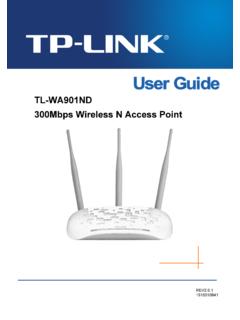
TL-WA901ND 300Mbps Wireless N Access Point - TP-Link
static.tp-link.comTL-WA901ND 300Mbps Wireless N Access Point User Guide 1 Package Contents The following items should be found in your package: One TL-WA901ND 300Mbps Wireless N Access Point

Quick Installation Guide - TP-Link
static.tp-link.comQuick Installation Guide AC1750 Wireless Dual Band Gigabit Router Connect the Hardware 7106505288 REV3.0.0 Verify that the following LEDs are

How to configure VPN function on TP-LINK Routers
static.tp-link.com3 2. How to configure LAN-to-LAN IPsec VPN on TP-LINK Router Suitable for: TL-ER6120, TL-ER6020, TL-ER604W, TL-R600VPN To setup an IPsec VPN tunnel …

How to configure VPN function on TP-LINK Routers
static.tp-link.com3 2. How to configure LAN-to-LAN IPsec VPN on TP-LINK Router Suitable for: TL-ER6120, TL-ER6020, TL-ER604W, TL-R600VPN To setup an IPsec VPN tunnel …
Related documents

Quagga
quagga.netstatic routes and so on. If you have a small network, or a stub network, or xDSL connection, configuring the Quagga routing software is very easy. The only thing you have to do is to set up the interfaces and put a few commands about static routes and/or default routes. If the network

configuring static routes - Router Alley
routeralley.com- Configuring Static Routes - Configuring Static Routes The basic syntax for a static route is as follows: Router(config)# ip route [destination_network] [subnet_mask] [next-hop] Consider the following example: RouterA will have the 172.16.0.0/16 and 172.17.0.0/16 networks in its routing table as directly-connected routes. To add a static route ...

SonicWall SonicOS 6.5.4
software.sonicwall.comJun 16, 2021 · Static routes over VPN or SD-WAN are getting disabled after cold boot. GEN6-2383 SM 9600 HA pair rebooting frequently due to DP core hang. GEN6-2295 Link Aggregation issues with X24 and X25 as the 10 Gig port does not show as …

Basic Router Configuration - Cisco
www.cisco.com† Configuring Static Routes, page 23 ... The loopback interface acts as a placeholder for the static IP address and provides default routing information. For complete information on the loopback commands, see the Cisco IOS Release configuration guide documentation set.

Basic Router Configuration - Cisco
www.cisco.com† Viewing the Default Configuration † Information Needed for Configuration † Configuring Basic Parameters † Configuring Static Routes † Configuring Dynamic Routes † Configuring Enhanced IGRP Each section includes a configuration …

Configuring the Grandstream UCM6200/UCM6300 for use …
www.exele.comto assign its default static IP address to both the WAN and LAN port. Once assigned you can connect the UCM6300 to your computer/laptop and use this static IP below. To enable the static IP address, from the LCD screen: o Home button (house icon) o …
SonicWall Switch Getting Started Guide
www.sonicwall.comSonicWall Switch Gettng Started Guide Overview 2 5 Overview • Introduction on page 5 • Hardware Overview on page 7 • About PoE on page 13 • About SFP/SFP+ on page 13 • Specifications on page 13 Introduction The SonicWall Switches are designed to connect SonicWall firewalls with Access Points and IP Surveillance

Forcepoint Appliances Command Line Interface (CLI) Guide
www.websense.comJun 08, 2020 · SSH access is enabled (default), connect to the CLI using a terminal emulator and SSH. On a Windows system, use PuTTY or similar. On a Mac system use Terminal. Connect to the appliance management interface IP address (interface C) on port 22. On V Series or X Series appliances you can also access the CLI in these ways: