
Bose A20 Aviation Headset Quick Reference Guide
Bluetooth indicator will flash purple. This will only happen the first time you turn on the headset. 2. Locate the Bluetooth menu on your device and make sure the Bluetooth feature is ON. Select Bose A20 from the Bluetooth device list. Bose A20 …
Download Bose A20 Aviation Headset Quick Reference Guide

Information
Domain:
Source:
Link to this page:
Documents from same domain
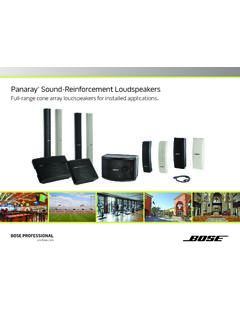
Panaray Sound-Reinforcement Loudspeakers
assets.bose.comPanaray ® Sound-Reinforcement Loudspeakers Full-range cone array loudspeakers for installed applications. 2 From the legendary Bose® 901 ® to the Professional 802 Bose first demonstrated the advantages of full-range cone driver arrays with the revolutionary 901 Direct/Reflecting® high-fidelity loudspeaker. Based on extensive …
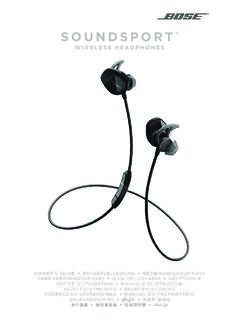
SOUNDSPORT - Bose Corporation
assets.bose.com• ®Unlock the full potential of your SoundSport wireless headphones • Free app compatible with most Apple and Android™ systems • Easily connect and switch between multiple Bluetooth® devices with a single swipe
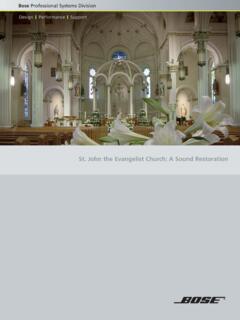
St. John the Evangelist Church: A Sound Restoration
assets.bose.comA major restoration at St. John the Evangelist Catholic Church in Delphos, Ohio, created an unexpected reverberation problem that lasted for more than seven years.
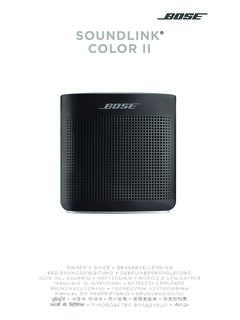
SOUNDLINK COLOR II - Bose Corporation
assets.bose.comBose Corporation hereby declares that this product is in compliance with the essential requirements and other relevant provisions of Directive 2014/53/EU and all other applicable EU directive requirements.
SOUNDLINK - Bose Corporation
assets.bose.comBose Corporation hereby declares that this product is in compliance with the essential requirements and other relevant provisions of Directive 2014/53/EU and all other applicable EU directive requirements.
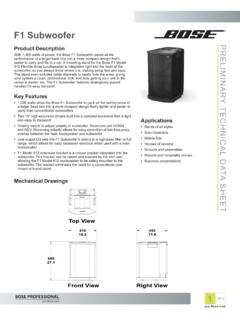
PRELIMINARY TECNICAL DATA SEET - Bose Corporation
assets.bose.com1 OF 3 PRELIMINARY TECNICAL DATA SEET proBosecom F1 Subwoofer Applications • Bands of all styles • Solo musicians • Mobile DJs • Houses of worship • Schools and universities • Resorts and hospitality venues • Business presentations Product Description With 1,000 watts of power, the Bose F1 Subwoofer packs all the
SoundSport Free Wireless - Bose
assets.bose.comWIRELESS. 2 - ENGLISH ITN SE INSINS Please read and keep all safety and use instructions. Important Safety Instructions ... • Do NOT submerge or expose the earbuds for extended period to water, or wear while participating in water sports, e.g., swimming, waterskiing, surfing, etc.
WAVE SOUNDTOUCH PEDESTAL - Bose
assets.bose.comSoundTouch pedestal: • Place the rear feet of the Wave music system into the recesses on top of the SoundTouch pedestal. • Make sure the Wave music system sits flat and the side edges of both parts are aligned. 3. Insert the SoundTouch pedestal’s cable into the Bose link connector. Connect the system to power
Gebruikershandleiding
assets.bose.comDUTCH - 3 WETT CHT UDCH ORMAT ... Apple, het Apple-logo, iPad, iPhone en iPod zijn handelsmerken van Apple Inc., gedeponeerd in de VS en andere landen. App Store is een servicemerk van Apple Inc. Het handelsmerk ‘iPhone’ …
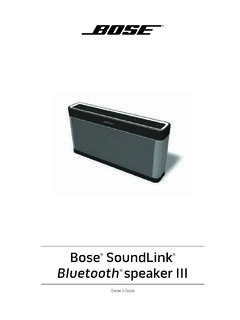
Owner’s Guide - Bose
assets.bose.comPlug the power cord on the AC power supply into the DC connector on the back of the speaker. 3. Plug the AC power supply into a live AC (mains) outlet. The speaker emits a tone to confirm connection to AC power, and charging begins. On the front of the speaker, the battery status indicator blinks yellow to show the battery is charging.
Related documents
Dragon Bluetooth Wireless Headset User Guide
supportcontent.nuance.comyour headset microphone may still be on and activated. To preserve the headset's bat-tery, you may want to power off your headset after you are done using Dragon. n If the Dragon Bluetooth Wireless Headset isn’t displayed in step 4, you may need to unplug and replug the USB Bluetooth adapter.
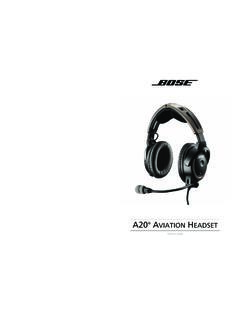
AVIATION HEADSET - Bose
products.bose.comIf your headset is aircraft powered, connect the headset to the aircraft power sources only as described in “Connecting the headset to the aircraft” on page 11. The headset will not operate properly if used with any battery source other than the Bose A20 Aviation Headset control module.

GSP 670 Gaming Headset with low latency connection and ...
assets.sennheiser.comAug 30, 2019 · the headset complies with the Bluetooth 5.0 standard. Bluetooth de vices need to support the “hands free profile” (hFP), the “headset profile” (hsP) or the “advanced audio distribution profile” (A2DP). the headset can save up to eight paired devices. If you pair the headset with a ninth device, the first

HS70 BLUETOOTH - corsair.com
www.corsair.comBLUETOOTH MODE PAIRING Make sure headset is off. To enable pairing, press and hold the MFB until the Bluetooth status LED blinks red and blue. When the headset is paired, the MFB LED will blink blue. Select the headset on your mobile device from the Bluetooth device list. To power on Bluetooth mode, press and hold the MFB for 3-5 seconds.
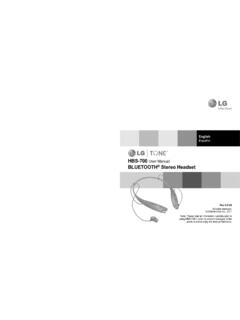
HBS-700 User Manual BLUETOOTH Stereo Headset - LG …
www.lg.comThe LG Tone (HBS-700) is a light weight wireless headset that uses Bluetooth® technology. This product can be used as an audio accessory for devices supporting either the A2DP or Hands-Free Bluetooth® Profi le. Introduction 3 - Included in the package 3 Description of parts 4 How to use 4 - Wearing 4 - Charging 5 - Low battery 5

Getting started with Première utilisation ... - Logitech
www.logitech.comWireless Headset H800. 4. Sélectionnez l’onglet Entrée. 5. Sélectionnez le casque Logitech Wireless Headset H800. 6. Fermez la fenêtre. 7. Redémarrez l’application multimédia. English Connecting to a Bluetooth® device 1. Power on the wireless headset. 2. Slide the Device Selection switch on the right ear cup to the Bluetooth (middle ...

Gold wireless headset - PlayStation
www.playstation.comThe headset may need up to 3.5 hours to charge fully. 2 Insert the wireless adaptor in the USB port. 3 Slide the power switch to position “1” or “2”. Using the headset with a PlayStation®4 system This headset is compatible with PS4™ system software version 5.00 or later. More than one headset can be used with a PS4™ system.
Bluetooth headset - Plantronics
www.poly.comBluetooth headset User Guide. Contents Headset overview 3 Be safe 3 USB Bluetooth adapter 4 Charge case overview 5 Charge case to PC or USB wall charger 5 Charge your Headset 6 Check Battery Level 6 Low battery warnings 7 Use charge case 8 Fit 9 9 9 Connect and pair 10 Connect to PC 10

Bluetooth Headset - Plantronics
www.poly.comheadset behavior through advanced settings and options. Pair USB adapter again Typically, your USB adapter is pre-paired to your headset. In the event that your adapter is disconnected or bought separately, you will need to pair the adapter to your headset. 1. Insert the high-fidelity Bluetooth USB adapter into your laptop or computer and wait for