
Cerberus - Asus
Macro keys 12 Macro keys (F1~F12) with macro enable/ disable mode Special feature 1 Windows key lock Dimension 471 x 186 x 41 mm ( LxWxH) Weight 1100 g Operating system Microsoft® Windows® 10/8.1/7/XP. SS erber min ebord 3 Eni Installing your gaming keyboard Connect the USB connector of your gaming keyboard to the USB port of your computer ...
Download Cerberus - Asus

Information
Domain:
Source:
Link to this page:
Documents from same domain

RT-AC66U - Asus
dlcdnet.asus.comRT-AC66U Dual Band 3x3 802.11AC Gigabit Router User Guide
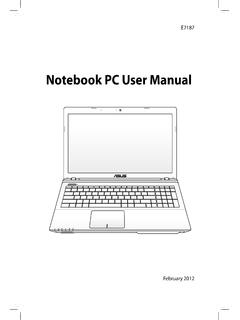
Notebook PC User Manual - Asus
dlcdnet.asus.comCharge Your Batteries If you intend to use battery power, be sure to fully charge your battery pack and any optional battery packs before going on long trips. Remember that the power adapter charges the battery pack as long as it is plugged into the computer and an AC power source. Be

Z170 PRO GAMING - Asus
dlcdnet.asus.com- 1 x SATA Express port (gray, compatible with 2 x SATA 6.0 Gb/s ports) - 1 x M.2 Socket 3 with M Key, type 2242/2260/2280/22110 storage devices support (both SATA & PCIE 3.0 x4 mode)* - 4 x SATA 6.0 Gb/s ports (gray) - Supports Intel® Smart Response Technology** * When the M.2 Socket 3 is operating in SATA mode, SATA port 1 will be disabled.
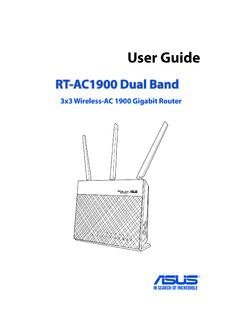
RT-AC1900 Dual Band
dlcdnet.asus.comcordless phones, transformers, heavy-duty motors, fluorescent lights, microwave ovens, refrigerators, and other industrial equipment to prevent signal interference or loss. • Always update to the latest firmware. Visit the ASUS website at
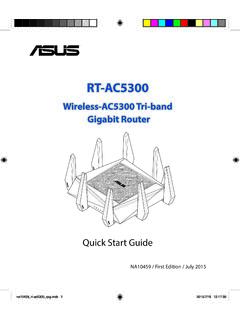
Wireless-AC5300 Tri-band Gigabit Router - Asus
dlcdnet.asus.comRT-AC5300 has a WPS (Wi-Fi Protected Setup) button for you to connect your wireless client to RT-AC5300’s network without entering password. To connect to the wireless network through WPS: 1. Press the WPS button at the left side of RT-AC5300. Refer to the section A quick look for the location of the WPS button). 2.
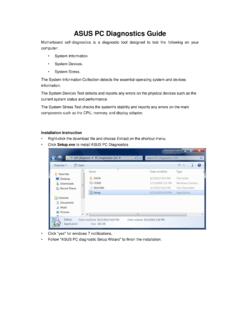
ASUS PC Diagnostics Guide
dlcdnet.asus.comresources, Driver version, TCP/IP settings, and Current network status. Motherboard information This information includes such as Manufacturer, Model, BIOS version, BIOS release date, Onboard ports, and Onboard slots. Display Adapter information This information includes such as Manufacturer, Model, Video memory size, VBIOS
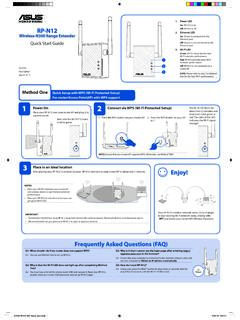
Wireless-N300 Range Extender On Quick Start Guide
dlcdnet.asus.comConnect your wireless devices to the new Extender network. Enjoy! Your RP-N12’s wireless network name (SSID) changes to your existing Wi-Fi network name, ending with _RPT and shares your router/AP’s Wireless Password. Media Bridge (Ethernet Adapter)
P8Z77-M - Asus
dlcdnet.asus.comYou may obtain the complete corresponding source code (as defined in the GPL) for the GPL Software, and/or the complete corresponding source code of the LGPL Software (with the complete machine-readable “work that uses the Library”) for a period of three years after our last shipment of the product

Z170-A - Asus
dlcdnet.asus.comvi このマニュアルの表記について 本書には、製品を安全にお使いいただき、お客様や他の人々への危害や財産への損害を ...

RT-N12 Series - Asus
dlcdnet.asus.com3 Network configuration using the web GUI 22 ... • Place the wireless router at the center of your network for maximum wireless coverage. ... • Web browser such as Microsoft Internet Explorer, Mozilla Firefox, Apple Safari, or Google Chrome NOTE:
Related documents

Microsoft Access Short Questions and Answers
mcqsets.comWhat is a macro? A macro is an object in MS-Access that is used to execute one or more database commands automatically. Macros are useful in tasks such as printing month-end reports, adding new record to a table, printing letters to customers periodically. What is a module? A module object in Access is a program written
Microsoft Excel Manual - Administration and Finance
adminfinance.umw.eduMicrosoft Excel is a spreadsheet application that is commonly used for a variety of uses. At its core, Excel is a table consisting of rows and columns. Excel is composed of rows and columns and uses a spreadsheet to display data. Features include: calculation, graphing tools, pivot tables, and a macro programming language

Excel 4.0 Macro Functions Reference
d13ot9o61jdzpp.cloudfront.net1 Philip Treacy CO-FOUNDER MY ONLINE TRAINING HUB Excel 4.0 Macro Functions Reference A COMPREHENSIVE LIST OF MICROSOFT EXCEL 4.0 MACRO FUNCTIONS

Introduction to Databases and Microsoft Access
sokly.yolasite.comDec 26, 1990 · Microsoft Access is a software product used for desktop database applications. You can use it for personal stuff, for home, or for your business/company. ... A macro is an action or a set of actions you ask the computer to perform is response to something.

G910 Mechanical Gaming Keyboard Setup Guide
www.logitech.comKnow your product 1. G-keys (programmable) 2. M-keys 3. MR-key 4. Game/Windows® key 5. Backlight key 6. Mute 7. Media keys 8. Volume 9. USB cable connector

Microsoft 365 Unattended License Overview
download.microsoft.comExample 5 : Forms or data processing - An RPA triggers a macro to read information and write to systems instead of manual data entry. With Attended RPA: If there is a macro that is triggered by the user to assist them in writing data into a system. With Unattended RPA*: If there is a macro that runs overnight autonomously by reading a data

Dangerous - news.microsoft.com
news.microsoft.comMicrosoft platforms including Defender and Azure Active Directory provided anonymized data on threat activity, such as brute force login attempts, phishing ... “If you look at a more macro trend over time, nation-states are going to leverage cyberattacks
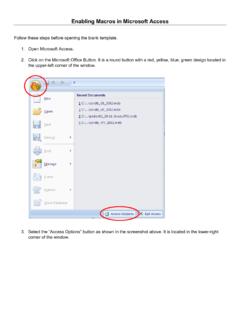
Enabling Macros in Microsoft Access - USDA
www.nrcs.usda.govEnabling Macros in Microsoft Access . Follow these steps before opening the blank template. 1. Open Microsoft Access. 2. Click on the Microsoft Office Button. It is a round button with a red, yellow, blue, green design located in the upper-left corner of the window. 3. Select the “Access Options” button as shown in the screenshot above.