
Cisco RV340 Quick Start Guide
STEP 1 Open a command window by using Start > Run and enter cmd. STEP 2 At the Command window prompt, enter ping and the device IP address. For example, ping 192.168.1.1 (the default static IP address of the device). If you can reach the device, you should get a reply similar to the following: Pinging 192.168.1.1 with 32 bytes of data: Reply ...
Download Cisco RV340 Quick Start Guide

Information
Domain:
Source:
Link to this page:
Documents from same domain

Miercom Report: Dual-Band Wave 2 Access Points ...
www.cisco.comDual-Band Wave 2 Access Points Comparative Performance: Cisco Aironet 2800 and 3800 Aruba AP-335 DR160830 September 2016 Miercom www.miercom.com

Cisco ASA with FirePOWER Services At-a-Glance
www.cisco.comAt a glance Cisco public Next steps To learn more about the Cisco ASA Firewall with FirePOWER Services, visit www.cisco. com/go/asafps. Meet the industry’s first adaptive, threat-focused next-generation firewall (NGFW) designed for a new

Architecting the Network for the Cloud - cisco.com
www.cisco.comWHITE PAPER Architecting the Network for the Cloud Sponsored by: Cisco Systems Lucinda Borovick Rohit Mehra January 2011 EXECUTIVE SUMMARY Cloud computing is now one of the prevailing IT trends as we head into the new

Cisco Identity Services Engine Ordering Guide
www.cisco.com© 2018 Cisco and/or its affiliates. All rights reserved. This document is Cisco Public Information. Page 1 of 22 Cisco Identity Services Engine

TERMS OF SALE AND SOFTWARE LICENSE …
www.cisco.comTERMS OF SALE AND SOFTWARE LICENSE AGREEMENT-US 3 CISCO CONFIDENTIAL SALES_TERMS_OF_SALE.docx June 2017 Terms of Sale. Customer shall pay any taxes related to Products and Services provided

Cisco Industrial Ethernet 4010 Series Switches Data …
www.cisco.com© 2018 Cisco and/or its affiliates. All rights reserved. This document is Cisco Public Information. Page 1 of 11 Data Sheet Cisco Industrial Ethernet 4010 Series Switches

Help Partners Increase Deal Sizes and Customer …
www.cisco.comHelp Partners Increase Deal Sizes and Customer Satisfaction Cisco Solution Support 101 Service and Promotion Overview for Partner Sales Teams Greg Suhayda

Cisco IP Phone Portfolio Brochure
www.cisco.comBrochure 3 © 2018 Cisco and/or its affiliates. All rights reserved. Introduction Leading the Way in Collaboration Cisco® IP Phones empower your business with a new collaboration experience

Data Center Power and Cooling White Paper - …
www.cisco.com© 2017 Cisco and/or its affiliates. All rights reserved. This document is Cisco Public Information. Page 1 of 22 White Paper Cisco Unified Computing System

Cisco Certification and Confidentiality Agreement …
www.cisco.comCisco Confidential Cisco Certifications and Confidentiality Agreement - Version 22 If you have been convicted of a crime that Cisco deems, in its sole discretion, in any way
Related documents
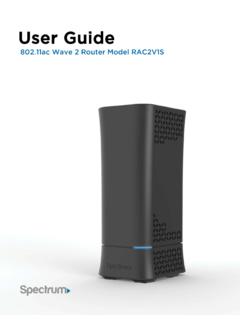
User Guide
d15yx0mnc9teae.cloudfront.net(Router login Password): Install your Wireless Router NOTE: If there is an Ethernet cable currently connecting your modem to another device, disconnect the Ethernet cable from the device before you install the router. 1. Unplug your modem. 2. Plug your modem back in. Wait approximately 2 minutes until your modem turns on. 3.
CGNVM DOCSIS 3.0 eMTA WiFi Gateway User’s Guide
mediacomcc.custhelp.comCGNVM DOCSIS 3.0 eMTA WiFi Gateway User’s Guide. Version 1.0 - 02/2015 SW Version CGNVM_4.5.10.10T3-MGCP-150429

Customer User Guide - PLDT HOME
pldthome.com1. Turn the modem off for 5 minutes and then back on to refresh your connection 2. Wait for the modem to sync within 3 minutes ... //192.168.1.1 then press enter. ... Type the default username: admin, password: 1234 to log in. 3. Click "Setup" found on the upper-hand side of the page. 4. Choose "Basic" from the left-hand side to change your Wi ...

Wired Modem Wireless Modem Customer Owned Modem
walledgarden.wowway.comIn your browser, type 192.168.0.1 — this is the device administration page address. If the model number on the front of your wireless modem is an Arris DG2470, DG3270, or TG2472: A. Log in using the Username: admin and the Password: password (case-sensitive).
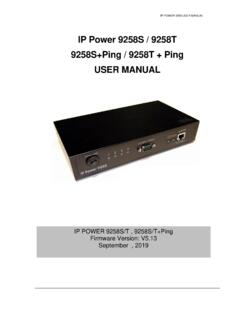
IP Power 9258S / 9258T 9258S+Ping / 9258T + Ping ... - …
www.aviosys.com(E.g. If IP address is 192.168.1.100 , then another IP address 192.168.1.123 then these IP Addresses are in same subnet.) 5 .The default username and password of IP Power 9258 are: Username: admin Password: 12345678

User’s Guide - Midco
www.midco.comLAN1 Use these ports to connect your computers and other network devices, using Category 5 or 6 Ethernet cables with RJ45 connectors. LAN2 LAN3

User Manual
www.motorolacable.commodem. Here is a list of phone numbers for some major cable service providers. (Note that this list is subject to change.) Comcast 1 (855) 652-3446 Time Warner 1 (855) 704 4503 Bright House 1 (888) 289-8988 Suddenlink 1 (877) 794-2724 Cable One 1 (877) 692 2253 Cox 1 (888) 556-1193 RCN 1 (866) 832-4726
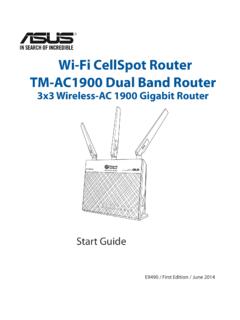
Wi-Fi CellSpot Router TM-AC1900 Dual Band Router
www.t-mobile.com1 English Package contents TM-AC1900 AC adapter Network cable (RJ-45) A quick look at your Wi-Fi CellSpot Router 1) LAN 1~4 LED 6) Power LED 11) USB 3.0/2.0 ports