Command Line Interface Reference Guide HP BladeSystem …
Command Line Interface Reference Guide HP BladeSystem PC Blade Switch Document Part Number: 413354-001 December 2005
Download Command Line Interface Reference Guide HP BladeSystem …

Information
Domain:
Source:
Link to this page:
Documents from same domain
HP Pavilion PC User™s Guide - HP® Official Site
h10032.www1.hp.com2 HP Pavilion PC User’s Guide Putting Your Computer Together For step-by-step instructions on putting your computer together, refer to the Welcome Poster that came in your computer box.

Quick Start Guide - HP
h10032.www1.hp.comHP Web Sites. Quick Start Guide Filename: ma2usqs.doc Title: HP-Print2k.dot Template: HP-Print2K.dot Author: jiml Last Saved By: WASSER, Inc. ® ® Start. ...
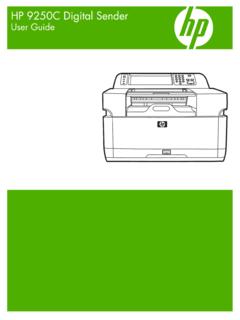
HP 9250C Digital Sender - HP® Official Site
h10032.www1.hp.comDevice information The HP 9250C Digital Sender connects directly to your network converts black-and-white and color documents, drawings, and photographs into an electronic form and then distributes them directly to
Technical Reference Guide HP Compaq dc7800 …
h10032.www1.hp.comTechnical Reference Guide HP Compaq dc7800 Series Business Desktop Computers ... deal with the system board and the power supply assembly.
Reference Guide - HP
h10032.www1.hp.comReference Guide A–1 A Troubleshooting This section provides three methods for resolving issues you may encounter when using your docking station. Use the methods
HP Pavilion 15 Notebook PC - HP® Official Site
h10032.www1.hp.com1 Product description Category Description Computer models equipped with an AMD processor Computer models equipped with an Intel processor Product Name HP Pavilion 15 Notebook PC √√

HP MINI User Guide
h10032.www1.hp.comSafety warning notice WARNING! To reduce the possibility of heat-related injuries or of overheating the device, do not place the device directly on …

User Guide - HP
h10032.www1.hp.comproprietor and used by Hewlett-Packard Company under license. Google, ... bound by the terms of the HP End User License ... see the printed Quick Start guide included ...
Manuel de l'utilisateur de l'ordinateur portable HP
h10032.www1.hp.comAvis d'avertissement sur la sécurité AVERTISSEMENT ! Pour éviter tout risque de blessure liée à la chaleur ou tout risque de surchauffe de l'ordinateur, ne le posez pas directement sur vos genoux et n'obstruez pas les ouvertures d'aération.

Manuel de l'utilisateur - HP® Official Site
h10032.www1.hp.comL'ordinateur et l'adaptateur secteur sont conformes aux limites de température de surface accessible à l'utilisateur, définies par la norme internationale sur la …
Related documents
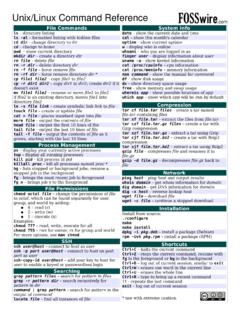
Unix/Linux Command Reference
files.fosswire.comCtrl+C – halts the current command Ctrl+Z – stops the current command, resume with fg in the foreground or bg in the background Ctrl+D – log out of current session, similar to exit Ctrl+W – erases one word in the current line Ctrl+U – erases the whole line Ctrl+R – type to bring up a recent command!! - repeats the last command

HP Image Assistant User Guide
ftp.hp.comHP Image Assistant User Guide SUMMARY HP Image Assistant (HPIA) is a Windows® image comparison tool that captures metadata configuration files from images, compares image configuration files, and provides recommendations to help you develop, maintain, and support images for an optimal Windows performance.

Curve Fitting Toolbox User's Guide
cda.psych.uiuc.edu•The Curve Fitting Tool, which is a graphical user interface (GUI) environment •The MATLAB command line environment You can explore the Curve Fitting Tool by typing cftool Click the GUI Help buttons to learn how to proceed. Additionally, you can follow the examples in the tutorial sections of this guide, which are all GUI oriented.
Command Line Interface - Schneider Electric
iportal2.schneider-electric.comUse case-sensitive user name and password entries to log on (by default, apc and apc for a Super User, or device and apc for a Device User). A Read-Only User cannot access the command line interface. See the UPS Network Management Card 2 User’s Guide (for AP9630, AP9631) for mo re information on these options.

Navy Department of Awards Web Service (NDAWS) User Guide
www.mynavyhr.navy.milApril 2021 NDAWS User Guide The original of this document is the property of Navy Personnel Command and, if reproduced, should be considered “uncontrolled.” Page 1 1. Introduction This user’s guide serves as a systematic instruction for the use and navigation of the
![[U] User's Guide - Stata](/cache/preview/7/7/5/3/e/3/b/2/thumb-7753e3b2038b263eb367b7bfd142f64f.jpg)
[U] User's Guide - Stata
www.stata.com2. Now turn to the other manuals; see [U] 1.2 The User’s Guide and the Reference manuals. 1.2 The User’s Guide and the Reference manuals The User’s Guide is divided into three sections: Stata basics, Elements of Stata, and Advice. The table of contents lists the chapters within each of these sections. Click on the chapter titles to see the
VMware vCenter Converter Standalone User's Guide - …
www.vmware.comUser's Guide vCenter Converter Standalone 6.0 This document supports the version of each product listed and ... Perform a Command-Line Installation in Windows 38 Command-Line Options for Windows Installation 38 Modify Converter Standalone in Windows 39

VMware vCenter Converter Standalone User's Guide - …
www.vmware.comUser's Guide vCenter Converter Standalone 6.1 This document supports the version of each product listed and supports all subsequent versions until the document is ... Perform a Command-Line Installation in Windows 36 VMware, Inc. 3. Command-Line Options for Windows Installation 37

Floating-Band Dynamic EQ - Waves Audio
www.waves.com4 F6 Floating-Band Dynamic Equalizer / User Guide Waves F6 Real Time Equalizer (RTA) To increase F6’s precision and ease of use, we added a simple-to-use, feature-rich Real Time Analyzer (RTA) that creates a real-time visual map of your audio. This provides a fast and accurate way to interpret the signal and set F6 parameters.