
Configuring a RAID Set - GIGABYTE
A recovery volume and a RAID array cannot co-exist in the system at the same time, that is, if you have already created a recovery volume, you are unable to create a RAID array. • By default, only the master drive can be viewed in the operating system; the recovery drive is hidden. ...
Download Configuring a RAID Set - GIGABYTE

Information
Domain:
Source:
Link to this page:
Documents from same domain
Configuring Audio Input and Output 2
download.gigabyte.comThe recordings will saved in Documents>Sound Recordings. Voice Recorder records audio in MPEG-4 (.m4a) format. You can play the recording with a digital media player program that supports the audio file format. After setting up the audio input device, to open the Voice Recorder, go to the Start menu and search for Voice Recorder.

Configuring a RAID Set (B450 Series)
download.gigabyte.comTo delete a RAID array, select the array to be deleted on the RAIDXpert2 Configuration Utility\Array Management\Delete Array screen. Press <Enter> on Delete Array to enter the Delete screen. Then set Confirm to Enabled and press <Enter> on Yes (Figure 8). Figure 8

Configuring Audio Input and Output 2
download.gigabyte.comB. Playing the Recorded Sound The recordings will saved in Documents>Sound Recordings. Voice Recorder records audio in MPEG-4 (.m4a) format. You can play the recording with a digital media player program that supports the audio file format. After setting up the audio input device, to open the Voice Recorder, go to the Start menu and search for

Unique Features (X570 Series) - GIGABYTE
download.gigabyte.cominstructions to complete. 2. Update the BIOS without Using the Internet Update Function: Click Update from File, then select the location where you save the BIOS update file obtained from the Internet or through other source. Follow the on-screen instructions to complete. 3. Save the Current BIOS File: Click Save to File to save the current ...

User's Manual - GIGABYTE
download.gigabyte.com* Due to a Windows 32-bit operating system limitation, when more than 4 GB of physical ... BIOS 1 x 64 Mbit flash Use of licensed AMI UEFI BIOS PnP 1.0a, DMI 2.7, WfM 2.0, SM BIOS 2.7, ACPI 5.0 ... Support for Q-Flash Support for Smart Switch
BIOS Setup - GIGABYTE
download.gigabyte.comA user password only allows you to view the BIOS settings but not to make changes. Server Management Server additional features enabled/disabled setup menus. Boot This setup page provides items for configuration of boot sequence. Exit Save all the changes made in the BIOS Setup program to the CMOS and exit BIOS Setup. (Pressing

G32QC - GIGABYTE
download.gigabyte.comNote: The default Profile folder is located at the OSDsidekick installation path. D Click and do any of the following to customize the profile: - Rename the profile. - Click to modify the profile picture. Browse for the picture, and click OK to upload. - Click to confirm the modifications. - Click to reject the modifications.
Copyright
download.gigabyte.comAddress: 17358 Railroad street, City Of Industry, CA91748 Tel.: 1-626-854-9338 Internet contact information: https://www.gigabyte.com FCC Compliance Statement: This device complies with Part 15 of the FCC Rules, Subpart B, Unintentional Radiators. Operation is subject to the following two conditions: (1) This device

Configuring a RAID Set (Z590 Series)
download.gigabyte.comthe power connectors from your power supply to the hard drives. RAID 0 RAID 1 RAID 5 RAID 10 Minimum ... An M.2 PCIe SSD cannot be used to set up a RAID set either with an M.2 SATA SSD or a SATA hard drive. ... launch the Intel® Optane™ Memory and Storage Management utility from the Start menu. Step 1: Go to the Manage menu and click Rebuild ...

GAMING MONITOR - GIGABYTE
download.gigabyte.comD Click the q icon to select the available option. • All the changes will be applied directly to the monitor. DISPLAY SETTING Configure the game, image, multi-picture, Dashboard, and Game Assist related settings. Gaming & Picture PIP/PBP Game Assist Dashboard Picture Mode Crosshair Configuring the Picture Mode Profiles
Related documents

Building Clearing / Tactical Raid - Think Like a Horse
thinklikeahorse.orgtactical raid search typically used in narcotic raids. Explorers should be able to use tactical thinking during ... If personnel or equipment recovery was the purpose of the clearing operation, these assets should be evacuated immediately. Account for all organic personnel and equipment.
Dell PowerEdge RAID Controller H330
i.dell.comNon-RAID: up to 128 RAID 0: 32 per volume RAID 1: 2 per volume plus hot spare RAID 5: 32 per volume RAID 10: 32 per volume RAID 50: 32 per volume Host bus type 8-lane, PCI Express 3.0 compliant Data transfer rates Up to 12Gb/s per port SAS controller LSI SAS3008 Key RAID and data protection features RAID levels 0, 1, 51 RAID spans 10, 501
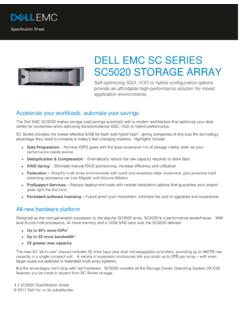
DELL EMC SC SERIES SC5020 STORAGE ARRAY
i.dell.commultiple drive tiers and manages RAID levels for performance and cost savings. By default, all new data is written to fastest Tier 1 drives at RAID 10 performance levels, then converted to economical RAID 5/6 (on the same drives) for subsequent reads. As data ages, it’s moved to less expensive storage until it becomes more active again.

1 Configuring SATA Controllers - GIGABYTE
www.gigabyte.comA recovery volume and a RAID array cannot co-exist in the system at the same time, that is, if you have already created a recovery volume, you are unable to create a RAID array. • By default, only the master drive can be viewed in the operating system; the recovery drive is hidden.

Intel® Rapid Storage Technology
www.intel.comRAID volumes as well as a user interface for configuring and managing RAID volumes. Master Drive The hard drive that is the designated source drive in a recovery volume. Matrix RAID Two independent RAID volumes within a single RAID array. Member A …
Intel® Virtual RAID on CPU (VROC) for Windows
www.intel.comRedundant Array of Independent Disks: allows data to be distributed across multiple drives to provide data redundancy or to enhance data storage performance. RAID 0 (striping) ... The drive that is the designated target drive in aRAID Volume recovery. The Spare drive is a global setting (not designated to a specific RAID volume). Spare drives on
UEFI BIOS Recovery 1.0a - Supermicro
www.supermicro.comMay 26, 2011 · memory detection and recovery codes for the user to fl ash a new BIOS image if the original BIOS image is corrupted. When the system power is on, the boot sector codes execute fi rst. Once it is completed, the main BIOS code will continue with system initialization and bootup. Note: Follow the BIOS Recovery instructions below for BIOS recovery
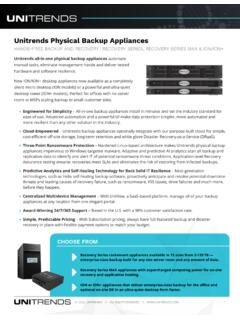
Unitrends Recovery Series and Recovery Series MAX
www.unitrends.com» Cloud-Empowered – Recovery Series appliances optionally integrate with our purpose-built cloud for simple, ... N/A RAID 1 RAID 1 RAID 1 RAID 1 RAID 1 RAID 10 RAID 10 RAID 10 RAID 6 RAID 6 RAID 6 RAID 6 RAID 6 RAID 6 Included * Optional Not Available Usable Capacity is the appliance’s raw backup capacity after RAID.