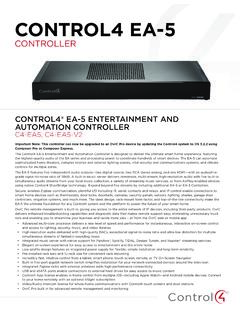
Control4 EA-5 V2 Data Sheet
IR out 8 IR out—5V 27mA max output, 1 IR blaster—front IR capture 1 IR receiver—front; 20-60 kHz ... 3.5 mm to DB9 Serial Cable C4-CBL3.5-DB9B SR-260 System Remote Control C4-SR260-B 4Sight Subscription (1 Year) C4-4Sight-E For more information
Download Control4 EA-5 V2 Data Sheet

Information
Domain:
Source:
Link to this page:
Documents from same domain
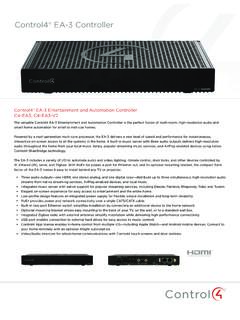
Control4® EA-3 Controller
www.control4.comControl4® EA-3 Controller The versatile Control4 EA-3 Entertainment and Automation Controller is the perfect fusion of multi-room, high-resolution audio and
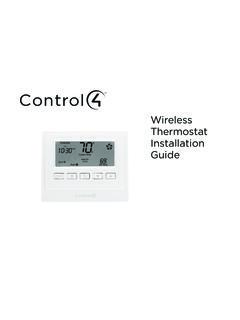
Wireless Thermostat Installation Guide - Control4
www.control4.comSupported Model CCZ-T1-W Wireless Thermostat - White WARNING! Install in accordance with all national and local electrical codes. WARNING! This product is not intended for use with line-voltage baseboard heaters.
Composer HE Getting Started Guide - Control4
www.control4.comComposer HE 2.9.0 Getting Started Guide Legal notices . 2. Legal notices . Control4 disclaimer . Control4 ® makes no representations or warranties with respect to this publication, and specifically disclaims any express or implied

SR-260 System Remote Control Data Sheet
www.control4.comControl4® System Remote Control SR-260 Control4 System Remote Control SR-260 (C4-SR260, C4-SR260-I) The Control4 SR-260 and SR-260-I remotes are …
Control4 System Quick Start Guide
www.control4.comUse a dimmer 1 To use a dimmer, press and hold the top of the dimmer to slowly brighten the light, and press and hold the bottom to slowly dim it That’s all there is to it! 2 You can also use it like an on/off switch, if you’d like Press and release the top of the dimmer to ramp the light up to full brightness Press and release
Wireless Adaptive Phase Dimmer Data Sheet
www.control4.comControl4® Wireless Adaptive Phase Dimmer The Control4® Wireless Adaptive Phase Dimmer is the dimmer of choice for virtually any load type. This dimmer eliminates much of the guess-work associated with choosing the right dimmer for the job and prevents the need to replace the dimmer if the load type changes in the future.

CONTROL4® CHIME VIDEO DOORBELL
www.control4.comChime is the first video doorbell designed for the Control4 smart home. Chime allows homeowners to see and talk to visitors while controlling the most important smart home features. Customers can see and hear who’s at the door through the Control4 mobile app or touchscreen, and a 5MP camera with a 180-degree

Control4® Wireless Switch
www.control4.comControl4® Wireless Switch The Control4® Wireless Switch provides on/off control for a variety of load types. With its robust relay and high amperage rating, the Switch can handle even high in-rush loads such as fountain pumps or large banks of fluorescent lights. It can even be used to switch wall outlets.
CONTROL4 CA-10
www.control4.com• 4× the processing power and memory of the EA-5 to control thousands of devices—the CA-10 is designed for the largest Control4 systems • Project is stored on dual solid-state, field-replaceable drives in mirrored RAID configuration • Dual power supplies with automatic switch-over
DUAL-WAN GIGABIT VPN ROUTER USER INTERFACE MANUAL
www.control4.comUser Interface Manual About this Manual About this Manual This manual provides installers and end users with current information regarding the installation, setup, use, and maintenance of the product. The symbols below identify important information: Pro Tip – Pro tips provide extra value, utility, or ease of use. Pro tips may also link to extra
Related documents
Resolutions of Remote Sensing
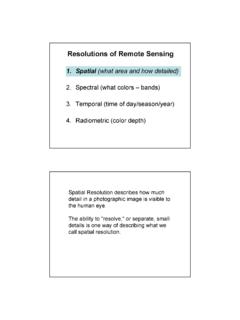
www.edc.uri.edu1 Resolutions of Remote Sensing 1. Spatial (what area and how detailed) 2. Spectral (what colors – bands) 3. Temporal (time of day/season/year) 4. Radiometric (color depth) Spatial Resolution describes how …
AT&T TVTM Device and Remote Control
www.att.com• The RC82V Remote Control works in IR and RF mode. • Basic remote operations can be performed in the IR mode. • The remote uses two-way communication to the AT&T TV. • RF mode eliminates the need for the remote and the paired devices to be in line of sight to each other. • The RC82V Remote Control has a directional pad.
UNIVERSAL REMOTE CONTROL GUIDE - FTC
www.farmerstel.com5 2. Point the remote at the device. 3. Press and while holding a selected mode key (TV or DVD), press the OK key.For example, to search for a TV code, press and hold TV and OK at the same time. 4. Release both keys and all the mode keys will blink twice.

Section Five Courses - catalog.caltech.edu
www.catalog.caltech.edu9 units (3-0-6); third term. Prerequisites: Ph 2, EE/Ae 157, or equivalent; APh 23 desirable. This class covers both the fundamentals of optical engineering and the development of space optical systems. Emphasis is on the design and engineering of optical, UV and IR systems for scientific remote sensing and imaging applica-tions.

User Manual - Logitech
www.logitech.comThe Harmony 650 is an Activity-based infrared (IR) universal remote control. Using Harmony software, you can set up the Harmony 650 to control up to 5 devices. The Harmony 650 delivers powerful Activity-based control using Smart State

Inteset 4-in-1 A B C D Learning Considerations IR Remote ...
downloads.inteset.com5. Aim the remote at the device (ie: TV) and press the remote’s POWER 2.button (top right corner). The device should turn off. If it does not, you should repeat steps 3-5, trying each code for your device’s brand until you find the one that works. …