
CS6080 Quick Start Guide - zebra.com
Quick Start Guide 11 The CS6080 begins charging. The charge status LEDs light to indicate progress. Refer to the CS6080 Scanner Product Reference Guide for information on accessories and LED indications. Cradle Cable Connection Charging via Charging Pad 1. Follow the third party instructions for connecting your charging pad to power.
Download CS6080 Quick Start Guide - zebra.com

Information
Domain:
Source:
Link to this page:
Documents from same domain

NOTICE OF EXPANSION - Zebra Technologies
www.zebra.comPSUs that serve as the power source for ZP models of Zebra printers ... http://www.zebra.com/power-supply-recall. ... It is strongly recommended that …

LS1203 Product Reference Guide - Zebra …
www.zebra.comASCII Character Set for USB ... The LS1203 Product Reference Guide provides general instructions for setting up, operating, maintaining, and

LS2208 PRODUCT REFERENCE GUIDE - Zebra …
www.zebra.comvi LS2208 Product Reference Guide ... ASCII Character Set ..... 5-16 Chapter 6: RS-232 Interface Introduction ...

ZC300 Card Printer - zebra.com
www.zebra.commost sensitive data during printing, such as account numbers. BOOST VALUE WITH NEW CAPABILITIES ... GLOBAL CONTACT DIRECTORY AT WWW.ZEBRA.COM/CONTACT. ... ZC300 CARD PRINTER FOR NORTH AMERICA, EUROPE, MIDDLE EAST AND AFRICA ZC300 Card Printer Specifications Continued on back MEDIA SPECIFICATIONS …

ZXP Series 9 Retransfer Card Printer Spec Sheet
www.zebra.comZXP Series 9 Retransfer Card Printer PAIRING OUTSTANDING PRINT QUALITY WITH THE FASTEST PRINT SPEEDS IN THE INDUSTRY Extending Zebra’s line of card printers, the ZXP Series 9™ is a retransfer card printer specifically engineered for high-security applications.

2022 HOSPITAL VISION STUDY - Zebra Technologies
www.zebra.comdynamic staff workflows 83% ... them with digital solutions that increase the accuracy of patient ... Enriching Staff Communications

3 Overlook Point - Zebra Technologies
www.zebra.com3 Overlook Point Lincolnshire, IL 60069 USA T: +1 847 634 6700 F: +1 847 913 8766 www.zebra.com Zebra Technologies Announces ARM® mbed™ IoT Starter Kit for Zatar IoT Starter Kit To Use Atmel®/ SMART Xplained board and kit

ZT200 Series Parts Catalog - Zebra Technologies
www.zebra.comAmericas Customer Service +01 877‐275‐9327 Page 1 November 29, 2017 ZT200 Series Parts Catalog _____ Outer Casing Components Item Number Description Part Number

ZT400 Series Parts Catalog - Zebra Technologies
www.zebra.comZT400 Series Parts Catalog _____ Replacement Components for Media Rewind Options Item Number Description Part Number Quantity 1 Media Guard for Media Rewind Spindle ZT400 Series P1058930-057 1 2 Media Rewind Spindle (includes Motor and PCBA) ZT410 (This item is only for replacing an existing media rewind spindle on a printer that shipped from ...

Technical Paper: Zebra ZXP Series 3 Linux Printer Driver
www.zebra.comA Zebra Technologies Technical Paper 2 ... language/format of the printer via a series of filters. In this implementation, the CUPS filter converts the document from raster format to a Card printer family specific format. ... required to convert that job into something the printer understands. CUPS includes filter programs for many common ...
Related documents

Netum C Series Quick Start Manual - NETUM Inc Barcode ...
download.gzxlscan.comBarcode Programming Netum barcode scanners are factory programmed for the most common ... This is a general quick setup guide applying for Model C750 , C990 and C740. ... command barcode to enable the scanner read it. 7. Why scanner can not read datamatrix GS1 in …

User’s Guide QL-1100 - Brother
download.brother.comQL-1100 Read the Product Safety Guide first, then read the Quick Setup Guide for the correct setup procedure. After reading this guide, keep it in a safe place for quick reference. Version 03 ENG User’s Guide QL-1100
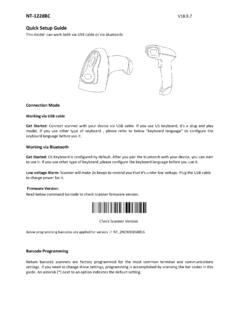
NT-1228BC Quick Setup Guide - NETUM Inc Barcode …
gzxlscan.comThe start/middle/end of barcode chars can be hidden. After scan below hide set barcode, scan a double-digit hexadecimal number that you want to hide char length(00~FF e.g. hide length 4, scan 0, 4). Hide Barcode Start Chars Hide Barcode Middle Char Start Hide Barcode Middle Chars Hide Barcode End Chars

2.4G Wireless Barcode Scanner Quick Start Guide
images-na.ssl-images-amazon.comBur3074 NADAMOO 2.4G Wireless & USB wired Barcode Scanner Quick Start Guide In order to correctly use the bar code scanner, please read the instruction carefully and do not arbitrarily scan the settings code, otherwise some settings may not be available. Please keep this instruction for reference in the future.

Clover Flex Starter Kit
www.clover.com5 Clover Flex Starter Kit Quick Start Guide Recommended Usage Clover Flex should be held with the card reader facing toward you and the printer pointed away from you. Barcode Scanning Point the scanner toward the barcode on the item or the receipt and hold down the barcode trigger. You will get the best results

Programing the Datalogic Gryphon scanner - Denton ISD
www.dentonisd.orgPrograming the Datalogic Gryphon scanner In the Quick Reference guide that comes with the scanner: Page 24 – scan USB Keyboard with standard key encoding ... You will need to scan the Enter/Exit Programming Mode barcode before and after each programing barcode. ... Page 198 – Coadabar Start/Stop Character Transmission = Don’t Transmit.
DS2208 Digital Scanner Quick Start Guide (en)
www.zebra.comDS2208 Digital Scanner Quick Start Guide 7 IBM 46XX Scan ONE of the bar codes below. The digital scanner automatically detects the host interface type, but there is no default setting. Scan one of the bar codes below to select the appropriate port. Hand-Held Scanner Emulation (Port 9B) Non-IBM Scanner Emulation (Port 5B)