Transcription of LS1203 Product Reference Guide - Zebra …
1 LS1203 Product Reference GuideLS1203 Product Reference Guide72E-73953-07 Revision AApril 2018iiLS1203 Product Reference Guide 2018 ZIH Corp and/or its affiliates. All rights reserved. Zebra and the stylized Zebra head are trademarks of ZIH Corp, registered in many jurisdictions worldwide. All other trademarks are the property of their respective part of this publication may be reproduced or used in any form, or by any electrical or mechanical means, without permission in writing from Zebra . This includes electronic or mechanical means, such as photocopying, recording, or information storage and retrieval systems. The material in this manual is subject to change without software is provided strictly on an as is basis. All software, including firmware, furnished to the user is on a licensed basis. Zebra grants to the user a non-transferable and non-exclusive license to use each software or firmware program delivered hereunder (licensed program).
2 Except as noted below, such license may not be assigned, sublicensed, or otherwise transferred by the user without prior written consent of Zebra . No right to copy a licensed program in whole or in part is granted, except as permitted under copyright law. The user shall not modify, merge, or incorporate any form or portion of a licensed program with other program material, create a derivative work from a licensed program, or use a licensed program in a network without written permission from Zebra . The user agrees to maintain Zebra s copyright notice on the licensed programs delivered hereunder, and to include the same on any authorized copies it makes, in whole or in part. The user agrees not to decompile, disassemble, decode, or reverse engineer any licensed program delivered to the user or any portion reserves the right to make changes to any software or Product to improve reliability, function, or does not assume any Product liability arising out of, or in connection with, the application or use of any Product , circuit, or application described license is granted, either expressly or by implication, estoppel, or otherwise under any Zebra Technologies Corporation, intellectual property rights.
3 An implied license only exists for equipment, circuits, and subsystems contained in Zebra Technologies CorporationLincolnshire, IL the complete Zebra hardware Product warranty statement, go to: HistoryChanges to the original manual are listed below:ChangeDateDescription-01 Rev A1/2006 Initial Rev A3/2006 Guide format updates. No content Rev A1/2008 Motorola rebranding, add hands free stand assembly instructions, add new UPC/EAN supplemental options and Bookland ISBN format option. iii-04 Rev A8/2008 Add HD model, change UCC/EAN-128 code type name to Rev A11/2012 Updated 123 Scan2 chapter, URLs, ambient light tolerance, and service information; removed Patents, Regulatory specs, link, and references to the Symbol Rev A2/2015 Zebra Re-Branding-07 Rev A4/2018 Changed GS1 DataBar-14 to GS1 DataBar Omnidirectional (formerly GS1 DataBar-14), updated 123 Scan chapter, changed 123 Scan2 to 123 Scan, updated 123 Scan URLs, changed MOD 10/MOD 11 to MOD 11/MOD 10, changed HID Keyboard Emulation to USB HID Keyboard, changed USB OPOS Handheld to OPOS (IBM Hand-held with Full Disable), added note in USB Interface Product Reference GuideTable of ContentsWarranty.
4 IiRevision History .. iiAbout This GuideIntroduction .. xiChapter Descriptions .. xiNotational xiiRelated Documents .. xiiiService Information .. xiiiChapter 1: Getting StartedIntroduction .. 1-1 Unpacking .. 1-2 Setting Up the Scanner .. 1-2 Installing the Interface Cable .. 1-2 Removing the Interface Cable .. 1-3 Connecting Power (if required) .. 1-3 Assembling the Hands Free Stand .. 1-4 Configuring the Scanner .. 1-5 Chapter 2: ScanningIntroduction .. 2-1 Beeper Definitions .. 2-2 LED Definitions .. 2-3 Scanning .. 2-3 Aiming .. 2-4 Decode Zones .. 2-6LS1203-SR Standard Range .. 2-6LS1203-HD High Density .. 2-7viLS1203 Product Reference GuideChapter 3: Maintenance & Technical SpecificationsIntroduction .. 3-1 Maintenance .. 3-1 Troubleshooting .. 3-2 Technical Specifications .. 3-5 Scanner Signal Descriptions .. 3-6 Chapter 4: User PreferencesIntroduction.
5 4-1 Scanning Sequence Examples .. 4-1 Errors While Scanning .. 4-2 User Preferences Parameter Defaults .. 4-2 User Preferences .. 4-3 Default Parameters .. 4-3 Beeper Tone .. 4-4 Beeper Volume .. 4-4 Power Mode .. 4-5 Scanning Mode .. 4-5 Scan Line Width .. 4-6 Laser On Time .. 4-6 Beep After Good Decode .. 4-7 Transmit Code ID character .. 4-7 Prefix/Suffix Values .. 4-8 Scan Data Transmission Format .. 4-8FN1 Substitution Values .. 4-10 Transmit No Read Message .. 4-10 Chapter 5: Keyboard Wedge InterfaceIntroduction .. 5-1 Connecting a Keyboard Wedge Interface .. 5-2 Keyboard Wedge Parameter Defaults .. 5-3 Keyboard Wedge Host Parameters .. 5-4 Keyboard Wedge Host Types .. 5-4 Keyboard Wedge Country Types (Country Codes) .. 5-5 Ignore Unknown Characters .. 5-6 Keystroke Delay .. 5-7 Intra-Keystroke Delay .. 5-7 Alternate Numeric Keypad Emulation .. 5-8 Caps Lock On.
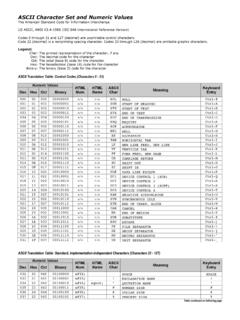
6 5-8 Caps Lock Override .. 5-9 Convert Wedge Data .. 5-9 Function Key Mapping .. 5-10FN1 Substitution .. 5-10 Send Make and Break .. 5-11 Keyboard Maps .. 5-11 ascii character Set for Keyboard Wedge .. 5-12 Table of ContentsviiChapter 6: RS-232 InterfaceIntroduction .. 6-1 Connecting an RS-232 Interface .. 6-2RS-232 Parameter Defaults .. 6-3RS-232 Host Parameters .. 6-4RS-232 Host Types .. 6-6 Baud Rate .. 6-7 Parity .. 6-8 Stop Bit Select .. 6-9 Data Bits ( ascii Format) .. 6-9 Check Receive Errors .. 6-10 Hardware Handshaking .. 6-10 Software Handshaking .. 6-12 Host Serial Response Time-out .. 6-13 RTS Line State .. 6-14 Beep on <BEL> .. 6-14 Intercharacter Delay .. 6-15 Nixdorf Beep/LED Options .. 6-16 Ignore Unknown Characters .. 6-16 ascii character Set for RS-232 .. 6-17 Chapter 7: USB InterfaceIntroduction .. 7-1 Connecting a USB Interface .. 7-2 USB Parameter Defaults.
7 7-3 USB Host Parameters .. 7-4 USB Device Type .. 7-4 USB Country Keyboard Types (Country Codes) .. 7-5 USB Keystroke Delay .. 7-7 USB CAPS Lock Override .. 7-7 USB Ignore Unknown Characters .. 7-8 Emulate Keypad .. 7-8 USB Keyboard FN 1 Substitution .. 7-9 Function Key Mapping .. 7-9 Simulated Caps Lock .. 7-10 Convert Case .. 7-10 ascii character Set for USB .. 7-11 Chapter 8: SymbologiesIntroduction .. 8-1 Scanning Sequence Examples .. 8-1 Errors While Scanning .. 8-2 Symbology Parameter Defaults .. 8-2 UPC/EAN .. 8-5 Enable/Disable UPC-A/UPC-E .. 8-5 Enable/Disable UPC-E1 .. 8-6 Enable/DisaGS1ble EAN-13/EAN-8 .. 8-7 Enable/Disable Bookland EAN .. 8-7viiiLS1203 Product Reference GuideDecode UPC/EAN/JAN Supplementals .. 8-8 User-Programmable Supplementals .. 8-11 UPC/EAN/JAN Supplemental Redundancy .. 8-11 Transmit UPC-A Check Digit .. 8-12 Transmit UPC-E Check Digit.
8 8-12 Transmit UPC-E1 Check Digit .. 8-13 UPC-A Preamble .. 8-13 UPC-E Preamble .. 8-14 UPC-E1 Preamble .. 8-15 Convert UPC-E to UPC-A .. 8-15 Convert UPC-E1 to UPC-A .. 8-16 EAN-8/JAN-8 Extend .. 8-16 Bookland ISBN Format .. 8-17 UCC Coupon Extended Code .. 8-18 Code 128 .. 8-18 Enable/Disable Code 128 .. 8-18 Enable/Disable GS1-128 (formerly UCC/EAN-128) .. 8-19 Enable/Disable ISBT 128 .. 8-19 Code 39 .. 8-20 Enable/Disable Code 39 .. 8-20 Enable/Disable Trioptic Code 39 .. 8-20 Convert Code 39 to Code 32 .. 8-21 Code 32 Prefix .. 8-21 Set Lengths for Code 39 .. 8-22 Code 39 Check Digit Verification .. 8-23 Transmit Code 39 Check Digit .. 8-23 Code 39 Full ascii Conversion .. 8-24 Code 39 Buffering (Scan & Store) .. 8-24 Code 93 .. 8-27 Enable/Disable Code 93 .. 8-27 Set Lengths for Code 93 .. 8-27 Code 11 .. 8-28 Code 11 .. 8-28 Set Lengths for Code 11.
9 8-29 Code 11 Check Digit Verification .. 8-30 Transmit Code 11 Check Digits .. 8-30 Interleaved 2 of 5 (ITF) .. 8-31 Enable/Disable Interleaved 2 of 5 .. 8-31 Set Lengths for Interleaved 2 of 5 .. 8-31I 2 of 5 Check Digit Verification .. 8-33 Transmit I 2 of 5 Check Digit .. 8-33 Convert I 2 of 5 to EAN-13 .. 8-34 Discrete 2 of 5 (DTF) .. 8-34 Enable/Disable Discrete 2 of 5 .. 8-34 Set Lengths for Discrete 2 of 5 .. 8-35 Chinese 2 of 5 .. 8-36 Enable/Disable Chinese 2 of 5 .. 8-36 Codabar (NW - 7) .. 8-36 Enable/Disable Codabar .. 8-36 Set Lengths for Codabar .. 8-37 Table of ContentsixCLSI Editing .. 8-38 NOTIS Editing .. 8-38 MSI .. 8-39 Enable/Disable MSI .. 8-39 Set Lengths for MSI .. 8-39 MSI Check Digits .. 8-40 Transmit MSI Check Digit(s) .. 8-41 MSI Check Digit Algorithm .. 8-41GS1 DataBar (formerly RSS, Reduced Space Symbology) .. 8-42 Convert GS1 DataBar to UPC/EAN.
10 8-43 Symbology - Specific Security Levels .. 8-44 Redundancy Level .. 8-44 Security Level .. 8-46Bi-directional Redundancy .. 8-47 Symbology - Intercharacter Gap .. 8-47 Chapter 9: 123 ScanIntroduction .. 9-1123 Scan .. 9-1 Communication with 123 Scan .. 9-2123 Scan Requirements .. 9-2123 Scan Information .. 9-2 Scanner SDK, Other Software Tools, and Videos .. 9-3 Advanced Data Formatting (ADF) .. 9-3 Appendix A: Standard DefaultsAppendix B: Programming ReferenceSymbol Code Identifiers .. B-1 AIM Code Identifiers .. B-2 Appendix C: Sample Bar CodesCode 39 .. C-1 UPC/EAN .. C-1 UPC-A, 100% .. C-1 EAN-13, 100% .. C-1 Code 128 .. C-2 Interleaved 2 of 5 .. C-2GS1 DataBar .. C-3GS1 DataBar Omnidirectional (formerly GS1 DataBar-14) .. C-4 Appendix D: Numeric Bar CodesNumeric Bar Codes .. D-1 Cancel .. D-3xLS1203 Product Reference GuideAppendix E: ascii character SetsIndexAbout This GuideIntroductionThe LS1203 Product Reference Guide provides general instructions for setting up, operating, maintaining, and troubleshooting the LS1203 scanner.