
DESIGNERPLUS AND CREATOR WITH WIFI FUNCTIONALITY
Embroidery Software to BERNINA Embroidery Software 9 to get all the great new features. Creator is the entry into embroidery, giving the upcoming embroiderist all the tools needed. You can use Creator to start your ... Design Optimizing Apply custom or auto fabrics ü ü ü ...
Download DESIGNERPLUS AND CREATOR WITH WIFI FUNCTIONALITY

Information
Domain:
Source:
Link to this page:
Documents from same domain

activa 135 Patchwork Edition - BERNINA
www.bernina.comactiva 135 Patchwork Edition activa_GB-USA135/145 Start+Stop 8.3.2002 9:33 Uhr Seite U2. In choosing BERNINA, you are assured of years of rewarding sewing. For over 100 years my family has concentrated on providing complete satisfaction to our customers. And it is my personal wish to

PLUS Upgrade for B 770 QE - bernina.com
www.bernina.comknob» anti-clockwise. > To increase the width of the stitch pattern combination proportionally, turn the ... The KickStart function enables quilting without keeping the foot control pressed. Prerequisite: • The BSR Presser Foot is fitted and connected to the machine. • The BSR display opens and a BSR Mode is active.

BERNINA Q 16 LONGARM QUILTING MACHINE
www.bernina.comeven while quilting. Speed With high-speed precision stitching for freehand quilting, you complete more quilts faster than ever. 16 inches of throat space The 16” platform offers generous quilting space and great comfort. The perfect choice …

MY BERNINA
www.bernina.comMy BERNINA 5 WORKBOOK GETTING STARTED WITH THE Q SERIES SETTING USER PROFILES P1 is the factory default profile and cannot be overwritten. Four additional profiles may be named and created.

EMBROIDERY SOFTWARE 9 - bernina.com
www.bernina.comto your reseller. You will not be entitled to a refund of any kind. ... not exact duplicates of the screen layouts generated by the software. Product License Agreement BERNINA International AG grants you, the purchaser, with a single user, non-exclusive license to use the Products according to the terms defined

MY BERNINA
www.bernina.comEach dark gray box in the Quilt Area is equal to 4 inches. Accessing icons Icons can be accessed in one of two ways: • By using the touch screen on the computer • By using a mouse (optional accessory) to access icons on the screen In this workbook, you will be given instructions for accessing and making selections using the touch screen.

System requirements
www.bernina.comSystem requirements In order to run your software, you need to ensure that the following pre-requisite system requirements are met. PC specifications Check that your PC meets the system requirements. Check CPU/RAM as well as hard disk space. The table below provides minimum system requirements.

QUICK START UIDE
www.bernina.comBERNINA® Embroidery Software Quick Start Guide 1 INTRODUCTION Welcome to BERNINA Embroidery Software 9, the leading embroidery design application for home users. This is an MS Windows ®-based product incorporating many of the conventions with which most PC users are
Related documents

Automation License Manager - Siemens
cache.industry.siemens.comvalid license key for this software, the software can be used in conformity with the end user license agreement. Definition of Terms The following table explains important terms used in context with the Automation License Manager. Term Description Software A product installed on hardware and used to process data.
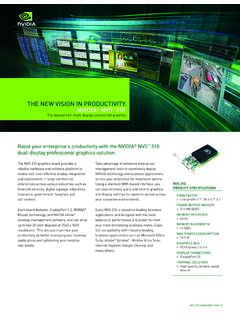
NVIDIA NVS 310 GPU: The New Vision in Productivity
images.nvidia.comdesktop-management software, and can drive up to two 30-inch displays at 2560 x 1600 resolutions. This lets you maximize your productivity by better managing your desktop applications and optimizing your desktop real estate. Take advantage of extensive enterprise-management tools to seamlessly deploy NVIDIA technology and business applications
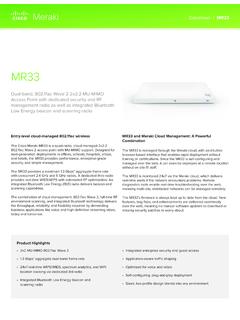
Datasheet | MR33 - Cisco Meraki
meraki.cisco.comSelf-configuring, self-optimizing, self-healing When plugged in, the MR33 automatically connects to the Meraki cloud, downloads its configuration, and joins the appropriate network. The MR33 then self-optimizes, determining the ideal channel, …

SAS® Deployment Wizard and SAS® Deployment Manager …
support.sas.comsoftware. Software Order Email The Software Order Email contains important information about your SAS Software Package and instructions for preparing to install your software. The Software Order Email is sent to the SAS Installation Representative at your site. If you cannot find your Software Order Email, you should go to the web site

Software for PACSystems Devices - Emerson Electric
www.emerson.comsoftware supports a wide range of devices such as HMIs, PLCs, VFDs, servos, and edge devices. PME utilizes a common user interface, drag-and-drop editing, and a rich set of development tools to develop control applications efficiently. PME increases productivity by reducing the time and resources needed for programming,
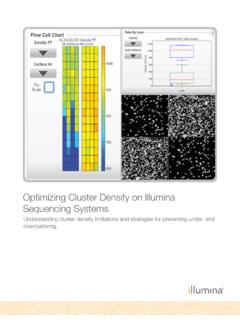
Optimizing Cluster Density on Illumina Sequencing Systems
www.illumina.comThe software would be unable to extract intensity information from subsequent images resulting in midrun failure. ... Optimizing Cluster Density on Illumina Sequencing Systems Understanding cluster density limitations and strategies for preventing under - …

Optimizing smart infusion pump safety with DERS
www.jointcommission.orgApr 14, 2021 · software recalls, and adverse event and close call reports. Set organizational expectations and goals for the use of DERS. Monitor DERS and use smart infusion pump data analytics to measure compliance and improve medication safety.5,6 • Monitor the frequency and types of alerts, actions taken in response to the alerts, and

M720
www.logitech.comLogitech Options software In addition to optimizing the mouse for your operating system, the software lets you customize buttons and actions to fit your needs Logitech Options software also enable gestures for managing media, panning, zoom, and rotation, plus custom tasks