
DXF Reference - Autodesk
Contents Chapter 1 DXF Format . . . . . . . . . . . . . . . . . . . . . . . . . . . . . 1 Organization of This Reference .
Download DXF Reference - Autodesk

Information
Domain:
Source:
Link to this page:
Documents from same domain

Conceptual Design Modeling in Autodesk Revit …
images.autodesk.comCONCEPTUAL DESIGN MODELING IN AUTODESK REVIT ARCHITECTURE 2010 Although these results might be ideal for the developer, they leave much to be desired

Tutorials - Autodesk
images.autodesk.comExercise 2: Changing the Style of a Point Group . . . . . . . . . . 32 Exercise 3: Changing Point Group Display Order . . . . . . . . . 33

AutoSketch 10 Getting Started - Autodesk
images.autodesk.com2 | Chapter 1 Installation Contents of the AutoSketch Package AutoSketch includes the following: AutoSketch disc AutoSketch Getting Started (this guide) Create and Trim Entities (online tutorial) Create a Birdhouse Drawing (online tutorial) Create and Office Layout Drawing (online tutorial) Advanced Exercises (online tutorial) System Requirements

Best Practices - Autodesk
images.autodesk.comIn addition to what this guide contains, you will find best practices in the AutoCAD Civil 3D User’s Guide and Moving from Land Desktop to C3D. 1 1. ... your drawings, use customized AutoCAD Civil 3D templates. 2 3. Specify a template to use with the QNEW Command When you start AutoCAD Civil 3D using the imperial profile, the default ...
3D: Designing Competitive Advantage - Autodesk
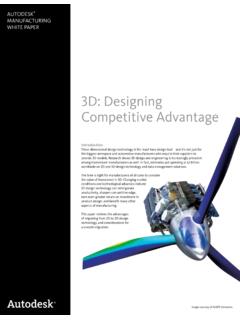
images.autodesk.com3D: Designing Competitive Advantage ... between 2D Drawing and 3D Modeling Technology? Design engineers most often are focused on two major tasks: design and/or documentation. The primary difference between 2D and 3D technology is apparent in the amount of time designers
Tutorials: Lighting - Autodesk
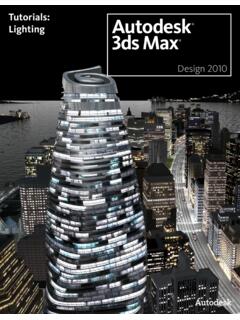
images.autodesk.comShadow creation and definition. Nighttime illumination using adjustable photometric lights. Realistic scene illumination through use of Final Gather. Photon control for effective distribution of light energy. Lighting and Rendering the Villa in Daylight In this tutorial, …

AutoCAD道場 ACPE AutoCAD - images.autodesk.com
images.autodesk.com攻略の; 3 . ステップアプローチ 15:15-16:10 その異尺度対応、誤解してますよ!
Preparing Your Models for 3D Printing
images.autodesk.comWires. This model of a house was scaled down. As a result, the roof of the model was too thin and it cracked. Structural Problems Models that have a large mass on top or a slender stem or base may break
A framework for implementing a BIM business …
images.autodesk.com1 ECT TAME A framework for implementing a BIM business transformation There are few experiences that test the mettle of corporate leadership like implementing radical ...
Getting Started with AutoCAD® Structural Detailing, Steel ...
images.autodesk.comAutoCAD® Structural Detailing 2011. Getting Started with AutoCAD® Structural Detailing, Steel module
Related documents

Automatic Transmission Basics - Home | LBCC
cf.linnbenton.edu“Freewheel” and no power is transferred (neutral) Underdrive is when Carrier is the Output. ...

Owner’s Manual
www.pridemobility.comWARNING! When on any sort of an incline or decline, never place the power chair in freewheel mode while seated on it or standing next to it. Doing so may result in personal injury and/or damage to your power chair. WARNING! Never travel down an incline backward. This may result in personal injury.

2019-2020 Products compatibility Information
productinfo.shimano.comNov 13, 2019 · Cable System. C-605. 429. 429. V-BRAKE and Hub roller brake. C-465. 430. 430 431. Cassette Sprocket. C-544. 433. 433 434. URBAN (ALFINE, NEXUS) components. C …
Schneider Electric Altivar 312 Programming Manual
stevenengineering.comIf they have not been reset, the drive will display [Freewheel stop] (nSt) but will not start. If the automatic restart function has been configured ([Automatic restart] (Atr) parameter in the [FAULT MANAGEMENT] (FLt-) menu, page 91), these commands are taken into account without a reset (to zero) being necessary.

R-net DIAGNOSTIC GUIDE - support.pgdt.com
support.pgdt.comEnsure there are no freewheel levers disengaged, also check all cables and connections between the Power Module M2 connector and the brake, then cycle the power.

Owner’s Manual - Pride Mobility Products Corp.
www.pridemobility.comManual Freewheel Levers 2. Seat post 3. Battery Box 4. Battery Charger Port Location 5. Circuit Breaker 6. Curb Assist Wheel 7. Front Section 8. Rear Section 9. Controller Connector Location 1 3 6 5 2 4 7 8 9 Electrical Components The electrical components are located on the power base. The main circuit breaker is located on the front

Owner’s Manual - Quantum Rehab
www.quantumrehab.comPlace unit on level ground and stand to one side when changing from drive mode to freewheel mode or freewheel mode to drive mode. Unlocked and in freewheel mode. Read and follow the information in the owner’s manual. Indicates power chair securement points. Power chair information label Manufactured in Class II Equipment