
Easy Smart Configuration Utility - TP-Link
System Info: View device information and define the device description. IP Setting: Get and modify the network parameters of the switch. User Account: Modify the username and password for users to log on to the Web management page. Backup and Restore: Save the current configuration file to your computer or download a backup configuration file to
Download Easy Smart Configuration Utility - TP-Link

Information
Domain:
Source:
Link to this page:
Documents from same domain
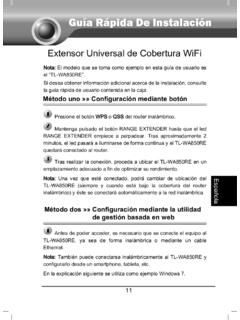
Guía Rápida De Instalación - static.tp-link.com
static.tp-link.com11 E s p a ñ o l a M Extensor Universal de Cobertura WiFi Nota: El modelo que se toma como ejemplo en esta guía de usuario es el “TL-WA850RE”. Si desea obtener información adicional acerca de la instalación, consulte

TL-WR841N TL-WR841ND 300Mbps Wireless N Router - TP …
static.tp-link.comThe 300Mbps Wireless N Router delivers exceptional range and speed, which can fully meet the need of Small Office/Home Office (SOHO) networks and the users demanding higher networking performance.
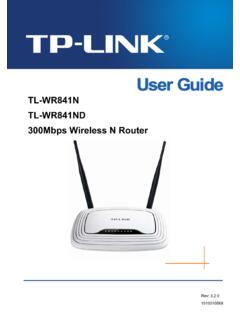
TL-WR841N TL-WR841ND 300Mbps Wireless N Router
static.tp-link.comPowered by 2x2 MIMO technology, the 300Mbps Wireless N Router delivers exceptional range and speed, which can fully meet the need of Small Office/Home Office (SOHO) networks and the users demanding higher networking performance.
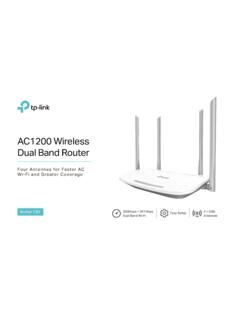
AC1200 Wireless Dual Band Router - TP-Link
static.tp-link.comAC1200 Wireless Dual Band Router Archer C50 300Mbps + 867Mbps Easy Setup Dual Band Wi-Fi 4 × 5dBi Antennas ... AC1200 (300Mbps on 2.4GHz + 867Mbps on 5GHz) Wi-Fi for reliable connections. 5GHz 867Mbps ... Cable or DSL Modem Subscription with an …
Quick Installation Guide - static.tp-link.com
static.tp-link.comEnglish 1 1 Power on Plug the extender into an electrical outlet near your router and press the power button if it has one. 2 Connect your computer to the extender
Installation Guide - TP-Link
static.tp-link.comThis guide is applicable to products including CPE210, CPE220, CPE510 and CPE520. • Package Contents Installation Guide Outdoor CPE CPE210 / CPE220 / CPE510 / C PE520 Pharos CPE Passive PoE Adapter Pole Mounting Straps Mounting Bracket Plastic Wall …
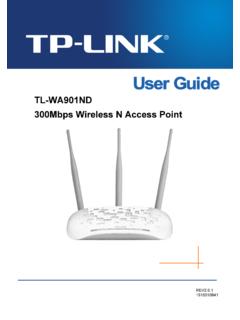
TL-WA901ND 300Mbps Wireless N Access Point - TP-Link
static.tp-link.comTL-WA901ND 300Mbps Wireless N Access Point User Guide 1 Package Contents The following items should be found in your package: One TL-WA901ND 300Mbps Wireless N Access Point

Quick Installation Guide - TP-Link
static.tp-link.comQuick Installation Guide AC1750 Wireless Dual Band Gigabit Router Connect the Hardware 7106505288 REV3.0.0 Verify that the following LEDs are

How to configure VPN function on TP-LINK Routers
static.tp-link.com3 2. How to configure LAN-to-LAN IPsec VPN on TP-LINK Router Suitable for: TL-ER6120, TL-ER6020, TL-ER604W, TL-R600VPN To setup an IPsec VPN tunnel …

How to configure VPN function on TP-LINK Routers
static.tp-link.com3 2. How to configure LAN-to-LAN IPsec VPN on TP-LINK Router Suitable for: TL-ER6120, TL-ER6020, TL-ER604W, TL-R600VPN To setup an IPsec VPN tunnel …
Related documents

HP BIOS Configuration Utility (BCU)
ftp.ext.hp.comusing Microsoft® Deployment Image Servicing and Management (DISM) tool. Replicated setup To create, save, and deploy the configuration settings, complete the following procedure: 1. Run the program BIOSConfigUtility.exe using the /GetConfig:config.txt command-line parameter. 2. Edit the file config.txt. Remove properties that you do not want ...
HP Array Configuration Utility User Guide
h10032.www1.hp.comThe System Management Home Page opens. 3. Click Array Configuration Utility on the left-hand side of the screen. ACU opens, and identifies the controllers that are connected to the system. This process could take a minute or two. 4. When controller detection is complete, select a controller from the list on the left-hand side of the screen.
CONFIGURATION MANAGEMENT PROCEDURE
19january2017snapshot.epa.govmanagement. Configuration Management consists of 4 main tasks: Identification – this is the specification of all IT components (configuration items) and their inclusion in a Configuration Management Database (CMDB) Control – this is the management of each configuration item, specifying who is authorized to ‘change’ it

IT CHANGE MANAGEMENT Enterprise Change Management …
itsm.ucsf.eduThe change management policy is a living document, which is continuously subject to revisions. At times the change management policy might not be in sync with the functional automated control. Therefore management will notify UCSF employees and HCL members of a change management process; addition subtracted or modified in expressed writing via ...

Cloud Management - Cisco Meraki
meraki.cisco.comManagement data (e.g., configuration, statistics, monitoring, etc.) flows ... • Users can access the local network (printers, file shares, etc.) • If WAN connectivity is available, users can access the Internet • Network policies (firewall rules, QoS, etc.) continue to be enforced
Configuring DHCP - Cisco
www.cisco.comCisco ASA 5500 Series Configuration Guide using the CLI 11 Configuring DHCP ... DHCP clients use the IP address of the management interface. As a result, the DHCP ACK does not include this option. The management interface does not route traffic. ... 67 DHCPOPT_BOOT_FILE_NAME 82 DHCPOPT_RELAY_INFORMATION 255 …

Qualys Patch Management Getting Started Guide
www.qualys.com- Supported YUM file version 3.2.29. - YUM file must be configured with debugloglevel >= 2 Default is 2. - (Optional) The YUM file is configured with correct proxy settings. - The endpoint is subscribed for active Red Hat subscriptions. - The Agent must be running with root user or as sudo user. You can configure users by