
EdgeRouter X Datasheet - Ubiquiti
Example of a Backhaul Deployment for the ER-X-SFP Powered by the included 24V power adapter, the ER-X-SFP has a fiber connection to the Internet and provides data with 24V passive PoE to the five Rocket®5ac Prism radios. OSPF Area 1 OSPF Area 2 Internet OSPF Area 0 Site-to-Site Link Site A Site B Example of a Service Provider Deployment for ...
Download EdgeRouter X Datasheet - Ubiquiti

Information
Domain:
Source:
Link to this page:
Documents from same domain

Datasheet - Ubiquiti Networks
dl.ubnt.comDatasheet www.ubnt.com/airmax 3 Software airOS is an intuitive, versatile, highly developed Ubiquiti firmware technology. It is exceptionally intuitive and …

802.11ac Dual Radio Access Point
dl.ubnt.comThis Quick Start Guide is designed to guide you through ... 802.11ac Dual Radio Access Point Model: UAP-AC-LITE Gigabit PoE* (24V, 0.5A) with Mounting Bracket

Advanced Gigabit Ethernet Router - Ubiquiti …
dl.ubnt.comThis Quick Start Guide is designed to guide ... Advanced Gigabit Ethernet Router Model: ER-X EdgeRouter X Power Adapter (12V, 0.5A) Quick Start Guide

UniFi AC AP Datasheet - dl.ubnt.com
dl.ubnt.com3 D atasheet UniFi Controller Packed with Features Use the UniFi Controller to provision thousands of UniFi APs, map out networks, quickly manage

Wide-Angle 1080p Dome IP Camera with Infrared
dl.ubnt.comIntroduction Thank you for purchasing the Ubiquiti Networks® UniFi® Video Camera G3 Dome. This Quick Start Guide is designed to guide you through installation and includes warranty terms.

TOUGHCable PRO Quick Start Guide - Ubiquiti Networks
dl.ubnt.com2 TOUGHCable™ PRO Quick Start Guide TOUGHCable Box The Tension Knob is set to High by default. If necessary, the tension can be set to to Low or None. Tension Knob TOUGHCable PRO Cross-Section Conductor Insulation ESD Drain Wire

U-Installer Quick Start Guide - Ubiquiti Networks
dl.ubnt.comLEDs Wi-Fi Lights blue if the U-Installer has a Wi-Fi connection to your mobile device. Battery Four blue LEDs indicate the internal battery’s charge level: Full charge Low charge* * Recharge the battery by connecting a power source,

1080p Wireless IP Security Camera with Infrared
dl.ubnt.comIntroduction Thank you for purchasing the Ubiquiti Networks® UniFi® Video Camera G3 Micro. This Quick Start Guide is designed to guide you through installation and also includes warranty terms.

802.11n Wi-Fi Access Point - Ubiquiti Networks
dl.ubnt.comHardware Installation The UniFi AP can be mounted to the wall or ceiling. Perform the steps for the appropriate installation: Wall Mount 1. Position the Mounting Bracket at the desired location on the wall with the cable feed slot pointed towards the floor.

Rocket ac Datasheet - Ubiquiti Networks
dl.ubnt.comD atasheet 4 Technology Unlike standard Wi-Fi protocol, Ubiquiti’s Time Division Multiple Access (TDMA) airMAX ac protocol allows each client to send and receive
Related documents
airFiber Antennas Datasheet - Ubiquiti
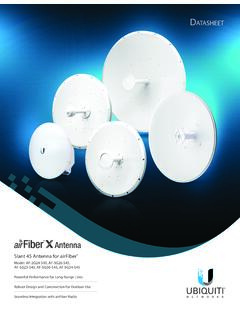
dl.ubnt.com• 3 GHz • 4 GHz • 5 GHz Powerful Performance The airFiber X antenna delivers 2x2, dual-polarity performance. On the right is one example of how the airFiber X antenna with an airFiber X radio can be deployed as endpoints in a backhaul link to deliver bandwidth from a WISP network out to a neighborhood tower. From there,

DATASHEET
dl.ui.combackhaul, building-to-building enterprise use, or public safety applications. Efficient by Design Every detail of airFiber was designed and engineered by the Ubiquiti R&D Team. From the silicon chip up to the innovative split-antenna architecture, the Ubiquiti R&D Team created airFiber to deliver superior throughput with efficiency. airFiber
ASUS AIMESH SETUP GUIDE
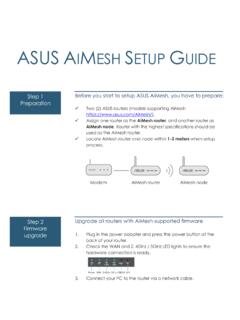
dlcdnets.asus.comLocate AiMesh router and node within 1-3 meters when setup process. Upgrade all routers with AiMesh-supported firmware Firmware 1.upgrade Plug in the power adapter and press the power button at the back of your router. 2. Check the WAN and 2. 4GHz / 5GHz LED lights to ensure the hardware connection is ready. 3.

RUCKUS Product Guide - CommScope
www.commscope.comDOCSIS 3.1 backhaul Embedded 802.11ac Outdoor Wave 2 Wi-Fi AP with External BeamFlex+ Antennas Point-to-Point / Multi-point bridge Maximum PHY rate 2.4GHz: 574 Mbps 5GHz: 1200Mbps 2.4GHz: 574 Mbps 5GHz: 1200Mbps 1733 Mbps (5GHz) 600 Mbps (2.4GHz) 867 Mbps (5GHz) 300 Mbps (2.4GHz) 867 Mbps (5GHz) Wi-Fi technology 2x2:2 (5GHz) + 2x2:2 …

SD -WAN OVERVIEW AND ORDERING GUIDE Enterprise ...
www.gsa.gov3) Expense and inefficiency caused by backhaul of traffic from branch/remote locations to headquarters or centralized data centers, often to meet cybersecurity requirements; and
Metro Ethernet Design and Implementation Guide
www.juniper.netwhere both Layer 2 and Layer 3 services complement each other. In this context, Layer 2 E-Line can be used to backhaul traffic from the customer site to the Layer 3 service attached point, which may be located at the carrier network for an application, either …

WAX610, WAX610Y Insight Managed WiFi 6 AX1800 …
www.netgear.combackhaul with other WAX610, WAX610Y, WAC540 or WC564 units to form a WiFi mesh network • 40% more throughput in 2-stream 5.0GHz band and 70% more throughput in 2-stream 2.4GHz band compared to previous generation • 4 times more client device supported • Enterprise security and Enhanced Open security, such as WAP3,

Fios Home Wi-Fi Extender USER GUIDE - Verizon
www.verizon.comand positioned for optimum coverage. Using Wi-Fi backhaul, performance can be slower and the distance from the router will be determined by the reach of Wi-Fi from the Fios Home Router, the materials in the home, and neighboring Wi-Fi traffic. Wi-Fi backhaul is an effective and convientient in home Wi-Fi configuration, but