
express - Digitrax
the Direction/Brake Lever to either FORWARD or REVERSE, depend-ing on which way you want the locomotive to move, and slowly turn the Throttle Knob clockwise until the locomotive starts to move. 8. To stop the locomotive, either turn the Throttle Knob back to STOP, or shift the Direction/Brake Lever to BRAKE. 3.0 Preparing Your Locomotives
Download express - Digitrax

Information
Domain:
Source:
Link to this page:
Documents from same domain

Complete Train Control - Digitrax, Inc.
www.digitrax.comDigitrax Mobile & Sound Decoder Manual Second Edition Table of Contents R 1.0 Introduction ..... 6 2.0 Digitrax Mobile and Sound Decoder Overview ... 6
Complete Train Control - Digitrax, Inc.
www.digitrax.comIntroduction Congratulations on your purchase of a Digitrax DB210/DB220 Booster. The design of the Digitrax Complete Train Control® system lets you operate your layout the way you choose.
TM D(&(0. 4 C,** +# C,+0.,) ˚0 .0$. ˚$0 ˇ +1 )
www.digitrax.comr 4 1 2 45 78 swit ch +-ex it pow er prog mo de tc 3 6 9 func + 20 func+ 10 mu te ogr am mo de swit ch pow er reca ll ex it ste ps loco ju mp mu 0 cv cv-rd cv-wr a b j uju
LocoNet, the Digitrax Difference
www.digitrax.comLocoNet, The Digitrax Difference Page 1 of 7 . LocoNet is Digitrax's method of communication between LocoNet compatible devices on a
LocoNet - Digitrax, Inc.
www.digitrax.comDIGITRAX Inc, Copyrighted information (see introduction): LocoNet Personal Use version 1.0 Page2 of 15 An example of this is the way the Digitrax "Big Boy" can be expanded with DT100's and get a network
DT500 - Digitrax, Inc.
www.digitrax.com2016 Digitrax, Inc. 11 www.digitrax.com Introduction Congratulations on your purchase of a Digitrax DT500 Series Advanced Super Throttle! This family of throttles brings some exciting features to
Complete Train Control - Digitrax, Inc.
www.digitrax.com1 Mobile Decoder Manual Includes: Decoder Selection & Installation Basics Programming & Configuration Variables Real FX & FX3Set Up & Use Scaleable Speed Stabilization (Back EMF) Set Up
LocoNet, the Digitrax Difference
www.digitrax.comLocoNet, The Digitrax Difference Page 1 of 7 . LocoNet is Digitrax's method of communication between LocoNet compatible devices on a
Windows 7 Installation Instructions for the PR3 - digitrax.com
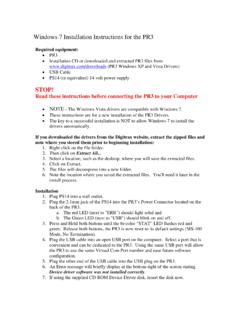
www.digitrax.com25. Note the COM Port that windows assigned the PR3. You will need this COM Port information for various Digitrax Utilities or 3rd party software programs.
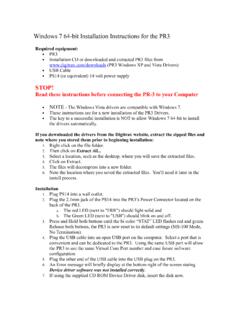
Windows 7 64-bit Installation Instructions for the PR3
www.digitrax.comNOTE - The following steps and screen captures may vary depending on your computer, software version and settings. 8. Click on the Windows Start button. 9. Click the Windows Search Bar type in Run and press Enter. 10. The Run dialog box will open, type in devmgmt.msc and press OK.
Related documents

Z-45/22 DC Z-45/22 GP - Genie
manuals.gogenielift.comSerial Number Range Z-45/22 DC from SN 4587-124 to 4592-3600 Z-45/22 GP Part No. 139544 Rev A15 October 2013

Manual - Curtis Instruments
cdn.curtisinstruments.comWIRING: STANDARD INSTALLATION, 1212 The wiring diagram presented in Figure 3a shows a typical installation for a DME application. This installation is shown with a single-ended 3-wire 5k potentiometer throttle and a reverse switch. Ω With wigwag throttles, a reverse switch is not used and Pin J1-12 is left unconnected.

Operating instructions ESV SMV frequency inverter - Lenze
download.lenze.comregarding the installation, operation, and commissioning of the inverter. These instructions are only valid for SMV frequency inverters with software revision 4.23 or higher for version 4.23 software, the drive nameplate illustrated below would show “42” in the “F” location.
INSTALLATION INSTRUCTIONS E-Z-GO Installation Notes
www.hpevs.comDec 21, 2010 · INSTALLATION INSTRUCTIONS . E-Z-GO Installation Notes. CURTIS 1234, 1236 OR 1238. ... Forward/Reverse switch and press the accelerator pedal. The drive wheels could be in either direction when first turned on. ... Select Forward Direction, Release Parking Brake, Press and hold the ...
OPERATING MANUAL - Sunflower Rental
www.sunflowerrental.com2. tail, brake, and reverse lights 3. seat 4. counterweight 5. steering axle 6. seat belt and hip restraint 7. drive axle 8. carriage 9. forks 10. load backrest extension 11. parking brake 12. steering wheel 13. mast 14. operating manual (behind seat) model description 10

T300 Operator Manual - Tennant Co
www.tennantco.com16. Forward/Reverse lever (drive model) 17. Control panel display 18. Emergency stop button (option) 19. Hour meter 20. Key switch 21. ec-H2O on/off switch (option) 22. Off-board battery charger receptacle 23. Recovery tank drain hose 24. Solution tank level/drain hose 25. Parking brake (option) 26. Dual down pressure lever (Manual down ...

T300e Operator Manual - Tennant Co
www.tennantco.comParking brake (option) Forward / Reverse (drive model) On Off No Solution flow CONTROL PANEL COMPONENTS 123 4 1. Service indicator- Lights up when a machine or charger fault is detected. 2. Parking brake indicator (option)- Lights up when parking brake lever is engaged. To turn off indicator, disengage parking brake lever near left rear wheel. 3.