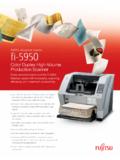
FUJITSU Document Scanner fi-5950
• Fast, 135 ppm (simplex) / 270 ipm (duplex) scanning in monochrome, grayscale or color at 200 or 300 dpi for increased OCR accuracy (letter, landscape)
Download FUJITSU Document Scanner fi-5950

Information
Domain:
Source:
Link to this page:
Documents from same domain

FLASHWAVE 4500 - Fujitsu
www.fujitsu.com7 features anD sPecifications Operations In-service expansion from MSPP to MSSP with common operations benefits Standard RPR embedded management plane

Digital Cross-Connect System (DCS) Aggregation …
www.fujitsu.com1 FUJITSU NETWORK COMMUNICATIONS INC. 2801 Telecom Parkway, Richardson, Texas 75082-3515 Telephone: (972) 690-6000 (800) 777-FAST (U.S.) www.fnc.fujitsu.com

Managing Hybrid IT - Fujitsu
www.fujitsu.comTHE WHITE BOOK OF... Managing Hybrid IT The definitive guide to maximising the cloud, enabling innovation and redefining governance

Storage Serial ATA Interface for Mobile …
www.fujitsu.comStorage Serial ATA Interface for Mobile Whitepaper Hard Disk Drives Fujitsu is a worldwide leader in the development and production of mobile storage

LifeBook S7110 - Fujitsu
www.fujitsu.comAll rights to the mentioned trademarks JOB NO.: 1069 • Printed by Fujitsu PC Asia Pacific Pte Ltd in March 2006. Information is correct at time of printing. reside with their respective owners.

2 POLES—1 to 2 A (FOR SIGNAL SWITCHING) A ... - …
www.fujitsu.com3 A SERIES n SPECIFICATIONS Standard Type Single Winding Latching Type Double Winding Latching Type Item A-( ) W-K AL-( ) W-K AL-D …

Capacitive Touch Sensors - Fujitsu Global
www.fujitsu.comFujitsu Microelectronics Europe GmbH Page 3/12 mechanical input devices with moving elements. The shape and layout of these sensor electrodes can

How to use ScandAll PRO - Fujitsu
www.fujitsu.comHow to use ScandAll PRO iii Use in High-safety Applications This product has been designed and manufactured on the assumption that it will be used in office,

ScandALL Pro Brochure - Fujitsu
www.fujitsu.comEasy to Use Create profi les to accelerate business productivity. • Hot Keys • Scan launch from Scanner* • Profi les • ScanSnap Mode*

FUJITSU TWAIN 32 Scanner Driver - Fujitsu Global
www.fujitsu.comFUJITSU TWAIN 32 Scanner Driver Scanner Utility for Microsoft® Windows® Version 9.21 User's Guide For Use with Microsoft® Windows® 2000, Windows® XP, Windows Server® 2003, and Windows Vista®
Related documents
How to use ScandAll PRO - Fujitsu
www.fujitsu.com1.2 Selecting a Scanner Driver How to use ScandAll PRO 3 LAUNCHING AND SETTINGS 1 1.2 Selecting a Scanner Driver ScandAll PRO supports both TWAIN and ISIS standards and allows you to …
HP LaserJet 1100A
www.hp.com2 Chapter 1 Getting to know the printer EN Printer features and benefits Congratulations on the purchase of your new printer. You can . . . Print with excellent quality
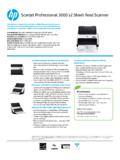
Scanjet Professional 3000 s2 Sheet-feed Scanner
www.hp.comScanjet Professional 3000 s2 Sheet-feed Scanner Transform piles of paper into searchable, editable files your business can use. Plug right in to existing scanning platforms to save time and add efficiency to

IRIScan Wifi - IRISLINK.COM
www.irislink.com9 3. Choose the Scanner Settings Note: before you try to access the scanner settings, make sure the provided microSD card is inserted in the card slot. 3.1 Scanner Settings To access the scanner settings: 1. Press the Scan/Power/Enter button for 2 seconds to power on the scanner.The display lights up.
Table of Contents 1. Check the Accessories 2. Prepare the ...
www.irislink.comEnglish English 3 1. Check the Accessories 2. Prepare the Scanner Insert the included batteries 1. Open the battery compartment as shown in the image.
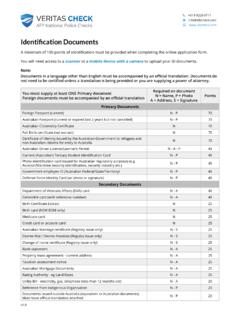
scanner mobile device with a camera - Veritas Check
www.afpcheck.com+61 8 9226 0711 @ info@afpcheck.com www.afpcheck.com Identification Documents A minimum of 100 points of identification must be provided when completing the online application form.

Bankart Repair Protocol - mc.vanderbilt.edu
www.mc.vanderbilt.eduBankart Repair Protocol . The Bankart procedure is performed to increase anterior stability of the shoulder. The following is a guideline for progression of post-operative treatment.