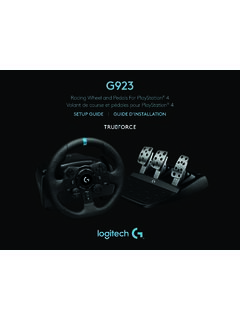
G923 - Logitech
G HUB WHEEL SETTINGS Sensitivity Alters the output response of the wheel to be more or less sensitive Leaving this slider at 50% will provide a linear 1:1 output Between 51% and 100% will make the wheel increasingly more sensitive around the centre movement of the wheel Between 0% and 49% will make the wheel decreasingly sensitive
Download G923 - Logitech

Information
Domain:
Source:
Link to this page:
Documents from same domain

Activities Want to know more? - Logitech
www.logitech.comLogitech Gaming Software - Help Center file:///E|/Help/en_US/front_page.htm[4/28/2014 8:07:32 PM] Activities... Want to know more? Create a new profile Getting started

On - logitech.com
www.logitech.com1 2 Logitech® Wireless Mouse M217 Setup Guide Guide d’installation English Mac® OS X Users: When plugging in the Unifying receiver, the Keyboard Assistant

圧倒される 超・高解像度 - logitech.com
www.logitech.comLogicool BRIO Ultra HD 4K画像センサー 4K(Ultra HD)@ 30 fps、1080p(フルHD)@ 30/ 60 fps および 720p(HD)@ 30/60/90 fpsを含めた複 数の解像度をサポートし、お使いのアプリケーションや

SMALL GROUPS. BIG POTENTIAL. - Logitech
www.logitech.comSmall group video conferencing deserves more than huddling around PC webcams or begging for time on overbooked conference room systems. The ConferenceCam BCC950

Logicool ゲーム ソフトウェア - logitech.com
www.logitech.com快適な作業および安全性 file:///E¦/Help/ja_JP/comfort_and_safety.htm[4/26/2014 9:19:02 PM] 快適な作業および安全性 ここでは快適な作業 ...

Logitech® USB Headset H390
www.logitech.comEnglish Know your product 1. USB Headset H390 2. Microphone boom 3. Microphone 4. Volume controls (+/–) 5. Mute button 6. Mute light 7. USB connector

SUPER-WIDE FIELD OF VIEW FOR SMALL SPACES.
www.logitech.comMeetUp’s integrated audio is optimized for huddle room acoustics and delivers an exceptional sound experience. Three horizontally-aimed beamforming mics and

Introducing the Logitech MeetUp
www.logitech.com3 TalkingPointz July 21, 2017 What’s a MeetUp? Logitech currently offers three small room conferencing products in its ConferenceCam lineup .

Setup Guide Guide d’installation Logitech® HD …
www.logitech.com4 English English 5 Getting started with Logitech® HD Pro Webcam C920 Thank you for buying your c920! Use this guide to set up and begin using your Logitech webcam.

Logitech Addresses and Phone Numbers
www.logitech.comLogitech ® G 27 Racing Wheel © 2013 Logitech. All rights reserved. Logitech, the Logitech logo, and other Logitech marks are owned by Logitech …
Related documents

ENGLISH - “RACING WHEEL MODE” AND “GAMEPAD MODE” …
ts.thrustmaster.com• Racing wheel sensitivity adjustment procedure: - Simultaneously press and release the D-pad (5) and the UP and DOWN paddle shifters (4) - The LED (6) then changes color according to the selected sensitivity setting. - You can now adjust the sensitivity of your racing wheel's steering to your requirements.

Racing Wheel and Pedals For Xbox One and PC Volant de ...
www.logitech.comG HUB WHEEL SETTINGS Sensitivity Alters the output response of the wheel to be more or less sensitive Leaving this slider at 50% will provide a linear 1:1 output Between 51% and 100% will make the wheel increasingly more sensitive around the centre movement of the wheel Between 0% and 49% will make the wheel decreasingly sensitive

MASTER GUIDE - Razer Inc.
dl.razerzone.comSensitivity Stage Down - Decreases the current sensitivity by one stage. On-The-Fly Sensitivity - Pressing the designated button and moving the scroll wheel either up or down will increase or decrease the current DPI respectively. Cycle Up Sensitivity Stages - Increases the current sensitivity stage by one. Once it reaches the

User Manual - Thrustmaster
ts.thrustmaster.comNote: The steering wheel on your "Ferrari Racing Wheel: Red Legend edition" racing wheel features 2 sensitivity modes (normal or high). To achieve optimal precision in "Gran Turismo® PS3™", we recommend that you enable "high sensitivity" mode. PC Installation on PC 1. Set the wheel’s USB selector (7) to the “PC” position. 2.

Razer Atheris
dl.razerzone.comSensitivity Stage Down - Decreases the current sensitivity by one stage. On-The-Fly Sensitivity - Pressing the designated button and moving the scroll wheel either up or down will increase or decrease the current DPI respectively. Cycle Up Sensitivity Stages - Increases the current sensitivity stage by one. Once it

Steering Wheel instructions for Xbox One
cdn.cnetcontent.comwhen using it after disconnecting the controller from the XR Racing Wheel. To adjust sensitivity. - Press and hold the SEN button until the lights flash between red/blue. - Press up and down on the DPAD to adjust the sensitivity. - Press the SEN button once again to set. 1. 2. 3.
Instruction manual - 株式会社HORI
hori.jpAdjustable Sensitivity Steering wheel sensitivity is adjustable to seven levels. The Program LED (Left) colour will change to indicate the sensitivity value. Steering Unit ④ Sensitivity value increases by pressing up on the Directional Pad. Responsive ⑤ ⑥ Sensitivity value decreases by pressing down on the Directional Pad. Gradual

Instruction Manual - media.s-bol.com
media.s-bol.com④ HORI Wireless Racing Wheel Select “HORI Wireless Racing Wheel” from the list to complete the pairing. If you want to use the paired controller again, press the PS button on the ... Steering wheel sensitivity is adjustable to seven levels. The Program LED (Left) color will change to indicate the sensitivity value.
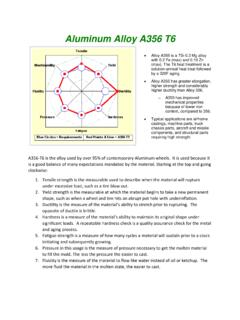
Aluminum Alloy A356 T6 - Wheel Straightening Machine
www.newarctech.comIf the wheel paint bubbles or incurs slight handling damage, the wheel can be repaired, painted and cured again changing the metallurgy. Two repair process are typically ... sensitivity of the hardening process relative to time at temperature. 1. At 320 degrees F, it can take five hours initiate the hardening and about ...