Example: air traffic controller
Steering Wheel instructions for Xbox One
when using it after disconnecting the controller from the XR Racing Wheel. To adjust sensitivity. - Press and hold the SEN button until the lights flash between red/blue. - Press up and down on the DPAD to adjust the sensitivity. - Press the SEN button once again to set. 1. 2. 3.
Tags:
Information
Domain:
Source:
Link to this page:
Documents from same domain
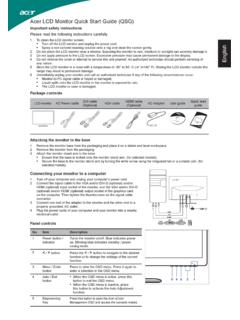
Acer LCD Monitor Quick Start Guide (QSG) - CNET …
cdn.cnetcontent.comEnglish Acer LCD Monitor Quick Start Guide (QSG) Important safety instructions Please read the following instructions carefully. 1 To clean the LCD monitor screen:
VC239 Series LCD Monitor User Guide - CNET …
cdn.cnetcontent.comVC239 Series LCD Monitor User Guide. ii ... The latest widescreen LCD monitor from ASUS provides a crisper, ... Quick Start Guide Warranty Card
Dell PowerEdge R530 Owner's Manual - CNET …
cdn.cnetcontent.comDell PowerEdge R530 Owner's Manual Regulatory Model: ... Power supply unit indicator codes ... Remote Access Controller User’s Guide at

PowerEdge R220 - CNET Content
cdn.cnetcontent.comiv Dell PowerEdge R220 Technical Guide Power supply specifications ... 9 Dell PowerEdge R220 Technical Guide Power supply Non …
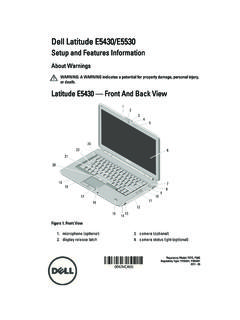
Setup and Features Information - CNET Content
cdn.cnetcontent.comDell Latitude E5430/E5530 Setup and Features Information About Warnings WARNING: A WARNING indicates a potential for property damage, personal injury,
N750 Wireless Dual Band Gigabit DSL Modem …
cdn.cnetcontent.comaccess you want NETGEAR has easy ways to do it. Stay connected—with your devices, your media, ... READYSHARE® USB ACCESS—Wirelessly access & share USB
Inspiron 15 3000 Setup and Specifications - CNET …
cdn.cnetcontent.comInspiron 15 3000 Setup and Specifications Computer Model: Inspiron 15-3567 Regulatory Model: P63F Regulatory Type: P63F002
Getting Started - Xerox® AltaLink® C8030 ... - …
cdn.cnetcontent.comTo download your scanned images from the Default Public Mailbox on the printer, use the Embedded Web ... refer to the System Administrator Guide. Xerox ...
ES Xerox WorkCentre 7500 Series Quick Use Guide
cdn.cnetcontent.comXerox ® WorkCentre ® 7500 Series Quick Use Guide ... • Safety specifications (in User Guide) EN ES • Controladores y utilidades de la impresora
Xerox WorkCentre 6025 Quick Use Guide Guide …
cdn.cnetcontent.comXerox ® WorkCentre ® 6025 Quick Use Guide Guide d'utilisation rapide Xerox WorkCentre 6025 Color Multifunction Printer Imprimante multifonctions couleur Italiano ...
Related documents
Instruction manual - 株式会社HORI
hori.jpAdjustable Sensitivity Steering wheel sensitivity is adjustable to seven levels. The Program LED (Left) colour will change to indicate the sensitivity value. Steering Unit ④ Sensitivity value increases by pressing up on the Directional Pad. Responsive ⑤ ⑥ Sensitivity value decreases by pressing down on the Directional Pad. Gradual

ENGLISH - “RACING WHEEL MODE” AND “GAMEPAD MODE” …
ts.thrustmaster.com• Racing wheel sensitivity adjustment procedure: - Simultaneously press and release the D-pad (5) and the UP and DOWN paddle shifters (4) - The LED (6) then changes color according to the selected sensitivity setting. - You can now adjust the sensitivity of your racing wheel's steering to your requirements.

Instruction Manual - media.s-bol.com
media.s-bol.com④ HORI Wireless Racing Wheel Select “HORI Wireless Racing Wheel” from the list to complete the pairing. If you want to use the paired controller again, press the PS button on the ... Steering wheel sensitivity is adjustable to seven levels. The Program LED (Left) color will change to indicate the sensitivity value.

Racing Wheel and Pedals For Xbox One and PC Volant de ...
www.logitech.comG HUB WHEEL SETTINGS Sensitivity Alters the output response of the wheel to be more or less sensitive Leaving this slider at 50% will provide a linear 1:1 output Between 51% and 100% will make the wheel increasingly more sensitive around the centre movement of the wheel Between 0% and 49% will make the wheel decreasingly sensitive

G923 - Logitech
www.logitech.comG HUB WHEEL SETTINGS Sensitivity Alters the output response of the wheel to be more or less sensitive Leaving this slider at 50% will provide a linear 1:1 output Between 51% and 100% will make the wheel increasingly more sensitive around the centre movement of the wheel Between 0% and 49% will make the wheel decreasingly sensitive

MASTER GUIDE - Razer Inc.
dl.razerzone.comSensitivity Stage Down - Decreases the current sensitivity by one stage. On-The-Fly Sensitivity - Pressing the designated button and moving the scroll wheel either up or down will increase or decrease the current DPI respectively. Cycle Up Sensitivity Stages - Increases the current sensitivity stage by one. Once it reaches the

User Manual - Thrustmaster
ts.thrustmaster.comNote: The steering wheel on your "Ferrari Racing Wheel: Red Legend edition" racing wheel features 2 sensitivity modes (normal or high). To achieve optimal precision in "Gran Turismo® PS3™", we recommend that you enable "high sensitivity" mode. PC Installation on PC 1. Set the wheel’s USB selector (7) to the “PC” position. 2.

Razer Atheris
dl.razerzone.comSensitivity Stage Down - Decreases the current sensitivity by one stage. On-The-Fly Sensitivity - Pressing the designated button and moving the scroll wheel either up or down will increase or decrease the current DPI respectively. Cycle Up Sensitivity Stages - Increases the current sensitivity stage by one. Once it
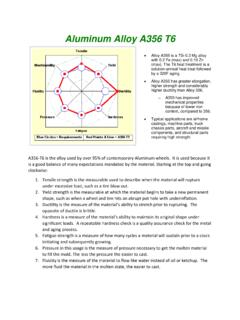
Aluminum Alloy A356 T6 - Wheel Straightening Machine
www.newarctech.comIf the wheel paint bubbles or incurs slight handling damage, the wheel can be repaired, painted and cured again changing the metallurgy. Two repair process are typically ... sensitivity of the hardening process relative to time at temperature. 1. At 320 degrees F, it can take five hours initiate the hardening and about ...