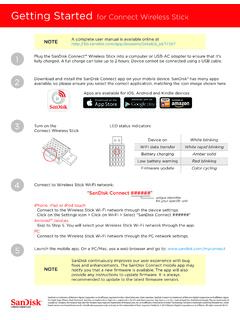
Getting Started for Connect Wireless Stick
Getting Started for Connect Wireless Stick Plug the SanDisk Connect™ Wireless Stick into a computer or USB-AC adapter to ensure that it’s fully charged. A full charge can take up to 2 hours. Device cannot be connected using a USB cable. Download and install the SanDisk Connect app on your mobile device. SanDisk® has many apps
Download Getting Started for Connect Wireless Stick

Information
Domain:
Source:
Link to this page:
Documents from same domain
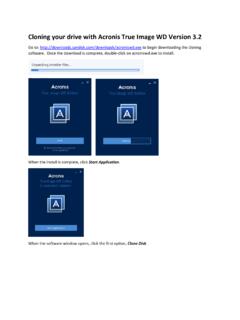
Cloning your drive with Acronis True Image WD Version 3
downloads.sandisk.comA Clone Disk Wizard window appears. We recommend selecting the Automatic option and clicking Next. Now, select the source disk. This is drive that you wish to copy from. Make sure this is your original drive so that you don’t accidentally copy over your original drive and click Next.
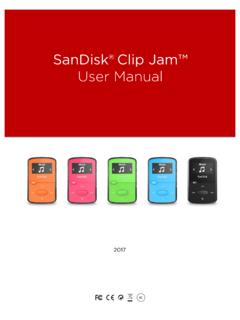
SanDisk®Clip Jam™ User Manual
downloads.sandisk.com•To prevent possible hearing damage, do not listen to high volume levels for long periods. • Fully understand user manual before use. • Ensure your player is at low volume levels or power off when not in use. For more information on safety, go to:

Bedienungsanleitung - SanDisk
downloads.sandisk.com2 Wählen Sie die Schaltfläche „+“ zum Hinzufügen von Dateien aus. 3 Wenn Sie aufgefordert werden, Dateien auszuwählen, wählen Sie die Dateien aus, die Sie vom iPhone/iPad auf den Flash Drive übertragen möchten. 4 Wählen Sie das Ziel aus, wo die Dateien auf dem Flash Drive gespeichert werden sollen.

PC SN730 NVMe SSD - SanDisk
downloads.sandisk.comAPST (Autonomous Power State Transitions) and NVMe ASPM (Active State Power Management). In addition, PC SN730 NVME SSD includes a self-thermal throttling mechanism as the last level of thermal protection The PC SN730 NVME SSD is available in M.2 2280 single sided form factor, with capacities of 256, 512 and 1024 gigabytes (GB)1.
SanDisk® Clip Jam™
downloads.sandisk.comWindows® XP SP2 or Mac OS X 10.3 and Linux (mass storage class only), restart the player, and try again. •E: NOT When battery level reaches 20% device will notify: "Battery running low", at 5%- battery will turn off.
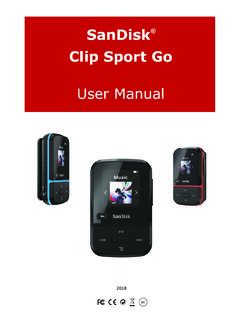
ClipSportGo UserManual 2018v11 - SanDisk
downloads.sandisk.comSanDisk® Clip Sport Go User Manual 4 Playback Screen 1 Play/Pause Displays the music or recording playback status. 2 Battery Indicator Displays the battery status. 3 Album Art Displays the picture of the Album Art of currently playing content.

SanDisk® Memory Zone App
downloads.sandisk.comManual Backup – you are able to back up your photos, music, videos, or ... Restore allows you to restore everything from your latest backup. Settings The settings tab leads to a page showing Information and Cloud storage options. Turning this on and off determines whether or not

Western Digital PC SN730 NVMe SSD - SanDisk
downloads.sandisk.comOperating Vibration 5 gRMS, 10-2000Hz, 3 axes Non-Operating Vibration 4.9 gRMS, 7-800Hz, 3 axes Shock 1,500G @0.5 ms half sine, 3 pulses per face Certifications FCC, UL, TUV, KCC, BSMI, VCCI, C-Tick Limited Warranty⁹ 5 years Physical Dimensions Width 22mm ±0.15mm Length 2280: 80mm ±0.15mm Thickness (max) 2.38mm Weight 2280: 7.3g ±0.5g
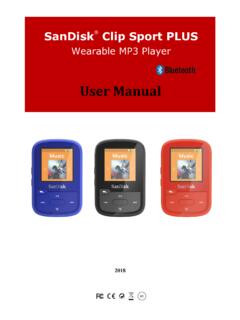
Wearable MP3 Player - SanDisk
downloads.sandisk.comRead the safety instructions carefully before using the player. 1. Review this entire manual to ensure proper usage. 2. Keep this User Manual for future reference. 3. Do not use headphones/earphones while driving, cycling, or operating any motorized vehicle. This may create a traffic hazard and may be illegal in some areas. It can also be

SanDisk SSD Dashboard
downloads.sandisk.comthe Dashboard is launched, it won't be recognized automatically. Click the refresh icon next to the "No USB Drive Found" drop-down. 2. Before proceeding, backup any existing data on the USB drive. 3. Click the drop-down list to select the USB drive.
Related documents
DESIGN OF WIRELESS WEATHER MONITORING SYSTEM - …
ethesis.nitrkl.ac.inwired or wireless one. In case of wireless communication, the connectivity will be more convenient and user friendly and weather monitoring would not require physical presence of the person at the location[ 1 ]. Wireless communication is the transfer of information over a distance without the use of wires.

UniFi AC AP Datasheet - Ubiquiti
dl.ubnt.comDeploy the UniFi AC Pro AP indoors or outdoors, in wireless networks requiring maximum performance. Sporting a weatherproof design, the UniFi AC Pro AP features simultaneous, dual‑band, 3x3 MIMO technology and convenient 802.3af PoE/802.3at PoE+ compatibility. It is available in single‑ and five‑packs1. UAP-AC-IW
Wireless Router Setup Manual - Netgear
www.downloads.netgear.com• The wireless router • An AC power adapter (varies by region) • A blue Ethernet cable • Resource CD, including: — The Smart Wizard Installation Assistant — This manual • Warranty and Support Information cards If any of the parts are incorrect, missing, or damaged, contact your NETGEAR dealer. Keep the
Intel® Dual Band Wireless-AC 7265 Brief
www.intel.comDelivers regulatory busting technology that enables one Intel® Wireless -AC adapter shipped to customers worldwide with the regulatory requirements of most countries in a single database on the Wi-Fi module. The Intel® Dual Band Wireless -AC 7265 detects its location and automatically configures the Wi-Fi to match it. Regulatory updates are

Wireless-G Router WGR614v10 Setup Manual
www.downloads.netgear.comGetting to Know Your Wireless Router 6 • Accessible to an AC power outlet and near Ethernet cables for wired computers. • In an elevated location such as a high shelf, keeping the number of walls and ceilings between the wireless router and your other devices to a minimum.

UniFi nanoHD AP Datasheet
dl.ubnt.comearlier-generation AP, such as the UniFi AC Pro AP, to communicate with only one client at a time. 802.11ac Wave 2 MU-MIMO (Multi-User, Multiple Input, Multiple Output) technology allows a Wave 2 AP, such as the UniFi nanoHD AP, to communicate with multiple clients at the same time – significantly increasing multi‑

LiteBeam® LBE AC Gen2 Datasheet - Ubiquiti
dl.ubnt.comac products. Powerful Wireless Features • Access Point PtMP airMAX Mixed Mode • airMAX ac Protocol Support • Long-Range Point-to-Point (PtP) Link Mode • Selectable Channel Width • PtP: 10/20/30/40/50/60/80 MHz • PtMP: 10/20/30/40 MHz • Automatic Channel Selection • Transmit Power Control: Automatic/Manual