Example: bankruptcy
UniFi nanoHD AP Datasheet
earlier-generation AP, such as the UniFi AC Pro AP, to communicate with only one client at a time. 802.11ac Wave 2 MU-MIMO (Multi-User, Multiple Input, Multiple Output) technology allows a Wave 2 AP, such as the UniFi nanoHD AP, to communicate with multiple clients at the same time – significantly increasing multi‑
Information
Domain:
Source:
Link to this page:
Documents from same domain

1080p Wireless IP Security Camera with Infrared
dl.ubnt.comIntroduction Thank you for purchasing the Ubiquiti Networks® UniFi® Video Camera G3 Micro. This Quick Start Guide is designed to guide you through installation and also includes warranty terms.

Datasheet - Ubiquiti Networks
dl.ubnt.comDatasheet www.ubnt.com/airmax 3 Software airOS is an intuitive, versatile, highly developed Ubiquiti firmware technology. It is exceptionally intuitive and …

802.11ac Dual Radio Access Point
dl.ubnt.comThis Quick Start Guide is designed to guide you through ... 802.11ac Dual Radio Access Point Model: UAP-AC-LITE Gigabit PoE* (24V, 0.5A) with Mounting Bracket

Advanced Gigabit Ethernet Router - Ubiquiti …
dl.ubnt.comThis Quick Start Guide is designed to guide ... Advanced Gigabit Ethernet Router Model: ER-X EdgeRouter X Power Adapter (12V, 0.5A) Quick Start Guide

UniFi AC AP Datasheet - dl.ubnt.com
dl.ubnt.com3 D atasheet UniFi Controller Packed with Features Use the UniFi Controller to provision thousands of UniFi APs, map out networks, quickly manage

Wide-Angle 1080p Dome IP Camera with Infrared
dl.ubnt.comIntroduction Thank you for purchasing the Ubiquiti Networks® UniFi® Video Camera G3 Dome. This Quick Start Guide is designed to guide you through installation and includes warranty terms.

TOUGHCable PRO Quick Start Guide - Ubiquiti Networks
dl.ubnt.com2 TOUGHCable™ PRO Quick Start Guide TOUGHCable Box The Tension Knob is set to High by default. If necessary, the tension can be set to to Low or None. Tension Knob TOUGHCable PRO Cross-Section Conductor Insulation ESD Drain Wire

U-Installer Quick Start Guide - Ubiquiti Networks
dl.ubnt.comLEDs Wi-Fi Lights blue if the U-Installer has a Wi-Fi connection to your mobile device. Battery Four blue LEDs indicate the internal battery’s charge level: Full charge Low charge* * Recharge the battery by connecting a power source,

802.11n Wi-Fi Access Point - Ubiquiti Networks
dl.ubnt.comHardware Installation The UniFi AP can be mounted to the wall or ceiling. Perform the steps for the appropriate installation: Wall Mount 1. Position the Mounting Bracket at the desired location on the wall with the cable feed slot pointed towards the floor.

Rocket ac Datasheet - Ubiquiti Networks
dl.ubnt.comD atasheet 4 Technology Unlike standard Wi-Fi protocol, Ubiquiti’s Time Division Multiple Access (TDMA) airMAX ac protocol allows each client to send and receive
Related documents
DESIGN OF WIRELESS WEATHER MONITORING SYSTEM - …
ethesis.nitrkl.ac.inwired or wireless one. In case of wireless communication, the connectivity will be more convenient and user friendly and weather monitoring would not require physical presence of the person at the location[ 1 ]. Wireless communication is the transfer of information over a distance without the use of wires.
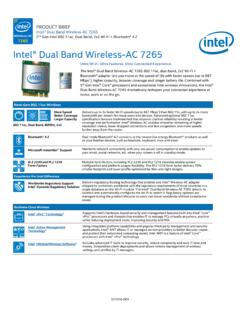
Intel® Dual Band Wireless-AC 7265 Brief
www.intel.comDelivers regulatory busting technology that enables one Intel® Wireless -AC adapter shipped to customers worldwide with the regulatory requirements of most countries in a single database on the Wi-Fi module. The Intel® Dual Band Wireless -AC 7265 detects its location and automatically configures the Wi-Fi to match it. Regulatory updates are
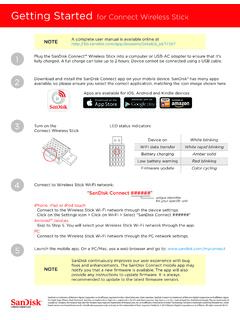
Getting Started for Connect Wireless Stick
downloads.sandisk.comGetting Started for Connect Wireless Stick Plug the SanDisk Connect™ Wireless Stick into a computer or USB-AC adapter to ensure that it’s fully charged. A full charge can take up to 2 hours. Device cannot be connected using a USB cable. Download and install the SanDisk Connect app on your mobile device. SanDisk® has many apps
UniFi AC AP Datasheet - Ubiquiti
dl.ubnt.comDeploy the UniFi AC Pro AP indoors or outdoors, in wireless networks requiring maximum performance. Sporting a weatherproof design, the UniFi AC Pro AP features simultaneous, dual‑band, 3x3 MIMO technology and convenient 802.3af PoE/802.3at PoE+ compatibility. It is available in single‑ and five‑packs1. UAP-AC-IW

LiteBeam® LBE AC Gen2 Datasheet - Ubiquiti
dl.ubnt.comac products. Powerful Wireless Features • Access Point PtMP airMAX Mixed Mode • airMAX ac Protocol Support • Long-Range Point-to-Point (PtP) Link Mode • Selectable Channel Width • PtP: 10/20/30/40/50/60/80 MHz • PtMP: 10/20/30/40 MHz • Automatic Channel Selection • Transmit Power Control: Automatic/Manual

Wireless-G Router WGR614v10 Setup Manual
www.downloads.netgear.comGetting to Know Your Wireless Router 6 • Accessible to an AC power outlet and near Ethernet cables for wired computers. • In an elevated location such as a high shelf, keeping the number of walls and ceilings between the wireless router and your other devices to a minimum.
Wireless Router Setup Manual - Netgear
www.downloads.netgear.com• The wireless router • An AC power adapter (varies by region) • A blue Ethernet cable • Resource CD, including: — The Smart Wizard Installation Assistant — This manual • Warranty and Support Information cards If any of the parts are incorrect, missing, or damaged, contact your NETGEAR dealer. Keep the