
Getting Started - Garmin
Antenna - When using the inReach Explorer, point the antenna up toward the sky and position the face of the device away from your body when attached to a pack or a vest. Display Screen - The screen turns o! automatically after 30 seconds without activity to preserve power and prevent accidental button presses. To unlock the screen, press the Power/Enter button, and then press the Left
Download Getting Started - Garmin

Information
Domain:
Source:
Link to this page:
Documents from same domain
EDGE® 1030 Owner’s Manual - Garmin International
static.garmin.comCharging the Device NOTICE To prevent corrosion, thoroughly dry the USB port, the weather cap, and the surrounding area before charging or connecting to
Owner’s Manual - Garmin International
static.garmin.comIntroduction WARNING See the Important Safety and Product Information guide in the product box for product warnings and other important information.
Lidar Lite v3 Operation Manual 2 and Technical …
static.garmin.com1 Lidar Lite v3 Operation Manual and Technical Specifications Laser Safety WARNING This device requires no regular maintenance. In the event that the device
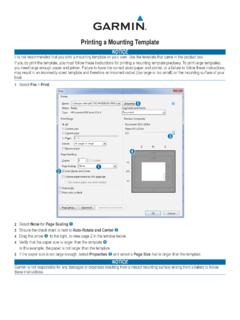
Printing a Mounting Template - Garmin
static.garmin.comPrinting a Mounting Template Notice It is not recommended that you print a mounting template on your own. Use the template that came in the product box.
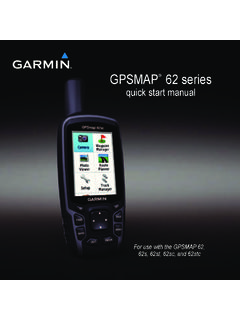
GPSMAP 62 series - Garmin
static.garmin.comGPSMAP 62 Series Quick Start Manual 3 3. Replace the battery cover. For best results, after you install new batteries, update the battery type in the

Important Safety and Product Information 2 …
static.garmin.comIMPORTANT SAFETY AND PRODUCT INFORMATION WARNING Failure to heed the following warnings could result in an accident or collision resulting in death or
Important Safety and Product Information 2 …
static.garmin.comImportant Safety and Product Information 2 Informations importantes sur le produit et la sécurité 3 guida Informazioni importanti sulla sicurezza e sul
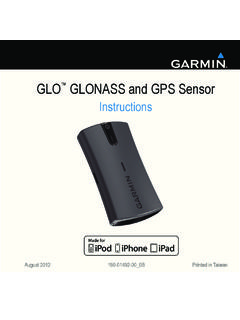
Instructions - Garmin
static.garmin.com1 GLO™ GLONASS and GPS Sensor Instructions August 2012 190-01492-00_0B Printed in Taiwan
GNS 430(A) - Garmin International
static.garmin.com190-00140-00 Rev. P GNS 430(A) Pilot’s Guide and Reference i RECORD OF REVISIONS Revision Date of Revision Description A 12/98 Initial Release B 4/99 Update to conform to recent SW changes
GNS 530(A) - Garmin International
static.garmin.com190-00181-00 Rev. H GNS 530(A) Pilot’s Guide and Reference i RECORD OF REVISIONS Revision Date of Revision Description A 5/00 Initial Release B 5/01 Update to reflect software changes through 2.06
Related documents

owner’s manual - Garmin
static.garmin.comreceiver. It has a built-in GPS antenna and fi ve user-but-tons. All buttons are located on the sides of the unit, allowing for simple, one-handed operation that won’t obstruct your view of the display. It runs for 22 hours on two AA alkaline batteries in battery save mode. …

SOUNDBAR 500 - Bose
assets.bose.comThis transmitter must not be co-located or operating in conjunction with any other antenna or transmitter. This device for operation in the band 5150 – 5250 MHz is only for indoor use to reduce the potential for harmful interference to other co-channel mobile satellite systems. CAN ICES-3(B)/NMB-3(B)

LiteAP™ AC Datasheet
dl.ubnt.comAntenna Gain 16 dBi Power Supply 24V, 0.5A Gigabit PoE Adapter (Included) Power Method Passive PoE (Pairs 4, 5+; 7, 8 Return) Processor Specs Atheros MIPS 74Kc, 533 MHz Shock and Vibration ETSI300-019-1.4 ETSI Specification EN 302 326 DN2 ESD/EMP Protection ± 24 kV Contact / Air RoHS Compliance Yes Operating Temperature -40 to 70° C (-40 to ...

2022 Isata 3 Flyer - dynamaxcorp.com
dynamaxcorp.comCHASSIS Automatic, 4-Point Hydraulic Leveling Jacks with . n ... (tuner and antenna), Apple ... Cable TV/Satellite Hookup . n. 60-Amp Progressive Dynamics Converter with Charge .

Subaru SD Card Navigation System
static.nhtsa.govSatellite radio Option XM iPod/iPhone control Option Yes HD Radio - Yes *1 SD Picture - Yes SMS/Email read out - Yes ... Automatic resizing Setting as Opening screen ... ANTENNA) 1 ANT IN GPS signal 2 GND GND Ground 3 GND GND Ground 2. Troubleshooting
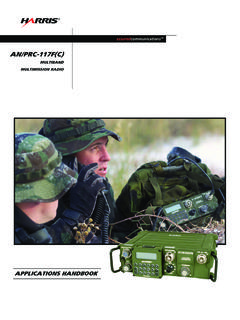
MULTIBAND MULTIMISSION RADIO - ArmyProperty.com
www.armyproperty.comautomatic waveform adaption based on varying channel conditions, and retransmission combining with ... VHF Blade Antenna 10012-0202 ... networking over UHF tactical satellite communications channels and for Line-of-Sight communications through
Satellite Communications
www.cse.wustl.eduThe Satellite The satellite itself is also known as the space segment, and is composed of three separate units, namely the fuel system, the satellite and telemetry controls, and the transponder. The transponder includes the receiving antenna to pick-up signals from the ground station, a broad band receiver, an input

Ham Radio Terms - Icom America
www.icomamerica.comANL (Automatic Noise Limiter) Eliminates impulse and static noise peaks. ANT (ANTenna) Antenna ground system Term used for a RF reference potential for some types of antennas. Most unbalanced or asymmetrical antennas need a good RF ground. Antenna impedance The impedance of an antenna at its resonance. Al-though an antenna’s impedance ...