
Getting Started - Garmin
Antenna - When using the inReach Explorer, point the antenna up toward the sky and position the face of the device away from your body when attached to a pack or a vest. Display Screen - The screen turns o! automatically after 30 seconds without activity to preserve power and prevent accidental button presses. To unlock the screen, press the Power/Enter button, and then press the Left
Download Getting Started - Garmin

Information
Domain:
Source:
Link to this page:
Documents from same domain
EDGE® 1030 Owner’s Manual - Garmin International
static.garmin.comCharging the Device NOTICE To prevent corrosion, thoroughly dry the USB port, the weather cap, and the surrounding area before charging or connecting to
Owner’s Manual - Garmin International
static.garmin.comIntroduction WARNING See the Important Safety and Product Information guide in the product box for product warnings and other important information.
Lidar Lite v3 Operation Manual 2 and Technical …
static.garmin.com1 Lidar Lite v3 Operation Manual and Technical Specifications Laser Safety WARNING This device requires no regular maintenance. In the event that the device
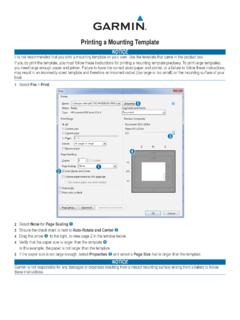
Printing a Mounting Template - Garmin
static.garmin.comPrinting a Mounting Template Notice It is not recommended that you print a mounting template on your own. Use the template that came in the product box.

GPSMAP 62 series - Garmin
static.garmin.comGPSMAP 62 Series Quick Start Manual 3 3. Replace the battery cover. For best results, after you install new batteries, update the battery type in the

Important Safety and Product Information 2 …
static.garmin.comIMPORTANT SAFETY AND PRODUCT INFORMATION WARNING Failure to heed the following warnings could result in an accident or collision resulting in death or
Important Safety and Product Information 2 …
static.garmin.comImportant Safety and Product Information 2 Informations importantes sur le produit et la sécurité 3 guida Informazioni importanti sulla sicurezza e sul
Instructions - Garmin
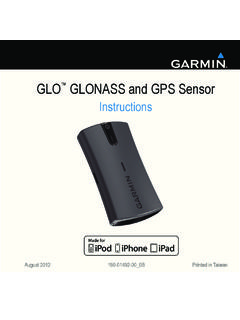
static.garmin.com1 GLO™ GLONASS and GPS Sensor Instructions August 2012 190-01492-00_0B Printed in Taiwan

GNS 430(A) - Garmin International
static.garmin.com190-00140-00 Rev. P GNS 430(A) Pilot’s Guide and Reference i RECORD OF REVISIONS Revision Date of Revision Description A 12/98 Initial Release B 4/99 Update to conform to recent SW changes

GNS 530(A) - Garmin International
static.garmin.com190-00181-00 Rev. H GNS 530(A) Pilot’s Guide and Reference i RECORD OF REVISIONS Revision Date of Revision Description A 5/00 Initial Release B 5/01 Update to reflect software changes through 2.06
Related documents

ShoreTel Communicator
media.shoretel.comShoreTel Communicator is a powerful unifi ed communications (UC) application for users across an organization, whether an operator, a contact center agent, a knowledge worker or a road warrior. Available on multiple operating systems, ShoreTel Communicator makes it easy for people to communicate any way they choose: by video, voice (wired or

INTERPERSONAL COMMUNICATION INVENTORY
www.csus.eduINTERPERSONAL COMMUNICATION INVENTORY SCORING KEY AND NORMS lnstructiqns: Look at how you responded to each item in the ICI.In front of the item write the appro priate weight from the table on this page.For example, if you answered UYes" to item 1~ you would find be)0\\7 that you get three points; write the number 3 in front of item 1 in the inventory and …

Manual Hart 375 Field Communicator - Emerson
www.emerson.comCommunicator Press and hold the on/off key until the Multifunction LED flashes to indicate the unit is powering (approximately two seconds). See Figure 2-2 for on/off key location. During start-up, the 375 Field Communicator will automatically perform any software upgrades available on the System Card. Once complete, the

AMS Trex™ Device Communicator - Emerson Electric
www.emerson.com2 AMS Trex Device Communicator overview The Trex unit supports HART® and FOUNDATION™ fieldbus devices, so you can configure or troubleshoot in the field or on the work bench. Electronic Device Description Language (EDDL) technology enables the Trex unit to communicate with a variety of devices independent of device manufacturer.

General
www.firelite.comwith Communicator Addressable Fire Alarm Control Panels DF-60957:C General The ES-200X is the latest intelligent addressable Fire Alarm Control Panel (FACP) from Fire•Lite Alarms and is a direct replacement for the MS-9200UDLS. The ES-200X comes with a pre-installed com-municator and supports up to 198 addressable devices (99 detec-tors and ...