
Getting Started in Data Analysis using Stata
(comma-separated values) and import it in Stata using the insheet command. In Excel go to File->Save as and save the Excel file as *.csv: Excel to Stata (using insheet) step 1 You may get the following messages, click OK and YES… Go to the next page… Excel to Stata (insheet using *.csv, - step 2) ...
Download Getting Started in Data Analysis using Stata

Information
Domain:
Source:
Link to this page:
Documents from same domain
Data Preparation/Descriptive Statistics
www.princeton.eduFor data analysis your data should have variables as columns and observations as rows. The first row should have the column headings. Make sure your dataset has

The Use of Integrity Tests for Pre-Employment …
www.princeton.eduThe Use of Integrity Tests for Pre-Employment Screening September 1990 OTA-SET-442 NTIS order #PB91-107011
www.princeton.edu
www.princeton.eduCreated Date: 4/18/2005 1:47:40 PM

Fundamentals in Engineering (FE) Exam
www.princeton.eduFundamentals in Engineering (FE) Exam AKA Engineer-in-Training (EIT) Exam Importance, Application, Format Prepared by Maria Garlock September 2014
Multilevel Analysis - Princeton University
www.princeton.eduPU/DSS/OTR. 2. Use multilevel model whenever your data is grouped (or nested) in more than one category (for example, states, countries, etc). Multilevel models allow:
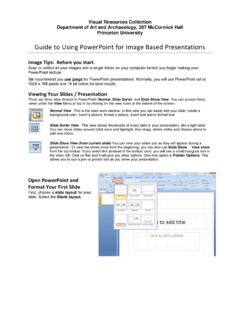
Viewing Your Slides Presentation - Princeton …
www.princeton.eduVisual Resources Collection Department of Art and Archaeology, 207 McCormick Hall Princeton University Guide to Using PowerPoint for Image Based Presentations
Monetary Policy According to HANK
www.princeton.eduVOL. 108 NO. 3 KAPLAN ET AL.: MONETARY POLICY ACCORDING TO HANK 699 within a framework that offers a better representation of household consump - tion and household finances than RANK.
Computer Architecture: A Historical Perspective
www.princeton.edu1 August 21, 2008 1 CompArch Summer School on Parallel Programming and Architectures, Brown University, Providence, RI. August 20-21, 2008 Computer Architecture:
REMOTE SENSING FROM SPACE - Princeton …
www.princeton.eduChapter 7 REMOTE SENSING FROM SPACE INTRODUCTION The value of viewing Earth from space to pro- vide crucial resource and environmental infor …

The Use of Integrity Tests for Pre-Employment …
www.princeton.eduFourth, a boost to the development and marketing of integrity tests came from the 1988 Federal ban on polygraph testing in most private establishments.
Related documents

Java printf( ) Method Quick Reference
www.cs.colostate.eduforces numerical values to be zero -padded ( default is blank padding ) , : comma grouping separator (for numbers > 1000) : space will display a minus sign if the number is negative or a space if it is positive . Width: Specifies the field width for outputting the argument and represents the minimum number of characters to be written to the output.

Extensions to generate - Stata
www.stata.comGenerate newv4 equal to the number of nonmissing numeric values across v1, v2, and v3 for each observation egen newv4 = rownonmiss(v1 v2 v3) As above, but allow string values egen newv4 = rownonmiss(v1 v2 v3), strok Generate newv5 as the concatenation of numeric v1 and string v4 separated by a space egen newv5 = concat(v1 v4), punct(" ") Menu
Extensions to generate - Stata
www.stata.comValues of numeric variables are converted to string, as is, or ... punct(" "), or a comma, punct(,). count(exp) (allows by varlist:) creates a constant (within varlist) containing the number of nonmissing observations of exp. Also see rownonmiss() and rowmiss(). ... may be simply a list of numbers separated by commas but can also include the ...

Wiley AMA Manual of Style: A User’s Guide
authorservices.wiley.comcomma between author name and degree; more than one degree for the same author should be separated with a comma. For example: • Job title to be included if present in existing style. No comma between author name and job title; comma separator needed between a degree and job title. Examples: John Engler MPH, Postdoctoral Researcher
The Variant Call Format (VCF) Version 4.2 Specification
samtools.github.ioThe ID field indicates the type of structural variant, and can be a colon-separated list of types and subtypes. ID values are case sensitive strings and may not contain whitespace or angle brackets. The first level type must be one of the following: • DEL Deletion relative to the reference • INS Insertion of novel sequence relative to the ...
Excel keyboard shortcuts and function keys - UCDC
www.ucdc.eduseparated by a comma (,). Frequently used shortcuts This table lists the most frequently used shortcuts in Excel 2016. To do this Press Close a spreadsheet Ctrl+W Open a spreadsheet Ctrl+O Go to the Home tab Alt+H Save a spreadsheet Ctrl+S Copy Ctrl+C Paste Ctrl+V Undo Ctrl+Z Remove cell contents Delete key Choose a fill color Alt+H, H
pdfminer - Read the Docs
buildmedia.readthedocs.orgThe default values are M = 2.0, L = 0.5, and W = 0.1, respectively. 4 Chapter 1. PDFMiner. ... Comma-separated page numbers, or multiple -poptions are accepted. Note that page numbers start at one, not zero.-r(raw)-b(binary)-t(text) Specifies the output format of stream contents. Because the contents of stream objects can be very large,