Getting started with your
To rotate your text, select the text, then click and drag the green circle displayed above the object. 5. Getting Started with Silhouette CAMEO® ... Page Setup button in the options toolbar in the upper right-hand corner of the window. ... Simply place the crosscut blade into the track and slide it across your material in the direction ...
Download Getting started with your

Information
Domain:
Source:
Link to this page:
Documents from same domain

Erste Schritte mit Ihrem - Silhouette America
www.silhcdn.com3 . Erste Schritte mit dem Silhouette CAMEO® Schneiden mit Ihrem Silhouette CAMEO® Öffnen der Silhouette Studio® Software . Suchen Sie das Silhouette Studio® Icon auf dem Desktop, oder im Start Menu ihres PC (im

Mise en route de votre - silhcdn.com
www.silhcdn.comMise en route de votre Silhouette CAMEO® ( ) 2 3 2 Installez le logiciel Silhouette Studio® Installation 1. Rendez-vous sur silhouetteamerica.com.

silhouettestudio - silhcdn.com
www.silhcdn.comSilhouette Studio® V4 | Software Usage Agreement 1. Software Usage Agreement. Silhouette America Corporation ("Silhouette America") hereby grants the purchaser and authorized User (the "User") the right to use the software

The revolution in wireless desktop cutting starts now.
www.silhcdn.comCut thicker materials like balsa wood, foam, chipboard, leather and more. Deeper Cuts 2mm clearance allows for your deepest cuts yet.

Getting started with your - silhcdn.com
www.silhcdn.com3 Getting Started with Silhouette Alta® If you would like to change the orientation, you will find the cube in the upper right-hand corner of the page. By moving this cube around, you can look at your …

Getting started with your - silhcdn.com
www.silhcdn.com3 Getting Started with Silhouette Portrait Navigation Tabs There are four tabs along the top right-hand side: Design This design area is your workspace to create projects. This area houses the toolbars, the white design page,
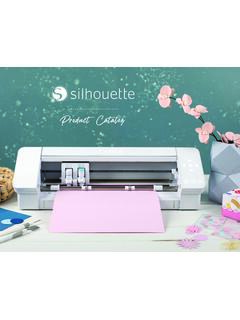
Silhouette Product Catalog
www.silhcdn.comJul 13, 2020 · Emboss (Curio only) P P P P Sticky Notes P P P P Pop-up Creator (Basic) P P P P Color Fonts P P P P Print Bleed P P P P Commercial Font Indicator P P P P Import SVG, PDF files P P P Layers (Including Cut by Layer) P P P Rulers/Guides P P P Nesting P P P Shadow Tool P P P Eraser Set Tools P P P Knife Set Tools P P P Eyedropper Tool P P P Shear P P P
User Manual - silhcdn.com
www.silhcdn.comSilhouette Portrait® 3 desktop cutting machine 8-by-12-inch cutting mat Remove Packaging from the Machine Take the Silhouette Portrait® from the box and remove the strips of packing tape and foam as indicated by the following diagram. These strips of tape and foam are used to hold the moving parts of the Silhouette in place during shipment.
User Manual - silhcdn.com
www.silhcdn.comSilhouette Cameo® 4 User Manual Design Area The Design area is the first area you’ll see when you open Silhouette Studio®, and it is the area you’ll likely spend most of the time in, so it’s important to learn how to use it to create your designs. Panels Each Silhouette Studio® Tool icon opens its own panel. Panels open on the
Related documents

Teen Self-Care Planning - Wisconsin Department of Public ...
dpi.wi.govStandard Circle Setup: • Chairs in a circle (preferably without desk attached) • Center piece in center of circle • 3–4 talking pieces around the center piece . Group Procedure Welcome Greet students, get in circle. If needed, seat students strategically. Notice how the group is doing today (e.g., high or low energy, high or low ...

ROBOT GAME RULEBOOK
firstinspiresst01.blob.core.windows.net6 Robot Game Rulebook I Field Setup 3M™ Dual Lock™ Reclosable Fastener You will find sheets of Dual Lock squares in your Challenge set to secure the models to the mat. Dual Lock is an important part of field setup because if the models are not secured properly, you will have difficulty completing missions. SECURING MODELS – The
Kinematics in 2-D (and 3-D) - Harvard University
scholar.harvard.edu3.8. A racecar travels in a horizontal circle at constant speed around a circular banked track. A side view is shown in Fig. 3.4. (The triangle is a cross-sectional slice of the track; the car q (side view) velocity into the page Figure 3.4 is heading into the page at the instant shown.) The direction of the racecar’s acceleration is (a ...
Data Sheet R8000 - Netgear
www.downloads.netgear.comCircle is the smart way for families to manage content and time online, on any connected device. With the Circle app, you can easily: • Limit daily Internet time for websites, apps, and more • Set a BedTime for your family's devices • Set individual filter for each family member that matches their age and interests

User Guide - Logitech
www.logitech.comThis user guide includes setup and basic instructions for using your Squeezebox ... Tapping pause pauses the track; if you want to stop playing the track, press and hold pause. • Selecting a track, artist, album, genre or another playlist from your music ... (circle one): WEP 64-bit WEP 128-bit WPA WPA2 Security Key: _____ ...

K780 MULTI-DEVICE KEYBOARD One keyboard. Fully …
www.logitech.comQuick Setup Follow the steps below to quickly connect to your computer, laptop or tablet. For more information on how to connect with Unifying or Bluetooth Smart, go to the sections below. *The Unifying Receiver is stored in the keyboard under the battery door. Dual Connectivity Connect Geneva K780 lets you connect up to 3 devices
Data Sheet R7000 - Netgear
www.netgear.comCircle is the smart way for families to manage content and time online, on any connected device. With the Circle app, you can easily: • Limit daily Internet time for websites, apps, and more • Set a BedTime for your family's devices • Set individual filter for each family member that matches their age and interests
Data Sheet R7000P - Netgear
www.netgear.comPAGE 6 of 9 Data Sheet R7000P Nighthawk® AC2300 Smart WiFi Router—Dual Band Gigabit Nighthawk® App The NETGEAR Nighthawk ® App makes it easy to set up your router and get more out of your WiFi, with the app, you can install your router in a few steps—just connect your mobile device to the router network and the app will walk you through the rest.