HP Image Assistant User Guide
After an in-place upgrade, an IT administrator can run HPIA on a reference computer to analyze whether HP software is up-to-date and then update it, if necessary. For wipe-and-load scenarios, the IT administrator can run HPIA on a representative system to be migrated and receive the HP OS migration recommendations. These
Download HP Image Assistant User Guide

Information
Domain:
Source:
Link to this page:
Documents from same domain

Technical white paper HP BIOS Configuration Utility
ftp.ext.hp.comHP CMS Whitepapers. Under HP Management Tools, select BIOS Configuration Utility User Guide. Q: How do I create an encrypted password file? A: Use the HP Password Encryption Utility (HPQPswd.exe) to create the password file needed to specify new or current password. Go to the HP Client Management Solutions website at

T120 Printer and T520 Printer Series
ftp.ext.hp.comCheck the Product number on the label located at the back of the printer. 1. Units with a Product number that has an A as the last digit, as shown in the image below. (Example: CQ890A, CQ891A, CQ893A.) If your printer is meeting the above criteria, the correct firmware version to be used is the following. 2.
HP Image Assistant User Guide
ftp.ext.hp.comGlossary. You can refer to this section to find glossary terms. Reference image—XML file extracted from a known, good system image to be used as a reference. An IT administrator either can use reference images provided by HP, which correspond to the factory-shipping state, or can create and maintain reference images using HPIA.

HP BIOS Configuration Utility (BCU)
ftp.ext.hp.comHP BIOS Configuration Utility (BCU) is a free utility that enables you to do the following: Read available BIOS settings and their values from a supported desktop, workstation, or notebook computer Set or reset Setup Password on a supported desktop, workstation, or notebook computer Replicate BIOS settings across multiple client computers
HP BIOS Configuration Utility (BCU)
ftp.ext.hp.comHP BIOS Configuration Utility (BCU) is a free utility that enables you to do the following: Read available BIOS settings and their values from a supported desktop, workstation, or notebook computer Set or reset Setup Password on a supported desktop, workstation, or notebook computer Replicate BIOS settings across multiple client computers
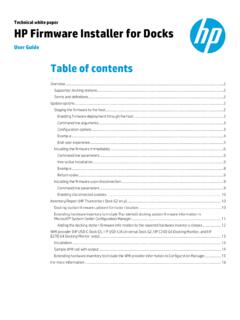
Technical white paper HP Firmware Installer for Docks
ftp.ext.hp.comHP Firmware Installer for Docks allows for two different installation options using the same package. HP Firmware Installer includes all firmware updates for a docking station and provides installation options for different operating system deployment or update scenarios. This document explains the different scenarios and options.

ProCurve Series 5400zl Switches
ftp.ext.hp.comPoE Power over Ethernet Devices. ProCurve Series 5400zl Switches Installation and Getting Started Guide. ... with two 24-port 10/100/1000-T zl Modules pre-installed. Note The open 6-slot chassis (J8697A) does not ship with any power supplies. The ... switch. Guide switch

HP HD and SD Pro Scanners Software Upgrade
ftp.ext.hp.comHP HD Pro 42-in Scanner (G6H51B, SN from CN9410D00B) HP SD Pro 44 -in Scanner (G6H50B, SN from CN9511C00R) HP DesignJet HD Pro 44-in MFP (2QX51A, SN from CN92S7K010) HP DesignJet HD Pro 44-in MFP TAA Compliant (2QX51B, SN from SG88N59011) HPPD Win10 Scanner SW SW_system_HPPD_X.X.X HP HD Pro 42-in Scanner (G6H51B, …
Related documents

ENVIRONMENTAL IMPACT ASSESSMENT (EIA)
environmental-mainstreaming.orgA variety of methods can be used including: checklists, questionnaires, matrices, overlays, networks, models and simulations. ... upgrade river crossings and construct a new crossing over a swamp. The undeveloped area dominated ... removing barriers to fish migration, improving access to Kwa-Jobe, increase the frequency of water

SAP NetWeaver Upgrade Master Guide
help.sap.comand upgrade methods. The landscape pattern can be defined as “hub” system (if used by sev eral product systems) or as “sidecar” system (if used by one product system).
Upgrading to Oracle Database 12c
www.oracle.comUpgrade and Migration Methods There are four different upgrade and migration methods described in this white paper, and three of these methods have variants that can be used in some situations. The methods are: 1. Database Upgrade, using either DBUA or the command-line upgrade scripts 2.
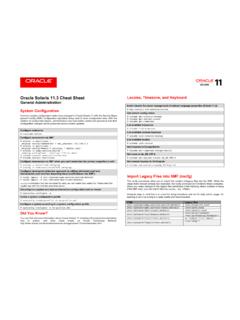
Oracle Solaris 11.3 Cheatsheet
www.oracle.comregular way with the methods described above. Unconfigure a system and start an interactive configuration tool on reboot # sysconfig configure -s Create a system configuration profile # sysconfig create-profile -o sc-profile.xml Configure a system according to a system configuration profile # sysconfig configure -c sc-profile.xml Did You Know?
How to Migrate from VMware NSX for vSphere to NSX-T
www.vmware.comEither case allows for planning the migration based on individual tenant and workload requirements and migrate one piece at a time. When running NSX-V and NSX-T in parallel, based on the desired approach for migration, they could stay as independent entities or create cross-connectivity between the two domains using methods such as NSX Bridging.