HP Webcam User’s Guide
HP Webcam User’s Guide 5 Using Your Webcam as a Video Monitor 1 Double-click the WebCam Companion icon on the Windows® desktop. 2 Click Monitor. 3 Click Start Monitor to begin monitoring. 4 Click Stop Monitor to finish monitoring and save the video to your PC. If you want to send a video snapshot by e-mail, upload the video to your FTP site, or
Download HP Webcam User’s Guide

Information
Domain:
Source:
Link to this page:
Documents from same domain

HP Pavilion PC User™s Guide - HP® Official Site
h10032.www1.hp.com2 HP Pavilion PC User’s Guide Putting Your Computer Together For step-by-step instructions on putting your computer together, refer to the Welcome Poster that came in your computer box.

Quick Start Guide - HP
h10032.www1.hp.comHP Web Sites. Quick Start Guide Filename: ma2usqs.doc Title: HP-Print2k.dot Template: HP-Print2K.dot Author: jiml Last Saved By: WASSER, Inc. ® ® Start. ...

HP 9250C Digital Sender - HP® Official Site
h10032.www1.hp.comDevice information The HP 9250C Digital Sender connects directly to your network converts black-and-white and color documents, drawings, and photographs into an electronic form and then distributes them directly to

Technical Reference Guide HP Compaq dc7800 …
h10032.www1.hp.comTechnical Reference Guide HP Compaq dc7800 Series Business Desktop Computers ... deal with the system board and the power supply assembly.

Reference Guide - HP
h10032.www1.hp.comReference Guide A–1 A Troubleshooting This section provides three methods for resolving issues you may encounter when using your docking station. Use the methods

HP Pavilion 15 Notebook PC - HP® Official Site
h10032.www1.hp.com1 Product description Category Description Computer models equipped with an AMD processor Computer models equipped with an Intel processor Product Name HP Pavilion 15 Notebook PC √√

HP MINI User Guide
h10032.www1.hp.comSafety warning notice WARNING! To reduce the possibility of heat-related injuries or of overheating the device, do not place the device directly on …

User Guide - HP
h10032.www1.hp.comproprietor and used by Hewlett-Packard Company under license. Google, ... bound by the terms of the HP End User License ... see the printed Quick Start guide included ...

Manuel de l'utilisateur de l'ordinateur portable HP
h10032.www1.hp.comAvis d'avertissement sur la sécurité AVERTISSEMENT ! Pour éviter tout risque de blessure liée à la chaleur ou tout risque de surchauffe de l'ordinateur, ne le posez pas directement sur vos genoux et n'obstruez pas les ouvertures d'aération.

Manuel de l'utilisateur - HP® Official Site
h10032.www1.hp.comL'ordinateur et l'adaptateur secteur sont conformes aux limites de température de surface accessible à l'utilisateur, définies par la norme internationale sur la …
Related documents
After Action Report/Improvement Plan
emergency.cdc.govin the exercise, organizational affiliation, job title, mailing address, phone number, and e-mail address.] Participating Organizations [Insert a list of the individual participating organizations or agencies, including Federal, State, Tribal, non-governmental organizations (NGOs), local and international agencies, and contract

Job-search log for week ending (Month/Day/Year) …
esdorchardstorage.blob.core.windows.netPhone number: _____ City: _____ State: _____ If this was an approved WorkSource activity, please provide the following information: If this was an approved other activity, please provide the following information: What activity did you complete: ...

ACTION CAMERA - hndgwww2.blob.core.windows.net
hndgwww2.blob.core.windows.netVIDEO MODE 1. To record video, verify the camera is in VIDEO mode. Video icon “ ” will show in the top left-hand corner. 2. Press the OK key to start video recording, which will be indicated with a blue flashing LED.

PHONE-BASED VPN ACCESS: PERSONAL OR PHS REMOTE …
www.partners.orgPHONE-BASED VPN ACCESS: PERSONAL OR PHS REMOTE-BUILD COMPUTERS Learn how to install Virtual Private Networking (VPN) and connect to the Partners network from home or a remote location. Instructions are for a personal or PHS remote-build computer with Windows 10. NEED HELP? Get a copy of this guide in IS Service Desk article KB0023967.
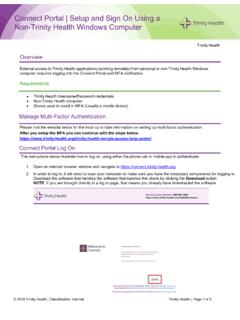
Connect Portal Setup and Sign on Using Non-Trinity …
www.trinity-health.orgThe instructions below illustrate how-to log on; using either the phone call or mobile app to authenticate. 1. Open an internet browser window and navigate to https://connect.trinity-health.org . 2. In order to log in, it will need to scan your computer to make sure you have the necessary components for logging in.