HSB-to-COM How-To Guide
Nov 18, 2019 · through a virtual COM port interface on a Windows PC or Windows-embedded thin client. With the HSB-to-COM driver, pad users can also forward the virtual COM port (via the standard remote COM port forwarding techniques) in remote operating environments such as Citrix. Note: For HSB to BSB pad conversion options, contact us:
Download HSB-to-COM How-To Guide

Information
Domain:
Source:
Link to this page:
Documents from same domain
Download Links & Installation Guide - Topaz Systems
www.topazsystems.com5 www.topazsystems.com Back to Top SigWeb Installation Guide Re-Installation Steps Follow Steps 1-4 here if SigWeb has already been installed and …

Plug-In How-To Guide - Topaz Systems
www.topazsystems.com7 www.topazsystems.com Back to Top Adobe Acrobat Plug-Ins (8 and 9) Options for Existing Signatures Clicking on a signature shows you its validity status. Right-clicking on a signature allows you to clear it.
Download Links & Installation Guide - Topaz Systems
www.topazsystems.com3 www.topazsystems.com Back to Top Topaz SigPlusExtLite User Installation Guide 1.0 – Introduction With SigPlusExtLite, you can capture handwritten signatures securely in Chrome, Firefox,

Plug-In How-To Guide - Topaz Systems
www.topazsystems.com7 www.topazsystems.com Back to Top Adobe Acrobat Plug-Ins (X) Signing an Existing Signature Field An existing blank signature field will show in a PDF as a red tag. When hovering over a blank
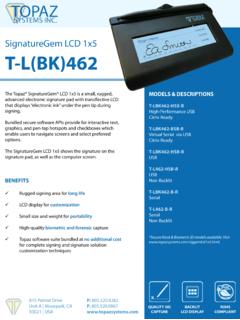
SignatureGem LCD 1x5 Data Sheet - Topaz Systems
www.topazsystems.comThe Topaz SignatureGem® LCD 1x5 is an advanced electronic signature pad with backlit transflective LCD that displays “electronic ink” under the pen tip during signing.
BSB Pads in a Remote Environment - Topaz Systems
www.topazsystems.com3 www.topazsystems.com Back to Top BSB Pads in a Remote Environment Detailed Steps for Setting Up BSB Pads For Citrix XenDesktop (Server-Side Only) 1. Please refer to this document from Citrix for implementing the USB redirection built into
How-To Guide
www.topazsystems.com3 www.topazsystems.com Back to Top SigSock How-To Guide Overview The SigSock system allows a Topaz HID USB (“HSB”) signature pad to be used in a remote environment (Terminal Server 2003/2008/2012 RDP session or Citrix session) by utilizing a
GemView 10 User Guide - Topaz Systems
www.topazsystems.com5 www.topazsystems.com Back to Top GemView 10 Tablet Display User Manual Declaration of RoHS2 Compliance This product has been designed and manufactured in compliance with Directive 2011/65/EU of
Installation & Help Guide - Topaz Systems
www.topazsystems.com4 www.topazsystems.com Back to Top SigWeb Installation Guide Re-Installation Steps Follow Steps 1-2 here if SigWeb has already been installed and you are performing a re-install:
SigPlusExtLite Installation Guide - Topaz Systems
www.topazsystems.comSignature Pads and GemView Devices. This document provides instructions on installing Topaz SigPlusExtLite. 2.0 – Browsers and Operating Systems Supported Topaz SigPlusExtLite SDK can be integrated into web pages running versions of the Google Chrome 77, Mozilla Firefox 68, Opera 68 and Microsoft Edge (Chromium) 80 browser, and
Related documents

Logon - net.wcmc.com
net.wcmc.comWhat is Citrix? Citrix is a so ftware product that allows users to connect to WMC applications (computer programs). • What is XenApp? Citrix XenApp (formerly Citrix MetaFrame) is the latest version of the Citrix software. • What does “client” mean? A Citrix ( a.k.a. XenApp) “client” is the term used for the software that needs to be
HRConnect Setup and Troubleshooting Guide for Remote Users
www.ccf.orgfor Remote Users Step 1 ... Technical Instructions for Windows Users HRConnect Setup and Troubleshooting Guide for Remote Users 7 ... Some security suite programs will need to be disabled completely to complete the installation. Users running Windows 7 with elevated security, may receive a message that requires administrative rights to run the ...
Epic Remote Access for Windows - UF Health Jacksonville
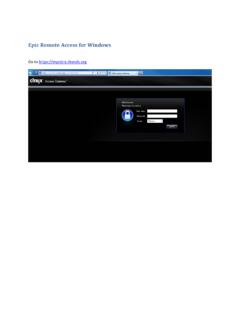
ufhealthjax.orgEpic Remote Access for Windows ... If this is the first time logging in from home you will be prompted to download the Citrix client. Check the box above Download, and then click the Download button. ... Once the installation is complete you will be brought into the Hyperspace environment. ...

HSIS Remote Access Guide - UAB
www.uab.eduServices (HSIS) Remote Access Guide serves as a point of reference for all remote access users. What is Remote Access? By definition, Remote Access is the ability to access a computer, network, or network resource from outside of the network’s firewall. At UAB, we utilize RSA SecurID tokens and Citrix Receiver for remote access via the UAB ...

Microsoft Office 365 for Citrix XenApp and XenDesktop 7
www.citrix.com(Table 1) Microsoft Office 365 for Citrix XenApp and XenDesktop 7.x ... • Either Windows Server 2008 R2 or later Remote Desktop Session Host (e.g. XenApp), or Windows 7 or ... (on-premises or otherwise) installation of Skype for Business Server 2016 or Lync Server 2013.

Remote Access Guide
www.uphs.upenn.eduAuthorized PennChart users may access PennChart through the Remote Access Portal with the appropriate Citrix Client installed (see next section). Citrix Client Installation Using a Windows or Mac personal device, the instructions below will allow you to connect to the below functions.
StoreFront for Windows for remote users with personal ...
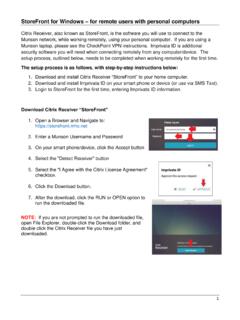
www.munsonhealthcare.org1 StoreFront for Windows – for remote users with personal computers Citrix Receiver, also known as StoreFront, is the software you will use to connect to the Munson network, while working remotely, using your personal computer. If you are using a Munson laptop, please see the CheckPoint VPN instructions. Imprivata ID is additional
ForeScout SecureConnector
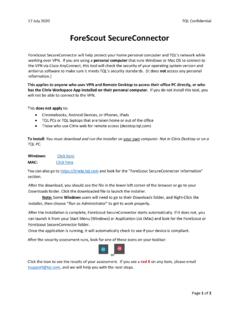
ithelpdocuments.blob.core.windows.netNote: Some Windows users will need to go to their Downloads folder, and Right-Click the installer, then choose “ Run as Administrator ” to get to work properly. After the installation is complete, ForeScout SecureConnector starts automatically.