
Instructions for use - Oticon
Pairing the TV Adapter with your hearing aids Before using the TV adapter, it must be paired with your hearing aids. Pairing is only required once, and takes around 20-60 seconds. IMPORTANT NOTICE Please refer to your hearing aid‘s instructions for use for details on the functionality of your specific hearing aid solution.
Download Instructions for use - Oticon

Information
Domain:
Source:
Link to this page:
Documents from same domain

Parents’ Guide - Oticon
www.oticon.comParents’ Guide A guide for parents of children with hearing loss. Hearing is one of the things many of us take for granted. It plays an enormous role in our lives. Yet, as long as it works we tend to forget that it is there. From birth we develop language by dis-

Quick guide Re-pairing Oticon Opn with accessories after ...
www.oticon.comre-pair the instruments with relevant accessories. This short guide shows you how to re-pair Oticon Opn with different types of accessories. Remote Control 3.0 3 Clear previous pairing in remote control 3 Put the hearing aids in pairing mode 3 Pair the remote control with the hearing aids 4 TV Adapter 3.0 5 iPhone 6

Using TV Adapter 3 - Oticon
www.oticon.com4. Pairing is completed when the Power Indicator and TV Indicator lights turn steady blue for about 30 seconds. 5. Your hearing aids are now able to receive sound streaming from the TV adapter. Alternatively, you can also start TV sound and adjust volume with the optional hearing aid Remote Control 3.0 accessory. Start TV sound using your ...
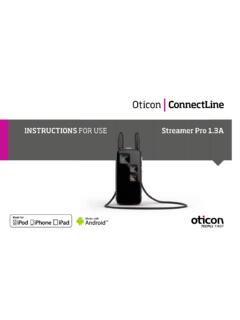
INSTRUCTIONS FOR USE Streamer Pro 1.3AStreamer Pro 1
www.oticon.comInterference and implantable devices The Streamer is designed to comply with the most stringent Standards of International Electromagnetic Compatibility. However, the Streamer might cause interference with ... loop breaks, it cannot be repaired and must be replaced immediately. Consult your Hearing Care Professional for a replacement. 17 Neck loop

Instructions for use - Oticon
www.oticon.comIf the speaker has an ear grip, place it in the ear so it follows the contour of the ear (see step 3). Put on the hearing aid Ear grip (optional) Ear grip Speaker (60 shown) Place the hearing aid behind your ear. Hold the bend of the speaker wire be-tween your thumb and index finger. The earpiece should point towards the ear canal opening.
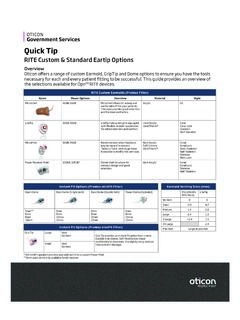
RITE Custom & Standard Eartip Options
www.oticon.comRITE Molds LiteTip No Vent 0 0 Small 0.8 0.7 Medium 1.4 0.8 Large 2.4 1.2 X Large >2.4 1.5 XX Large 2.4 Large as possible *105 miniFit speakers are only available built into a custom Power Mold **5mm open dome only available for 60 receiver
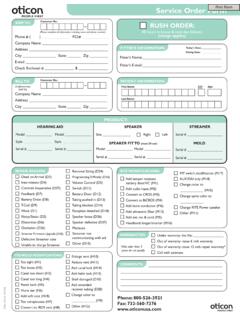
Service Order Form - Hearing aids, information on hearing ...
www.oticon.comHEARINg AID sPEAkER sTREAMER sPEAkER FIT TO (must fill out) MOLD ... Service Order Form Phone: 800-526-3921 Fax: 732-560-7376 ... Battery Door (D12) Tubing pushed in (D13) Tubing blocked (D14) Faceplate detached (D18) Speaker loose (D36) Speaker defective (D37) Moisture Streamer not

Technical data sheet - Oticon
www.oticon.comFitting Formulas VAC+, NAL-NL1 + 2, DSL v5.0 VAC+, NAL-NL1 + 2, DSL v5.0 ... Mold, Bass & Power dome Open dome Oticon OpnTM miniRITE is a discreet design with a smart single push button. Oticon Opn miniRITE-T is a discreet style based on …

PRODUCT INFORMATION OTICON RIA2 PRO OTICON RIA2
www.oticon.comBass dome, double vent 6, 8, 10, 12 mm Grip Tip, no vent S & L Grip Tip, large vent S & L BTE STYLES design RITE mini RITE & RITE RITE & BTE STYLES 6 7 Features Oticon Ria2 Pro Oticon Ria2 Fitting formulas NAL, DSL NAL, DSL Binaural Synchronisation (automatics) Yes No Binaural Coordination (PB operations) Yes Yes YouMatic Essential Personal ...

RITE & BTE Earmold Styles - Oticon
www.oticon.comRITE & BTE Earmold Styles Phone 877-310-9681 • Fax 732-764-9133 • pro.oticonusa.com Molds for 60, 85, designRITE 80, S, M & Intiga Speakers R L Hard Material acrylic (clear only) Soft
Related documents

Dell Wireless Mouse and Keyboard KM717
downloads.dell.comNOTE: If Dell WM527 is not listed, ensure pairing mode is enabled on the mouse. 7 Confirm the pairing process on both mouse and device. The second-Bluetooth connection light turns solid white for a few seconds to confirm the pairing and then the light turns off. After the mouse and a device are paired, they
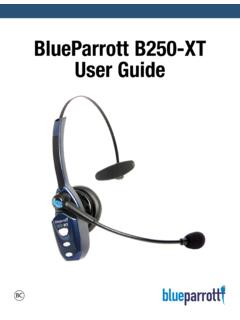
BlueParrott B250-XT User Guide - Jabra
www.jabra.comHeadset will be visible for pairing to devices for 120 seconds . Pairing to a Cell Phone • Make sure that other Bluetooth devices are turned off or out of range . • Place headset into pairing mode . • Put your cell phone in Bluetooth Search/Scan Mode per the manufacturer’s instructions . • Select “BlueParrott B250-XT USB” to pair .
Jabra Elite Active 65t
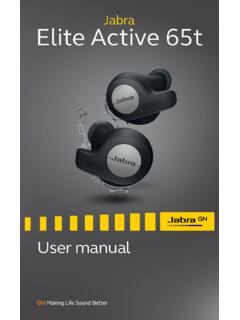
www.jabra.com5.1 Pairing with a smartphone 1.Ensure the right earbud is turned off and not in the charging case. To manually turn off the earbud, hold the Multi-function button until the LED flashes red. 2.Next, hold the Multi-function button on the right earbud for 5 seconds until you hear the connection instructions in the earbud and the LED flashes blue.
Lutron Connect Bridge - Lutron Electronics Company Inc
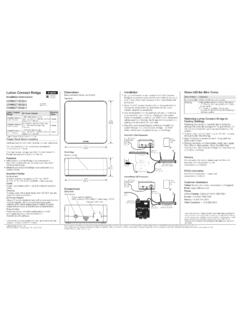
www.lutron.compairing with the Lutron Connect App. 4. Use the Lutron Connect App to control and monitor the system through the Lutron Connect Bridge. The “Add” button will be used for pairing the app to the Bridge. Dimensions Measurements shown as: in (mm) Front View 1.19 (30.2) 2.75 (69.9) Top View 2.75 (69.9) 2.75 (69.9) Connections Back View “Add ...

Pairing Instructions - Mercedes-Benz Connectivity
www.mercedes-benz-mobile.compairing feature of the Mercedes-Benz hands-free system. (All examples shown are using the COMAND system) For a connection between your mobile phone and your Mercedes-Benz hands-free system to be successful, Bluetooth® must be turned on in your mobile phone. Please make sure to also read the operating and pairing instructions of the mobile phone.

PAIR NEW DEVICE : 0)) 00:05 NUEVO PAIRING MODE: …
www.skullcandy.comView the quick setup instructions to learn basic functions of your Grind Wireless. Find important diagrams or bluetooth pairing details for your headphone. Keywords: Grind Wireless Instructions, Grind Wireless Setup, Grind Wireless Bluetooth Pairing …

PAIRING POWER-PN - Skullcandy
www.skullcandy.comView the quick setup instructions to learn basic functions of your Method Wireless. Find important diagrams or bluetooth pairing details for your earbuds. Keywords: Method Wireless Instructions, Method Wireless Setup, Method Wireless Bluetooth Pairing Created Date: 5/10/2017 9:59:13 AM