
Instructions - Garmin
2 Installing the Battery WarnIng This product contains a lithium-ion battery. See page 5 for important battery safety information. 1 With your thumbnail, slide the …
Download Instructions - Garmin

Information
Domain:
Source:
Link to this page:
Documents from same domain

EDGE® 1030 Owner’s Manual - Garmin International
static.garmin.comCharging the Device NOTICE To prevent corrosion, thoroughly dry the USB port, the weather cap, and the surrounding area before charging or connecting to

Owner’s Manual - Garmin International
static.garmin.comIntroduction WARNING See the Important Safety and Product Information guide in the product box for product warnings and other important information.

Lidar Lite v3 Operation Manual 2 and Technical …
static.garmin.com1 Lidar Lite v3 Operation Manual and Technical Specifications Laser Safety WARNING This device requires no regular maintenance. In the event that the device

Printing a Mounting Template - Garmin
static.garmin.comPrinting a Mounting Template Notice It is not recommended that you print a mounting template on your own. Use the template that came in the product box.

GPSMAP 62 series - Garmin
static.garmin.comGPSMAP 62 Series Quick Start Manual 3 3. Replace the battery cover. For best results, after you install new batteries, update the battery type in the

Important Safety and Product Information 2 …
static.garmin.comIMPORTANT SAFETY AND PRODUCT INFORMATION WARNING Failure to heed the following warnings could result in an accident or collision resulting in death or

Important Safety and Product Information 2 …
static.garmin.comImportant Safety and Product Information 2 Informations importantes sur le produit et la sécurité 3 guida Informazioni importanti sulla sicurezza e sul

GNS 430(A) - Garmin International
static.garmin.com190-00140-00 Rev. P GNS 430(A) Pilot’s Guide and Reference i RECORD OF REVISIONS Revision Date of Revision Description A 12/98 Initial Release B 4/99 Update to conform to recent SW changes

GNS 530(A) - Garmin International
static.garmin.com190-00181-00 Rev. H GNS 530(A) Pilot’s Guide and Reference i RECORD OF REVISIONS Revision Date of Revision Description A 5/00 Initial Release B 5/01 Update to reflect software changes through 2.06

Sélectionnez Télécharger Instructions d'installation …
static.garmin.comInstructions d'installation de la sonde DownVü Pour obtenir des performances optimales et éviter toute détérioration du bateau, installez la sonde Garmin ® DownVü ...
Related documents
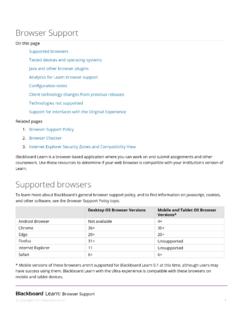
Browser Support
ecampus.support.dcccd.eduJRE versions 7 and 8 are the recommended versions for features that depend on it. JRE version 6 may work, but could result in unexpected behavior. Oracle has acknowledged some security issues with JRE version 6.

TEACHING TECHNIQUES - Oneonta
employees.oneonta.eduTEACHING TECHNIQUES THE NATURAL APPROACH IN THE CLASSROOM The Natural Approach is designed to develop basic communication skills. The …

8x8 Virtual Office Mobile User Guide for iPhone - …
sims.8x8.com3 USER GUIDE Virtual Office Mobile Introduction 8x8 Virtual Office Mobile is an app for the iPhone, iPod touch and iPad that allows 8x8 customers to connect to their Virtual Office phone service from any Wi-Fi zone or the AT&T
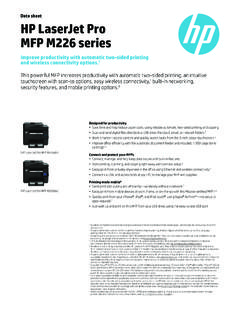
Data sheet HP LaserJet Pro MFP M226 series - hp.com
www.hp.comSeries at a glance 2 Data sheet | HP LaserJet Pro MFP M226 series 1 35-sheet automatic document feeder (ADF) 2 Flatbed scanner handles up to 8.5 x 14 in

VIDEO an AUDIO/VIDEO You will need FaceTime …
www.abed.com.au3. OHS PERSONNELL a. Identify each of the roles below with the appropriate health and safety person. • WHO IS, a worker who represents the health and safety interests of workers within their workgroup and must work within the organisation.

RICOH Smart Device Print&Scan
www.ricoh.comRICOH Smart Device Print&Scan User Manual for iOS Read this manual carefully before you use this machine.