
Introducing Stata—sample session
1 Introducing Stata—sample session Introducing Stata This chapter will run through a sample work session, introducing you to a few of the basic tasks that can be done in Stata, such as opening a dataset, investigating the contents of the dataset, using some descriptive statistics, making some graphs, and doing a simple regression analysis. As you
Download Introducing Stata—sample session

Information
Domain:
Source:
Link to this page:
Documents from same domain
Syntax - Stata
www.stata.com2cluster kmeans and kmedians— Kmeans and kmedians cluster analysis Options Main k(#) is required and indicates that # groups are to be formed by the cluster analysis.
Syntax Description - Stata
www.stata.com2substr()— Extract substring Diagnostics In substr(s, b, l) and substr(s, b), if b describes a position before the beginning of the string or after the end, "" is returned.
Title stata.com generate — Create or change …
www.stata.comTitle stata.com generate — Create or change contents of variable SyntaxMenuDescriptionOptions Remarks and examplesMethods and formulasReferencesAlso see Syntax Create new variable generate type newvar
SyntaxDescriptionRemarks and examplesAlso see
www.stata.commacro— Macro definition and manipulation 3 Macro extended functions related to matrices rownamesjcolnamesjrowfullnamesjcolfullnames matname roweqjcoleq
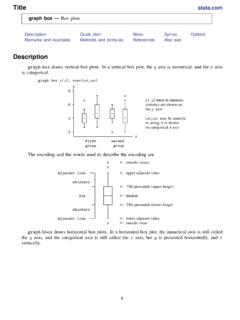
Title stata.com graph box — Box plots
www.stata.comgraph box— Box plots 3 Menu Graphics > Box plot Syntax graph box yvars if in weight, options graph hbox yvars if in weight, options where yvars is a varlist options Description
Title stata
www.stata.comarea options — Options for specifying the look of special areas 3 Also see [G-2] graph dot — Dot charts (summary statistics)
www.stata.com
www.stata.com2cluster dendrogram— Dendrograms for hierarchical cluster analysis The height of the vertical lines and the range of the (dis)similarity axis give visual clues about the
Title stata.com putexcel — Export results to an Excel …
www.stata.computexcel— Export results to an Excel file 3 export options Description Main overwritefmt overwrite existing cell formatting when exporting new content
destring — Convert string variables to numeric ... - …
www.stata.comTitle stata.com destring — Convert string variables to numeric variables and vice versa SyntaxMenuDescription Options for destringOptions for tostringRemarks and …
Title stata.com gettoken — Low-level parsing
www.stata.comTitle stata.com gettoken — Low-level parsing SyntaxDescriptionOptionsRemarks and examplesAlso see Syntax gettoken emname1 emname2: emname3, parse("pchars") quotes qed(lmacname) match(lmacname) bind
Related documents

Introducing Formal Methods
web.mit.eduIntroducing Formal Methods Formal Methods for Software Specification and Analysis: An Overview L 5 2 Software Engineering and Formal Methods nEvery Software engineering methodology is based on a recommended development process ... » Input-Output Assertions » Sets of operations

Operational Amplifiers: Basics and Design Aspects
www.mcvts.netoutput impedance value could be between 0-100 Ω, while an input impedance could be around 1 MΩ. [1,2] The figure below illustrates the benefits of a high input impedance and a low output impedance by introducing an op-amp circuit called a voltage follower which will be revisited again later in the tutorial. Figure 7.

ANALYSIS OF HOSPITAL COSTS: A MANUAL FOR MANAGERS
www.people.brandeis.eduanalysis of district health service costs and financing (Hanson and Gilson, 1996) 1. The steps are: 1. Define the final product. 2. Define cost centers. 3. Identify the full cost for each input. 4. Assign inputs to cost centers. 5. Allocate all costs to final cost centers. 6. Compute total and unit cost for each final cost center. 7. Report ...

Exact Signal Measurements using FFT Analysis - uni-kl.de
kluedo.ub.uni-kl.deoutput: N/2 point power spectrum If the time signal represents a voltage over a resistor R, the output of Alg. 1 can be converted to dBm on a logarithmic scale with P[dBm] = 10 log 10 power_ t R 1mW An overview of all calculation steps is shown in Fig. 2.1. FFT abs(x) x† 10log(x/ref) time domain signal complex FFTbins RMSspectrum power spectrum

Long Short-Term Memory - University of Wisconsin–Madison
pages.cs.wisc.edulayers vertically, with the output sequence of one layer forming the input sequence of the next (in addition to recurrent connections within the same layer) Increases the number of parameters - but given sufficient data, performs significantly better than single-layer LSTMs (Graves et al. 2013)
JournalofStatisticalSoftware - Hadley
vita.had.co.nzmunging the output from one tool so you can input it into another. Tidy datasets and tidy tools work hand in hand to make data analysis easier, allowing you to focus on the interesting domain problem, not on the uninteresting logistics of data. The principles of tidy data are closely tied to those of relational databases and Codd’s rela-
PID Control - cds.caltech.edu
www.cds.caltech.eduThe input-output relation of a controller with proportional and derivative action is u = kpe+kd de dt = k e+Td de dt, where Td = kd/kp is the derivative time constant. The action of a controller with proportional and derivative action can be interpreted as if the control is made proportional to the predicted process output, where the prediction