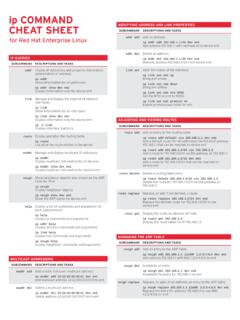
ip COMMAND - Red Hat Customer Portal
ip addr show dev em1 Display information only for device em1 link Manage and display the state of all network interfaces ip link Show information for all interfaces ip link show dev em1 Display information only for device em1 ip -s link Display interface statistics route Display and alter the routing table ip route List all of the route entries ...
Download ip COMMAND - Red Hat Customer Portal

Information
Domain:
Source:
Link to this page:
Documents from same domain

Graphical user management Common …
access.redhat.comRED HAT ENTERPRISE LINUX 5, 6, AND 7 Common administrative commands

Guide Cloud Image Certification Policy - Red Hat
access.redhat.comThe cloud certification test suite (redhat-certification-cloud) includes three tests (supportable, configuration, security), each with a series of subtests and checks, which are explained below. For
Understanding Linux Process States - Red Hat
access.redhat.comUnderstanding Linux Process States | Yogesh Babar 3. Running State The most precious resource in the system is the CPU. The process that is executing and using the CPU at a particular moment is called a running process. You can run the ps and top commands to see the state of

Red Hat Enterprise Linux 4 System Administration …
access.redhat.comRed Hat Enterprise Linux 4 System Administration Guide For Red Hat Enterprise Linux 4 Edition 2 Red Hat Inc.

SystemTap Beginners Guide - Red Hat
access.redhat.comRed Hat Enterprise Linux 5 SystemTap Beginners Guide Introduction to SystemTap (for Red Hat Enterprise Linux 5.3 and later) Edition 1.0 Don Domingo

Red Hat Enterprise Linux 7
access.redhat.comFocused on Red Hat Enterprise Linux but detailing concepts and techniques valid for all Linux systems, this guide details the planning and the tools involved in creating a secured computing environment for the data center, workplace, and home.

Integrating Red Hat Enterprise Linux 6 with Active Directory
access.redhat.comdeploying and integrating Red Hat Enterprise Linux 6 into Windows Active Directory domains. Basic concepts are introduced, deployment and integration tasks outlined, best practices and ... Active Directory Domain Services is a suite of directory services developed by Microsoft.
Red Hat OpenStack Platform 10 Dell EMC PS Series Back End ...
access.redhat.comA Guide to Using Dell EMC PS Series Storage in a Red Hat OpenStack Platform Overcloud OpenStack Team ... 2 PR CE SC P O 3 DE N ASI G B CKEN 4 DE LOYTH C NFI U D AC D ... Red Hat OpenStack Platform 10 Dell EMC PS Series Back End Guide 4.
Red Hat Enterprise Linux Network Performance Tuning Guide
access.redhat.comInterrupts and Interrupt Handlers Interrupts from the hardware are known as “top-half” interrupts. When a NIC receives incoming data, it copies the data into kernel buffers using DMA. The NIC notifies the kernel of this data by Red Hat Enterprise Linux Network Performance Tuning Guide | Bainbridge, Maxwell 1
Red Hat Enterprise Linux 7 System Administrator’s Guide
access.redhat.com3.1.4. Changing the Time Zone 3.1.5. Synchronizing the System Clock with a Remote Server 3.2. USING THE DATE COMMAND 3.2.1. Displaying the Current Date and Time 3.2.2. Changing the Current Time 3.2.3. Changing the Current Date 3.3. USING THE HWCLOCK COMMAND 3.3.1. Displaying the Current Date and Time 3.3.2. Setting the Date and Time 3.3.3.
Related documents
TCP/IP Tutorial and Technical Overview - IBM Redbooks
www.redbooks.ibm.comTCP/IP Tutorial and Technical Overview December 2006 International Technical Support Organization GG24-3376-07
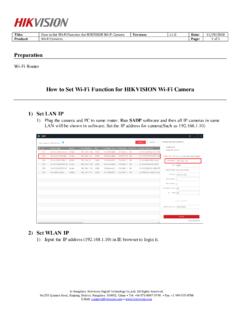
How to Set Wi-Fi Function for HIKVISION Wi-Fi Camera
www.hikvision.com2) Go to Configuration> Network> TCP/IP. And then we can check the IP of LAN. It is 192.168.1.10 3) Go to Configuration> Network> Advanced Settings> Wi-Fi, and then click Search. We can search all Wi-Fi router nearby. Please select the Wi-Fi router and then type in the right parameters of Wi-Fi router. And then click Save.

Quick Start Guide - Cisco
www.cisco.comIP as the Internet Connection Type, through option 101. Check Network Mask 120 Set Network Mask 121 To enter the value, press numbers on the telephone key pad. Press the * (star) key to enter a decimal point. Note: This option is available only after you choose Static IP as the Internet Connection Type, through option 101. Check Gateway IP ...
HL2170W Windows Network Connection Repair Instructions
www.brother-usa.comd. You should receive information about your computer's network connection. Make a note of the IP or IPv4 Address. If you do not receive an IP address, this indicates that there is a problem with your computer's network connection. If you are unsure of how to reconnect your computer to the

NETGEAR N300 WiFi Range Extender Model WN3000RPv3 ...
www.downloads.netgear.comget an IP address from the extender and cannot access the Internet. To allow the WiFi device to receive an IP address from the extender and access the Internet, you must provide the translated MAC address to the router. 1. Log in to your router and disable the MAC filter, wireless access control, or ACL.