Example: bachelor of science
Quick Start Guide - Cisco
IP as the Internet Connection Type, through option 101. Check Network Mask 120 Set Network Mask 121 To enter the value, press numbers on the telephone key pad. Press the * (star) key to enter a decimal point. Note: This option is available only after you choose Static IP as the Internet Connection Type, through option 101. Check Gateway IP ...
Tags:
Information
Domain:
Source:
Link to this page:
Documents from same domain

Architecting the Network for the Cloud - cisco.com
www.cisco.comWHITE PAPER Architecting the Network for the Cloud Sponsored by: Cisco Systems Lucinda Borovick Rohit Mehra January 2011 EXECUTIVE SUMMARY Cloud computing is now one of the prevailing IT trends as we head into the new

Miercom Report: Dual-Band Wave 2 Access Points ...
www.cisco.comDual-Band Wave 2 Access Points Comparative Performance: Cisco Aironet 2800 and 3800 Aruba AP-335 DR160830 September 2016 Miercom www.miercom.com

Cisco ASA with FirePOWER Services At-a-Glance
www.cisco.comAt a glance Cisco public Next steps To learn more about the Cisco ASA Firewall with FirePOWER Services, visit www.cisco. com/go/asafps. Meet the industry’s first adaptive, threat-focused next-generation firewall (NGFW) designed for a new

Cisco Identity Services Engine Ordering Guide
www.cisco.com© 2018 Cisco and/or its affiliates. All rights reserved. This document is Cisco Public Information. Page 1 of 22 Cisco Identity Services Engine

TERMS OF SALE AND SOFTWARE LICENSE …
www.cisco.comTERMS OF SALE AND SOFTWARE LICENSE AGREEMENT-US 3 CISCO CONFIDENTIAL SALES_TERMS_OF_SALE.docx June 2017 Terms of Sale. Customer shall pay any taxes related to Products and Services provided

Cisco Industrial Ethernet 4010 Series Switches Data …
www.cisco.com© 2018 Cisco and/or its affiliates. All rights reserved. This document is Cisco Public Information. Page 1 of 11 Data Sheet Cisco Industrial Ethernet 4010 Series Switches

Help Partners Increase Deal Sizes and Customer …
www.cisco.comHelp Partners Increase Deal Sizes and Customer Satisfaction Cisco Solution Support 101 Service and Promotion Overview for Partner Sales Teams Greg Suhayda

Cisco IP Phone Portfolio Brochure
www.cisco.comBrochure 3 © 2018 Cisco and/or its affiliates. All rights reserved. Introduction Leading the Way in Collaboration Cisco® IP Phones empower your business with a new collaboration experience

Data Center Power and Cooling White Paper - …
www.cisco.com© 2017 Cisco and/or its affiliates. All rights reserved. This document is Cisco Public Information. Page 1 of 22 White Paper Cisco Unified Computing System

Cisco Certification and Confidentiality Agreement …
www.cisco.comCisco Confidential Cisco Certifications and Confidentiality Agreement - Version 22 If you have been convicted of a crime that Cisco deems, in its sole discretion, in any way
Related documents
HL2170W Windows Network Connection Repair Instructions
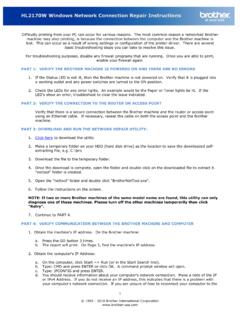
www.brother-usa.comd. You should receive information about your computer's network connection. Make a note of the IP or IPv4 Address. If you do not receive an IP address, this indicates that there is a problem with your computer's network connection. If you are unsure of how to reconnect your computer to the
How to Set Wi-Fi Function for HIKVISION Wi-Fi Camera
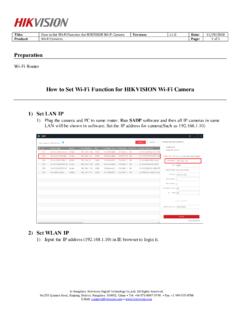
www.hikvision.com2) Go to Configuration> Network> TCP/IP. And then we can check the IP of LAN. It is 192.168.1.10 3) Go to Configuration> Network> Advanced Settings> Wi-Fi, and then click Search. We can search all Wi-Fi router nearby. Please select the Wi-Fi router and then type in the right parameters of Wi-Fi router. And then click Save.
ip COMMAND - Red Hat Customer Portal
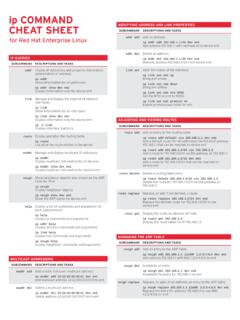
access.redhat.comip addr show dev em1 Display information only for device em1 link Manage and display the state of all network interfaces ip link Show information for all interfaces ip link show dev em1 Display information only for device em1 ip -s link Display interface statistics route Display and alter the routing table ip route List all of the route entries ...
TCP/IP Tutorial and Technical Overview - IBM Redbooks
www.redbooks.ibm.comTCP/IP Tutorial and Technical Overview December 2006 International Technical Support Organization GG24-3376-07

NETGEAR N300 WiFi Range Extender Model WN3000RPv3 ...
www.downloads.netgear.comget an IP address from the extender and cannot access the Internet. To allow the WiFi device to receive an IP address from the extender and access the Internet, you must provide the translated MAC address to the router. 1. Log in to your router and disable the MAC filter, wireless access control, or ACL.