
IP Desk Phone Quick Reference Guide
IP Desk Phone Quick Reference Guide Calling a person from the contacts list You can call a contact in your contacts list by using the ar-rows to highlight the name. Press the Contacts button. Select the person or primary number you want to call. To call a non-primary number, select the person, press Details,
Download IP Desk Phone Quick Reference Guide

Information
Domain:
Source:
Link to this page:
Documents from same domain

a d e o m f it r t u l p u o c u y if o n fi y o d l ...
www.umassmed.edue a s s e t, y o u r p a y c h e c k-e n r o l l t o d a y! W h a t Y o u r B e n e f i t s C o v e r: ...
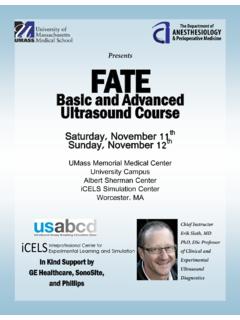
FATE - University of Massachusetts Medical School
www.umassmed.eduFATE Ultrasound is the fastest, most efficient way to build proficiency in transthoracic echocardiography. Once en-rolled with the FATE program, participants will receive a

Basic and Advanced Ultrasound Course
www.umassmed.eduFATE Basic and Advanced Ultrasound Course Thursday, December 8th Friday, December 9th In Kind Support by GE Healthcare and SonoSite UMass Memorial Medical Center ... FATE Ultrasound is the fastest, most efficient way to build proficiency in transthoracic echocardiography.

Weight-loss Nutrition Myths
www.umassmed.eduWeight-loss and Nutrition Myths How much do you really know? Diet Myths Myth: Fad diets work for permanent weight loss. Fact: Fad diets are not the best way to lose weight and keep it off. ... Lifting weights is not good to do if you want to lose weight, because it will

TIPS FOR A SUCCESSFUL SITE VISIT
www.umassmed.eduTIPS FOR A SUCCESSFUL SITE VISIT Industry Exploration (IndEx) Program at University of Massachusetts Medical School • IndEx is a student and postdoc group.

Introduction to Confocal Laser Scanning Microscopy (LEICA)
www.umassmed.eduIntroduction to Confocal Laser Scanning Microscopy (LEICA) This presentation has been put together as a common effort of Urs Ziegler, Anne Greet Bittermann, Mathias
T H E MISSION CONSUMER WORKBOOK
www.umassmed.eduJul 03, 2007 · recovery. Part 1, Section C, contains the Dual Recovery Tools and Readings, which will be used in group sessions while you are in residential treatment. These exercises and checklists are invaluable tools to facilitate your recovery. You should expect to meet with your Peer Support Specialist once a week for a “check-in

Benign Mimics of Malignancy on Breast Imaging
www.umassmed.eduReview mammography, ultrasound, and MRI findings with pathology correlation. 3. Recognize that many benign lesions can mimic breast cancer and should be included in differential diagnoses. 4. Reinforce importance of radiology and pathology correlation for these lesions in an effort to obviate unnecessary surgical
ICU Residents Guide
www.umassmed.edu36. Severe Sepsis and Septic Shock 174 37. Infections and Antibiotic Therapy 178 38. Management of the Immunocompromised Patient 186 Section 10: Miscellaneous Topics 190 39. Managing Endocrine Emergencies 191 40. Toxicology and Support of Patients with Drug Overdoses 194 41. Solid Organ Transplantation 200 42. Trauma Management in the ICU 210 43.
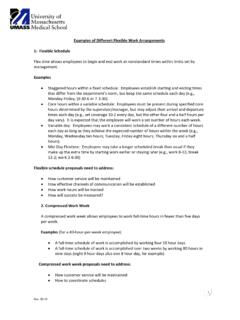
Examples of Different Flexible Work Arrangements
www.umassmed.edu2. Compressed Work Week A compressed work week allows employees to work full‐time hours in fewer than five days per week. Examples (for a 40‐hour‐per‐week employee): • A full‐time schedule of work is accomplished by working four 10 hour days
Related documents

Livio Product Family Reference Guide
starkeypro.comProduct Portfolio Reference Guide | 2021 T Tinnitus Technology TC Telecoil Absolute Power/ R Rechargeable Option P Power Products C CROS System Thrive 2.4 GHz + NFMI* TECHNOLOGY 2.4 GHz ACCESSORIES Enjoy one-on-one conversations in noisy environments and easily stream binaurally from four different audio sources: Bluetooth®, Telecoil, FM or ...

Cisco IP Phone 7800 Series Quick Start Guide
www.cisco.comphone is in use. Adjust the Ringtone Volume Press Volume up or down to adjust the ringer volume when the phone is not in use. Change Ringtone 1. Press Applications . 2. Select Preferences > Ringtone . 3. Select a line. 4. Scroll through the list of ringtones and press Play to hear a sample. 5. Press Set and Apply to save a selection.

Cisco Wireless IP Phone 8821 and 8821-EX Quick Start Guide
www.cisco.comTitle: Cisco Wireless IP Phone 8821 and 8821-EX Quick Start Guide Created Date: 6/3/2019 1:24:25 PM

Mitel 5312 IP Phone Quick Reference Guide - T2K
www.t2k.co.ukQUICK REFERENCE GUIDE Feature Buttons Feature buttons provide quick access to commonly used features. See the following table for descriptions. Commonly Used Feature Codes Most of the following feature codes work when your IP phone is idle. However, if you are on an active call or if the IP phone is off-hook, you may need to press