
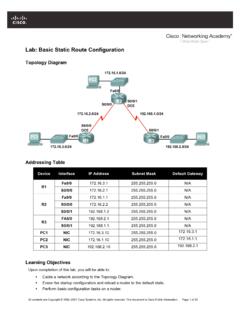
Lab: Basic Router Configuration
CCNA Exploration Routing Protocols and Concepts: Introduction to Routing and Packet Forwarding Lab: Basic Router Configuration Routing Protocols and Concepts ... FastEthernet0/0 192.168.1.1 YES manual up up FastEthernet0/1 unassigned YES unset administratively down down ...
Download Lab: Basic Router Configuration

Information
Domain:
Source:
Link to this page:
Documents from same domain
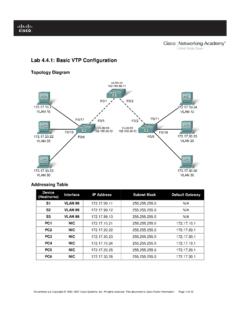
Lab 4.4.1: Basic VTP Configuration - Arvutiteaduse instituut
courses.cs.ut.eeSet the VTP domain name to Lab4 and the VTP password to cisco on all three switches . Configure S1 in server mode, S2 in client mode, and S3 in transparent mode.

Packet Tracer Configuring VPNs (Optional) - ut
courses.cs.ut.eePacket Tracer – Configuring VPNs (Optional) © 2013 Cisco and/or its affiliates. All rights reserved. This document is Cisco Public. Page 2 of 6 ISAKMP Phase 1 ...

Lab: Basic OSPF Configuration Lab
courses.cs.ut.eeThe OSPF router ID is used to uniquely identify the router in the OSPF routing domain. A router ID is an IP address. Cisco routers derive the Router ID in one of three ways and with the following precedence: 1. IP address configured with the OSPF router-id command. 2. Highest IP address of any of the router’s loopback addresses. 3.

Rui Jiang Xuegong Zhang Michael Q. Zhang Editors Basics of ...
courses.cs.ut.eeinclude useful introductions to concepts such as gene or Bayesian methods. This is a valuable aspect of the volume allowing a student various angles of approach to a new topic. Chapter 1, “Basics for Bioinformatics,” defines bioinformatics as “the storage, manipulation and interpretation of biological data especially data of nucleic acids

Lab 2.5.1: Basic Switch Configuration
courses.cs.ut.eeSet the login password to cisco . Also configure the vty lines 0 to 15 with the password cisco . S1#configure terminal Enter the configuration commands, one for each line. When you are finished, return to global configuration mode by entering the exit command or pressing Ctrl-Z. S1(config)# line console 0 S1(config-line)# password cisco

Lab 3.5.1: Basic VLAN Configuration - ut
courses.cs.ut.eeIf necessary, refer to Lab 2.5.1, Appendix 1, for the procedure to clear switch configurations. It is a good practice to disable any unused ports on the switches by putting them in …

Lab 5.5.1: Basic Spanning Tree Protocol - ut
courses.cs.ut.eeCCNA Exploration LAN Switching and Wireless: STP Lab 5.5.1: Basic Spanning Tree Protocol ... • Configure a password of cisco for console connections. • Configure a password of cisco for vty connections. (Output for S1 shown) Switch> enable Switch# configure terminal
Lab: Basic Static Route Configuration
courses.cs.ut.eeIf you can answer yes to all the proceeding questions, the interface should come up. CCNA Exploration Routing Protocols and Concepts: Static Routing Lab …
Related documents
Cisco Packet Tracer
www.cisco.comfollowing Networking Academy curricula: Cisco CCNA® Discovery, CCNA Exploration, and CCNA Security, and can be used to teach concepts from IT Essentials and Cisco CCNP® courses Figure 2. Multiuser games provide fun learning opportunities for collaboration and competition Page 2 of 3 Cisco Packet Tracer Data Sheet The Student Experience
Lab – Configuring IPv4 Static and Default Routes (Solution ...
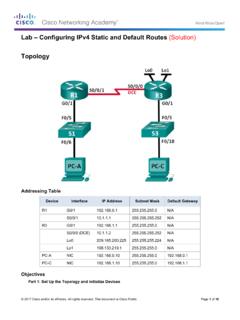
www.radford.eduLab – Configuring IPv4 Static and Default Routes (Solution) Topology ... The routers used with CCNA hands-on labs are Cisco 1941 Integrated Services Routers (ISRs) with Cisco IOS Release 15.2(4)M3 (universalk9 image). ... GigabitEthernet0/1 192.168.1.1 YES manual up up Serial0/0/0 10.1.1.2 YES manual up up ...
CCNA Routing and Switching
ptgmedia.pearsoncmg.comCCNA Routing and Switching Practice and Study Guide: Exercises, Activities, and Scenarios to Prepare for the ICND2 (200-101) Certification Exam Allan Johnson ... Manual Summarization 104 IPv4 Manual Summarization 105 IPv6 Manual Summarization 107 Default Route Propagation 108

Spring 2022
www.epcc.eduM-Th (Lab) VV MST A1724 CISCO ACADEMY Students must purchase their own supplies and textbooks. For more information call 915-831-2056 or email dnajera5@epcc.edu CCNA 1: Introduction to Networks 64 hrs/6.4 CEUs Introduces the basics of networking including network terminology, Local Area Network (LAN), and Wide Area Network (WAN). Topics
LAB MANUAL for Computer Network
sjce.ac.inLAB MANUAL for Computer Network DEPARTMENT OF ELECTRONICS & COMMUNICATION ENGINEERING SRI JAYACHAMARAJENDRA COLLEGE OF ENGINEERING Mysore -570006. S.No Experiment 1 Study of different types of Network cables and Practically implement the cross-wired cable and straight through cable using clamping tool.

Hotel Wifi Solution with MikroTik
mum.mikrotik.comHotel Wifi Solution 1. Receptionist Create the Wifi Internet access account in Mikrotik User Manager depend on room type or whatever 2. Generate voucher and give it to Guest for Internet

COMPLETE LAB MANUAL FOR CCNP
it2.fiu.eduLab Objective: Task 1 Configure EIGRP on 2 routers in AS 100. Disable Auto-summary. R1 Router eigrp 100 Network 1.0.0.0 Network 10.0.0.0 No auto-summary R2 Router eigrp 100 Network 1.0.0.0 Network 20.0.0.0 No auto-summary Verification : Lab 1 – Basic EIGRP Configuration R1 R2 E 0 S 0/2/0 S 0 E 0
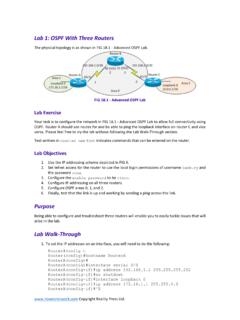
Lab 1: OSPF With Three Routers
www.howtonetwork.comfeel free to try the lab without following the Lab Walk-Through section. FIG 18.2 - OSPF with Access-lists Text written in courier new type indicates commands that can be entered on the router. Purpose A three-router lab is the typical scenario you will face in the CCNA exam. You must be comfortable
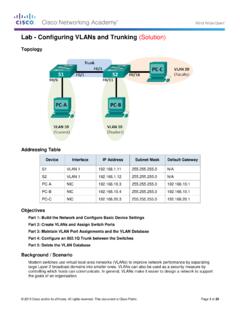
Lab - Configuring VLANs and Trunking (Solution)
www.radford.eduLab - Configuring VLANs and Trunking (Solution) Topology Addressing Table Device Interface IP Address Subnet Mask Default Gateway S1 VLAN 1 192.168.1.11 255.255.255.0 N/A S2 VLAN 1 192.168.1.12 255.255.255.0 N/A ... Vlan99 192.168.1.11 YES manual up down FastEthernet0/1 unassigned YES unset up up ...