MacBook Pro User's Guide
power cord to the adapter. Plug the other end into a power outlet. For an illustration, see page 30. Step 2: Connect Your Cables Next, for an Internet connection, connect your MacBook Pro to a DSL modem, cable modem, external modem, or Ethernet network. If you’re connecting to a wireless AirPort Extreme network, you don’t need cables.
Download MacBook Pro User's Guide

Information
Domain:
Source:
Link to this page:
Documents from same domain

iPod Classic User Guide - B&H Photo Video
www.bhphotovideo.comiPod classic User Guide. 2 2 Contents Chapter 1 4 iPod classic Basics 5 iPod classic at a Glance 5 ... To use iPod classic, you put music, videos, photos, and other files on your computer ... From the main menu, choose Shuffle Songs. You can also shuffle songs from the Now Playing screen.
User Manual for Amazfit Band 5 - B&H Photo
www.bhphotovideo.comSleep breathing quality The Amazfit Band 5 can monitor your SpO2 when you are sleeping to help you calculate your sleep breathing quality score and establish good sleeping habits. To enable the sleep breathing quality monitoring function, go to Profile > Amazfit Band 5 > Health Monitoring in the bound app.

Digital Photo Professional Instruction Manual
www.bhphotovideo.comOIt is prohibited to reproduce, in whole or part, the contents of this Instruction Manual without permission. OCanon may change without notice the software specifications and contents of this Instruction Manual. OThe software screens and displays printed in this Instruction Manual may differ slightly from the actual software.
Samsung Galaxy Note10|10+ User manual N970U|N975U …
www.bhphotovideo.comWirelessly charge your compatible Samsung devices using your phone. Some features are not available while sharing power. 1. From Quick Settings, tap Wireless PowerShare to enable this feature. 2. With the phone face down, place the compatible device on the back of the phone to charge. A notification sound or vibration occurs when charging begins.
My Passport Ultra User Manual - B&H Photo
www.bhphotovideo.comPortable Hard Drive User Manual My Passport Ultra User Manual. ii WD Service and Support Should you encounter any problem, please give us an opportunity to address it before returning this product. Most technical support questions can be answered through our knowledge base
Remote Control Quadcopter Instruction Manual
www.bhphotovideo.comRemote Control Quadcopter Instruction Manual ©Xtreem™ RC Fun 2014 MATOMQC090514E . 2 • Keep hands, hair and loose clothing away from the rotors when the power switch is ... are the best way to fly well. Be careful when easing off the throttle – if the Atom stalls, it
Smart Watch Phone User Guide - B&H Photo Video Digital ...
www.bhphotovideo.com3.4.4 BT dialer Paired devices from smart watch 3.4.5 Remote notifier When there is SMS, incoming messages from QQ and other applications on the connected phone, the watch phone will alert you to read them. 3.4.6 Remote cameras Use phone camera take photos, but remote by watch, its need switch on the camera of phone in advance.

PREDATOR ORION 3000 USER’S MANUAL - B&H Photo
www.bhphotovideo.com1 Upgrading your computer - 5 Pre-installation instructions Always observe the following before you install any component: 1. Make sure that the ODD and card reader slot is empty.
Legion Y540 Series User Guide - B&H Photo
www.bhphotovideo.com3. Audio connector Connect headphones or a headset with a 3.5-mm (0.14-inches) and 4-pole plug to listen to the sound from the computer. Note: The conventional microphone is not supported. Chapter 1. Meet your computer 5
S e t u p a n d u s e yo u r S o l o W i r e l e s s h e a ...
www.bhphotovideo.comS e t u p a n d u s e yo u r S o l o W i r e l e s s h e a dp h o n e s Here's ever ythin g you need to know to make the most of your S olo Wireless he adphone s . 3 3. 1. ... To ac tivate S iri on your iO S device or t he voice -command fe ature on ano ther device, use t he b but ton on the lef t e arcup, or t he center but ton on t he ...
Related documents

Linksys WAP300N User Guide
downloads.linksys.comdocumentation for help) Use that IP address to open the browser-based utility • If there is no DHCP server, or if the WAP300N is not wirelessly connected to any other device and it is connected with an Ethernet cable directly to a computer, then the WAP300N uses 10.100.1.1 as its IP address until a DHCP server is detected

High-Speed Internet
help.suddenlink.comthe back of the modem. Step #2 Connect the power and Ethernet cable to the cable modem. Connect the other end of the Ethernet cable to the router port labeled “WAN” or “Internet”. Step #3 Verify that the modem has connected to the High-Speed Internet network by observing that the online LED light is solid.
High Speed Cable Modem - Netgear
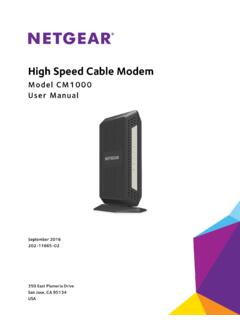
www.downloads.netgear.comto register your product, get help, access the latest downloads and user manuals, and join our community. ... Chapter 3 Troubleshooting. ... Connect the power adapter provided in the package to the cable modem and plug the power adapter into an electrical outlet.

High Speed Cable Modem - Netgear
www.downloads.netgear.comto register your product, get help, access the latest downloads and user manuals, and join our community. ... Chapter 3 Troubleshooting. ... Connect the power adapter provided in the package to the cable modem and plug the power adapter into an electrical outlet.
DOCSIS 3.1 cable modem plus AC3200 WiFi router
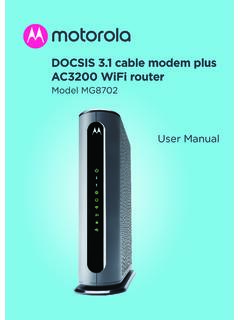
www.motorolacable.comThese precautions help protect you and your MG8702. • Do not put the MG8702 or its power adapter in water, since this is a shock hazard. • The MG8702 should normally be installed indoors. If you use it outdoors, protect it from moisture and be careful about temperature. • Your MG8702 should be operated in an environment that’s
If your display still shows “Searching for GPS” after one ...
www.verizonwireless.comPlug the power supply connector into the 12V DC power port located at the rear of the Network Extender. ... Use this guide to help you set up your Network Extender, learn how to connect to it, and ... • A Router/Modem: The Network Extender must be connected to an available LAN port on a …