Example: marketing
Linksys WAP300N User Guide
documentation for help) Use that IP address to open the browser-based utility • If there is no DHCP server, or if the WAP300N is not wirelessly connected to any other device and it is connected with an Ethernet cable directly to a computer, then the WAP300N uses 10.100.1.1 as its IP address until a DHCP server is detected
Tags:
Information
Domain:
Source:
Link to this page:
Documents from same domain

Linksys PLW400 User Guide
downloads.linksys.comUser Guide Linksys PLW400 Powerline AV Wireless Network Extender. 2 Linksys PLW400 Contents ... see your wireless network device’s user documentation The PLW400’s Wireless LED flashes, then stays on when a wireless network device successfully connects Setting .up .advanced .security

Valet and Valet Plus User Guide - Linksys
downloads.linksys.com5 UserGuide Chapter2:CiscoConnect b . Plugthepoweradapterintoanelectricaloutlet . ConnecttoElectricalOutlet

Linksys PLWK400 User Guide
downloads.linksys.com4 Linksys PLWK400 Overview PLW400 Wi-Fi Protected Setup button—Press this button to connect with other wireless network devices that have a Wi-Fi Protected Setup button HomePlug Simple Connect button—Configures advanced security (the network password) for your Powerline network

User Guide - WRT1900AC Dual Band Gigabit Wi-Fi …
downloads.linksys.comWRT 1900AC | Contents PRODUCT OVERVIEW 1 WRT1900AC 3 Wall-mounting placement SETTING UP: BASICS 5 How to create a home network 5 What is a network? 5 How to set up a home network

Compact Wireless-G Broadband Router - Linksys
downloads.linksys.comTable of Contents Compact Wireless-G Broadband Router ii Chapter 1: Product Overview 4 Front Panel.

Linksys EG005W Gigabit 5-Port Workgroup Switch
downloads.linksys.comAbout This Guide Gigabit 5-Port Workgroup Switch i ... Address learning and aging is ... refund the purchase price of the

16-Port and 24-Port 10/100 Switches - Linksys
downloads.linksys.comChapter 1: Introduction r With its advanced switching technology, the Linksys 16- or 24-Port 10/100 Switch will boost your network performance with much more than just full

Wireless-G Broadband Router - Linksys
downloads.linksys.comChapter 1 Product Overview W reless-G Broadband Router Chapter : Product Overv ew Thank you for choosing the Linksys Wireless-G Broadband Router. The Router lets you access the Internet via a

Routeur sans fil N pour la maison - …
downloads.linksys.comÀ propos de ce guide Routeur sans fil N pour la maison i ... Linksys, Cisco et le logo Cisco sont des marques de commerce ou des marques

Routeur Gigabit sans fil N double bande en simultané
downloads.linksys.comÀ propos de ce guide Routeur Gigabit sans fil N double bande en simultané i À propos de ce guide Description des icônes Pendant la lecture de ce guide …
Related documents
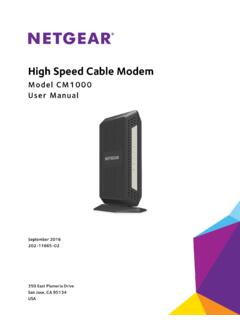
High Speed Cable Modem - Netgear
www.downloads.netgear.comto register your product, get help, access the latest downloads and user manuals, and join our community. ... Chapter 3 Troubleshooting. ... Connect the power adapter provided in the package to the cable modem and plug the power adapter into an electrical outlet.

High Speed Cable Modem - Netgear
www.downloads.netgear.comto register your product, get help, access the latest downloads and user manuals, and join our community. ... Chapter 3 Troubleshooting. ... Connect the power adapter provided in the package to the cable modem and plug the power adapter into an electrical outlet.
If your display still shows “Searching for GPS” after one ...
www.verizonwireless.comPlug the power supply connector into the 12V DC power port located at the rear of the Network Extender. ... Use this guide to help you set up your Network Extender, learn how to connect to it, and ... • A Router/Modem: The Network Extender must be connected to an available LAN port on a …
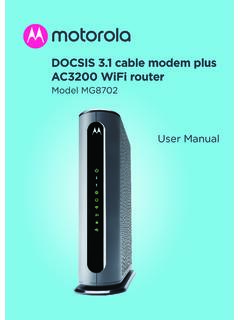
DOCSIS 3.1 cable modem plus AC3200 WiFi router
www.motorolacable.comThese precautions help protect you and your MG8702. • Do not put the MG8702 or its power adapter in water, since this is a shock hazard. • The MG8702 should normally be installed indoors. If you use it outdoors, protect it from moisture and be careful about temperature. • Your MG8702 should be operated in an environment that’s
MacBook Pro User's Guide
www.bhphotovideo.compower cord to the adapter. Plug the other end into a power outlet. For an illustration, see page 30. Step 2: Connect Your Cables Next, for an Internet connection, connect your MacBook Pro to a DSL modem, cable modem, external modem, or Ethernet network. If you’re connecting to a wireless AirPort Extreme network, you don’t need cables.

High-Speed Internet
help.suddenlink.comthe back of the modem. Step #2 Connect the power and Ethernet cable to the cable modem. Connect the other end of the Ethernet cable to the router port labeled “WAN” or “Internet”. Step #3 Verify that the modem has connected to the High-Speed Internet network by observing that the online LED light is solid.