Example: tourism industry
High Speed Cable Modem - Netgear
to register your product, get help, access the latest downloads and user manuals, and join our community. ... Chapter 3 Troubleshooting. ... Connect the power adapter provided in the package to the cable modem and plug the power adapter into an electrical outlet.
Tags:
Information
Domain:
Source:
Link to this page:
Documents from same domain

N300 Wireless ADSL2+ Modem Router …
www.downloads.netgear.com350 East Plumeria Drive San Jose, CA 95134 USA October 2013 202-10870-04 N300 Wireless ADSL2+ Modem Router DGN2200v3. User Manual

GS748T Gigabit Smart Switch - Netgear
www.downloads.netgear.com6 GS748T Gigabit Smart Switch Overview The NETGEAR GS748T Gigabit Smart Switch provides 48 twisted-pair ports with four built-in Small Form Factor (SFP) GBIC slots that support nonstop 1000M fiber networks.

Gigabit Ethernet Switch 10/100/1000 Mbps GS605 / …
www.downloads.netgear.comUnpack the Box and Verify the Contents When you open the box, verify that you received everything. The package includes: • 5/8-port Gigabit Ethernet Switch GS605/GS608

AC750 WiFi Router - Netgear
www.downloads.netgear.comAC750 WiFi Router User Manual Model R6020 September 2017 202-11750-03 350 E. Plumeria Drive San Jose, CA 95134 USA

Nightha wk A C2300 Smar t WiFi Router - Netgear
www.downloads.netgear.comNightha wk A C2300 Smar t WiFi Router User Manual Model R7000P July 2017 202-11702-02 350 E. Plumeria Drive San Jose, CA 95134 USA

N600 Wireless Dual Band Router WNDR3400v2 …
www.downloads.netgear.com2 N600 Wireless Dual Band Router WNDR3400v2 . Support. Thank you for selecting NETGEAR products. After installing your device, locate the serial number on the label of your product and use it to register your product

2. Now, Configure the Switch with the NETGEAR …
www.downloads.netgear.comTitle: Netgear FS728TP Quick Start Guide Author: Netgear Technical Publications Subject: Netgear FS728TP Smart Switch Quick Start Guide Keywords

FS726TP Hardware Installation Manual - Netgear
www.downloads.netgear.comJune 2005 NETGEAR, Inc. 4500 Great America Parkway Santa Clara, CA 95054 USA Phone 1-888-NETGEAR FS726TP Hardware Installation Manual

GS110TP Hardware Installation Guide
www.downloads.netgear.comGS110TP Hardware Installation Guide 1-2 Introduction v1.0, March 2010 The GS110TP Smart PoE Switch is a free-standing switch. It is IEEE-compliant and offers low

Installation ReadyNAS OS 6 Desktop Storage - …
www.downloads.netgear.com4 Basic Setup After you follow these instructions, your ReadyNAS is ready to use in a production environment. Setup takes approximately 15 minutes.
Related documents

High Speed Cable Modem - Netgear
www.downloads.netgear.comto register your product, get help, access the latest downloads and user manuals, and join our community. ... Chapter 3 Troubleshooting. ... Connect the power adapter provided in the package to the cable modem and plug the power adapter into an electrical outlet.
If your display still shows “Searching for GPS” after one ...
www.verizonwireless.comPlug the power supply connector into the 12V DC power port located at the rear of the Network Extender. ... Use this guide to help you set up your Network Extender, learn how to connect to it, and ... • A Router/Modem: The Network Extender must be connected to an available LAN port on a …
DOCSIS 3.1 cable modem plus AC3200 WiFi router
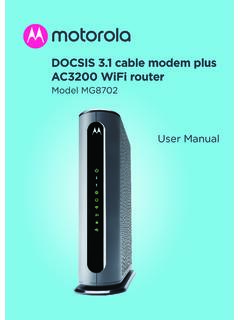
www.motorolacable.comThese precautions help protect you and your MG8702. • Do not put the MG8702 or its power adapter in water, since this is a shock hazard. • The MG8702 should normally be installed indoors. If you use it outdoors, protect it from moisture and be careful about temperature. • Your MG8702 should be operated in an environment that’s
MacBook Pro User's Guide
www.bhphotovideo.compower cord to the adapter. Plug the other end into a power outlet. For an illustration, see page 30. Step 2: Connect Your Cables Next, for an Internet connection, connect your MacBook Pro to a DSL modem, cable modem, external modem, or Ethernet network. If you’re connecting to a wireless AirPort Extreme network, you don’t need cables.

High-Speed Internet
help.suddenlink.comthe back of the modem. Step #2 Connect the power and Ethernet cable to the cable modem. Connect the other end of the Ethernet cable to the router port labeled “WAN” or “Internet”. Step #3 Verify that the modem has connected to the High-Speed Internet network by observing that the online LED light is solid.

Linksys WAP300N User Guide
downloads.linksys.comdocumentation for help) Use that IP address to open the browser-based utility • If there is no DHCP server, or if the WAP300N is not wirelessly connected to any other device and it is connected with an Ethernet cable directly to a computer, then the WAP300N uses 10.100.1.1 as its IP address until a DHCP server is detected