
MSI CENTER
How to Adjust the GPU and GPU Memory Frequency 1. Go to Features > User Scenario, click Customize. 2. Click / to adjust GPU Frequency and GPU Memory Frequency. You can also fill out the value in the input box. 3. Click the Apply button to apply change.
Download MSI CENTER

Information
Domain:
Source:
Link to this page:
Documents from same domain

Optix Series - download.msi.com
download.msi.com3 Stand Base with Screw 4 Wall Mount Screws x 4 5 Stand Screws x 4 6 VESA Cover 7 Power Cord ... 15 Camera Cradle with Rotatable Ball Head * Contact your place of purchase or local distributor if any of the items is damaged or ... It doesn’t support data transmition function. 5 USB3.1 Gen1 Type B Upstream Port For USB Upstream Cable.
Optix Series - download.msi.com
download.msi.com(2014/35/EU), ErP Directive (2009/125/EC) and RoHS directive (2011/65/ EU) This product has been tested and found to comply with the harmonized standards for Information Technology Equipment published under Directives of Official Journal of
Optix Series - download.msi.com
download.msi.comto Electromagnetic Compatibility (2014/30/EU), Low-voltage Directive (2014/35/EU), ErP Directive (2009/125/EC) and RoHS directive (2011/65/ EU) This product has been tested and found to comply with the harmonized standards for Information Technology Equipment published under Directives of Official Journal of the European Union

Quick Start - download.msi.com
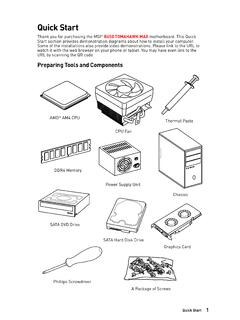
download.msi.comAudio y Realtek® ALC892 Codec 7.1-Channel High Definition Audio Back Panel Connectors y 1x PS/2 keyboard/ mouse combo port y 2x USB 2.0 Type-A ports y 1x VGA port y 1x DVI-D port y 1x DisplayPort y 1x USB 3.1 Gen2 Type-A port y 1x USB 3.1 Gen2 Type-C port y 1x LAN (RJ45) port y 2x USB 3.1 Gen1 Type-A ports y 6x audio jacks Continued on next page
Quick Start - download.msi.com
download.msi.comInternal Connectors y 1x 24-pin ATX main power connector y 1x 8-pin ATX 12V power connector y 6x SATA 6Gb/s connectors y 2x USB 2.0 connectors (support additional 4 USB 2.0 ports) y 1x USB 3.2 Gen1 connectors (support additional 2 USB 3.2 Gen1 ports) y 1x 4-pin CPU fan connector y 1x 4-pin water-pump-fan connector y 4x 4-pin system fan connectors

Contents
download.msi.com4x USB 3.2 Gen 1 5Gbps Type-A ports on the back panel Internal Connectors ∙ 1x 24-pin ATX main power connector ∙ 1x 4-pin ATX 12V power connector ∙ 4x SATA 6Gb/s connectors ∙ 1x M.2 slots (M-Key) ∙ 1x USB 3.2 Gen 1 5Gbps connector (supports additional 2 …

Inleiding - download.msi.com
download.msi.comInleiding 4 5 1. Webcam/ Webcam-LED/ interne microfoon • Deze ingebouwde webcam kan worden gebruikt voor beeld, video-opname, conferencing, enz. • De webcam-LED indicator die zich naast de webcam bevindt, licht op wanneer de webcamfunctie wordt geactiveerd en de LED gaat uit als deze functie wordt uitgeschakeld.

Quick Start - download.msi.com
download.msi.comBIOS Features ∙ 1x 256 Mb flash ∙ UEFI AMI BIOS ∙ ACPI 6.0, SMBIOS 2.8 ∙ Multi-language Software ∙ Drivers ∙ DRAGON CENTER ∙ MSI APP Player (BlueStacks) ∙ Open Broadcaster Software (OBS) ∙ CPU-Z MSI GAMING ∙ Google Chrome™, Google Toolbar, Google Drive ∙ Norton™ Internet Security Solution Dragon Center Features ∙ ...

User's Manual
download.msi.comEuropean Union: Batteries, battery packs, and accumulators should not be disposed of as unsorted household waste. Please use the . public collection system to return, recycle, or treat …

CREATOR CENTER User Guide - download.msi.com
download.msi.comThe screenshots for the UI in this user guide are for reference only and the actual UI design may vary. Operation Panel Information Bar Display System ... Base Clock frequency (BCLK). You can also fill out the value in the input box. ... Please refer to the instructions on page 28.
Related documents
Algorithms for Reinforcement Learning - University of Alberta
sites.ualberta.caa computer’s main memory. The rst algorithm explained is TD( ), which can be viewed as the learning analogue to value iteration from dynamic programming. After this, we consider the more challenging situation when there are more states than what ts into a computer’s memory. Clearly, in this case, one must compress the table representing the ...

i.MX Linux Reference Manual - NXP
www.nxp.comi.MX Linux Reference Manual NXP Semiconductors Document identifier: IMXLXRM Reference Manual Rev. LF5.15.5_1.0.0, 31 March 2022

Impact of Visual Aids in Enhancing the Learning Process ...
files.eric.ed.govthere is no doubt that technical devices have greater impact and dynamic informative system. Significance of the Research Visual aids are the devices that help the teacher to clarify, establish, and correlate and co-ordinate precise conceptions, understandings and appreciations and support him to make learning more actual, active, motivating, ...
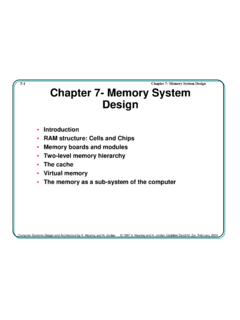
7-1 Chapter 7- Memory System Design Chapter 7- Memory ...
people.cs.clemson.edu•Dynamic RAM–less expensive, but needs “refreshing” •Chip organization •Timing •ROM–Read only memory •Memory Boards •Arrays of chips give more addresses and/or wider words •2-D and 3-D chip arrays • Memory Modules •Large systems can benefit by partitioning memory for •separate access by system components
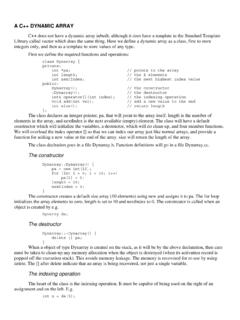
A C++ DYNAMIC ARRAY - New Mexico State University
www.cs.nmsu.eduA C++ DYNAMIC ARRAY C++ does not have a dynamic array inbuilt, although it does have a template in the Standard Template ... The memory is recovered for re-use by using delete. The [] after delete indicate that an array is being recovered, not just a single variable. The indexing operation The heart of the class is the indexing operation. It ...

Getting to Know Your 2016 Equinox - Chevrolet
my.chevrolet.comMemory Driver’s SeatF Set Memory Positions 1. Adjust the driver’s seat and power outside mirrors to the desired position. 2. Press and hold the MEM button and button 1 on the outboard side of the driver’s seat until a beep sounds. 3. Repeat these steps using button 2 for a second driver. Recall Memory Positions

Intel® Optane™ Memory M Series
www.intel.comDynamic type drives are not supported , only Basic type. ... Optane™ memory device being added to an existing system , i.e. setup with OS installed. 2.1 New System Build and Setup . New system is defined as a system (Motherboard, Processor, DRAM etc.installed) with …