
Network Connection Quick Setup Guide - Xerox
Network Setup Using a Static IP Address Xerox WorkCentre M118/M118i 3 Network Setup Using a Static IP Address When the machine is powered on, it automatically uses DHCP to obtain its network configuration.
Download Network Connection Quick Setup Guide - Xerox

Information
Domain:
Source:
Link to this page:
Documents from same domain

Xerox Phaser 7100 Imaging Unit replacement …
download.support.xerox.comTitle: Xerox Phaser 7100 Imaging Unit replacement instructions, 604E81210, Rev A Author: Content Development & Language Services NA Subject: Replacing an imaging …

How to disable driver signature enforcement - …
download.support.xerox.comHow to disable driver signature enforcement - Windows 8 & 8.1 Step 1: Enter PC settings. You can enter PC settings according to the following two procedures. 1. Open Charms Menu by simultaneously pressing WIN key (also referred to Windows logo key) and C key, and select Settings in it. a.

Xerox WorkCentre 7755 / 7765 / 7775
download.support.xerox.comXerox ® WorkCentre 7755 / 7765 / 7775 System Administrator Guide Guide de l’administrateur système Español Guía del administrador del sistema Português Guia de Administração do Sistema

2016 Xerox ConnectKey Technology-enabled MFPs
download.support.xerox.com3 Part I: Overview Platform Introduction The Xerox® ConnectKey Technology platform was launched in February of 2013, and consisted of five series of MFPs, as well as ...

Xerox Smart Card - Product Support and Drivers
download.support.xerox.comIntroduction Xerox® Smart Card Installation Guide 8 Documentation and Support For information specifically about your Xerox product, the following resources are available:

Xerox ColorQube™ 9201/9202/9203 System …
download.support.xerox.comVersion 1.0 October 2009 Xerox ColorQube™ 9201/9202/9203 System Administrator Guide

Xerox WorkCentre 5845/5855/5865/5875/5890 1.5 …
download.support.xerox.comXerox® WorkCentre® 5845/5855/5865/5875/5890 . Multifunction Printer . Xerox® ConnectKey® 1.5 Technology . System Administrator Guide

Xerox ColorQube™ 9201/9202/9203 System …
download.support.xerox.comVersion 2.0 09 2009 Xerox ColorQube™ 9201/9202/9203 System Administrator Guide

WorkCentre 5845/5855/5865/5875/5890 Getting …
download.support.xerox.comVersion 1.0 January 2013 Xerox® WorkCentre® 5845/5855/5865/5875/5890 Getting Started Guide

WorkCentre 5845/5855/5865/5875/5890 …
download.support.xerox.comXerox WorkCentre 5845/5855/5865/5875/5890 Multifunction Printer Imprimante multifonction Español Guía del administrador del sistema Português Guia de Administração do Sistema
Related documents
Portable BACnet®/IP to MS/TP Router - Johnson …
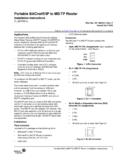
cgproducts.johnsoncontrols.comPortable BACnet®/IP to MS/TP Router Installation Instructions 5 IP Subnet Enter a decimal value (0–30) for the IP subnet mask. This value is the number of bits with a 1 in the mask. Default Value = 24
MessageLabs IP Ranges - Graig
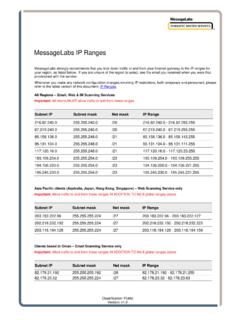
graig-it.comMessageLabs strongly recommends that you lock down traffic to and from your Internet gateway to the IP ranges for your region, as listed below.
IP Address Notes The Ethernet Cheat Sheet
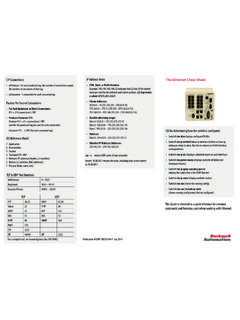
literature.rockwellautomation.comThe Ethernet Cheat Sheet CLI for determining how the switch is configured. • Switch# sho vlan displays configured VLANs • Switch# sho ip int brief (show ip interface brief to see how ip addresses relate to vlans. Use this to determine VLAN/Interface

Subnet Mask Wildcard - PacketLife.net
packetlife.netpacketlife.net by Jeremy Stretch v2.0 IP V4 SUBNETTING Terminology Subnets CIDR /32 255.255.255.255 1 Subnet Mask Addresses Wildcard 0.0.0.0 …
How to configure DVR and computer for running …
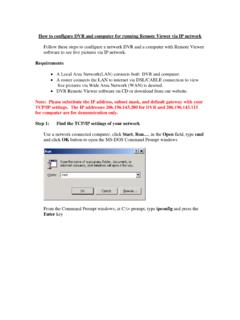
www.arcvisioncctv.comThe TCP/IP settings for this networked computer will look like this: From this screen, you can see the IP configuration of your network and this

ARP - Address Resolution Protocol (ARP within a …
www.eventhelix.comARP - Address Resolution Protocol (ARP within a Subnet) Subnet 1 Intranet Subnet 2 Host1 Host2 Host3 Router Host4 Application IP Stack LAN Driver 1 LAN Driver 2 LAN Driver 3 Router Driver LAN Driver 4

Low-Cost HDMI Over Gigabit IP Network Range …
www.networktechinc.com330.562.7070 International calls 1.800.RGB.TECH (800.742.8324) Toll Free: US & Canada 330.562.1999 Worldwide fax © 2012, 2018 NTI. All rights reserved.

Connections and IP Address - Xerox
www.office.xerox.comConnections and IP Address Phaser® 8400 Color Printer 3-3 Automatically Setting the Printer’s IP Address Use the Phaser installer on the Printer Installer and Utilities CD-ROM to detect and/or assign an IP address to your printer.